

How to Choose the Best Credit Card for Facebook Ads
A Meta ad account with a decline rate above 15% gets flagged as high-risk. Above 25%, Meta's algorithm slows your learning phase by an extra seven days and your ROI drops an estimated 35%. That's not a billing inconvenience. That's a performance penalty built directly into the platform's infrastructure.
The cause, in most cases, is not fraud or a suspended account. It's the wrong card.
Most guides to the best credit card for Facebook Ads treat this like a general business card comparison: best rewards, lowest fees, nicest app. That's the wrong frame. Meta's billing system has specific behaviors that make the wrong card an active liability. A card that works fine for travel and SaaS will create friction on a Meta account running $50k/month because it wasn't designed for how Meta actually charges you.
Here's what actually matters.
TL;DR: Meta's billing system charges in threshold increments, flags unstable payment methods as high-risk, and penalizes accounts with high decline rates by slowing campaign delivery. The right card for Facebook Ads needs limit headroom above your peak spend, a dedicated virtual card per ad account, cashback on the ad spend category, and payment terms that fit your cash flow. For agencies managing multiple clients, card architecture matters more than cashback rate.
Why Facebook Ads Billing Is Different
Most business expenses follow predictable billing patterns: a monthly SaaS invoice, a quarterly software renewal, a weekly payroll run. You know when the charge is coming, roughly how much it will be, and you can plan around it.
Meta doesn't work that way.
Meta bills against billing thresholds: preset charge amounts that trigger automatically when your cumulative spend hits them. A new account might start with a $25 threshold. As Meta develops trust in your payment history, that threshold climbs: $250, $750, $2,500, $10,000, and eventually higher. Each time you hit the threshold, Meta charges your card immediately, regardless of time of day or day of month.
At scale, this creates three specific problems that generic business cards aren't built for:
-
Unpredictable charge timing. Multiple charges per month, often clustered during high-spend periods. Traditional bank fraud algorithms frequently flag this pattern and lock the card outright. Your campaigns pause, revenue drops, and you spend the next hour on hold waiting for a rep to manually clear it.
-
Verification sensitivity. Meta flags new or changed payment methods and may run a verification hold that pauses campaigns while it confirms the card.
-
Account trust signals. A history of declines or card changes degrades Meta's trust in your account, which can slow threshold increases and trigger manual reviews.
The card you put on file isn't just a payment method. It's a signal to Meta's system about whether your account is stable and trustworthy.
The Five Criteria That Actually Matter
1. Credit Limits That Clear Meta's Billing Thresholds
Meta's threshold system is designed to scale with your spend. The problem: most business cards aren't. A card with a $10,000 limit works fine when your account is new and billing in $250 increments. Once Meta's threshold climbs to $5,000 per charge and you're running multiple accounts, that same card becomes a ceiling you'll hit mid-flight.
The standard to look for: A credit limit with meaningful headroom above your highest expected monthly spend. If you're running $100k/month across accounts, you need a card that can absorb $25,000-$50,000 in threshold charges without approaching its limit. Cards built for ad spend, including Opal, offer limits up to $10M tied to cash flow rather than a static credit decision. For context on how limits affect scaling across platforms, see our breakdown of high ad spend limits without a personal guarantee.
2. Account Stability and Card Verification
Every time you add a new card to a Meta ad account, Meta runs a verification process. That process can include a temporary hold that pauses active campaigns. If the card declines during verification, or if you're frequently swapping cards because one hit its limit, Meta treats that as a risk signal.
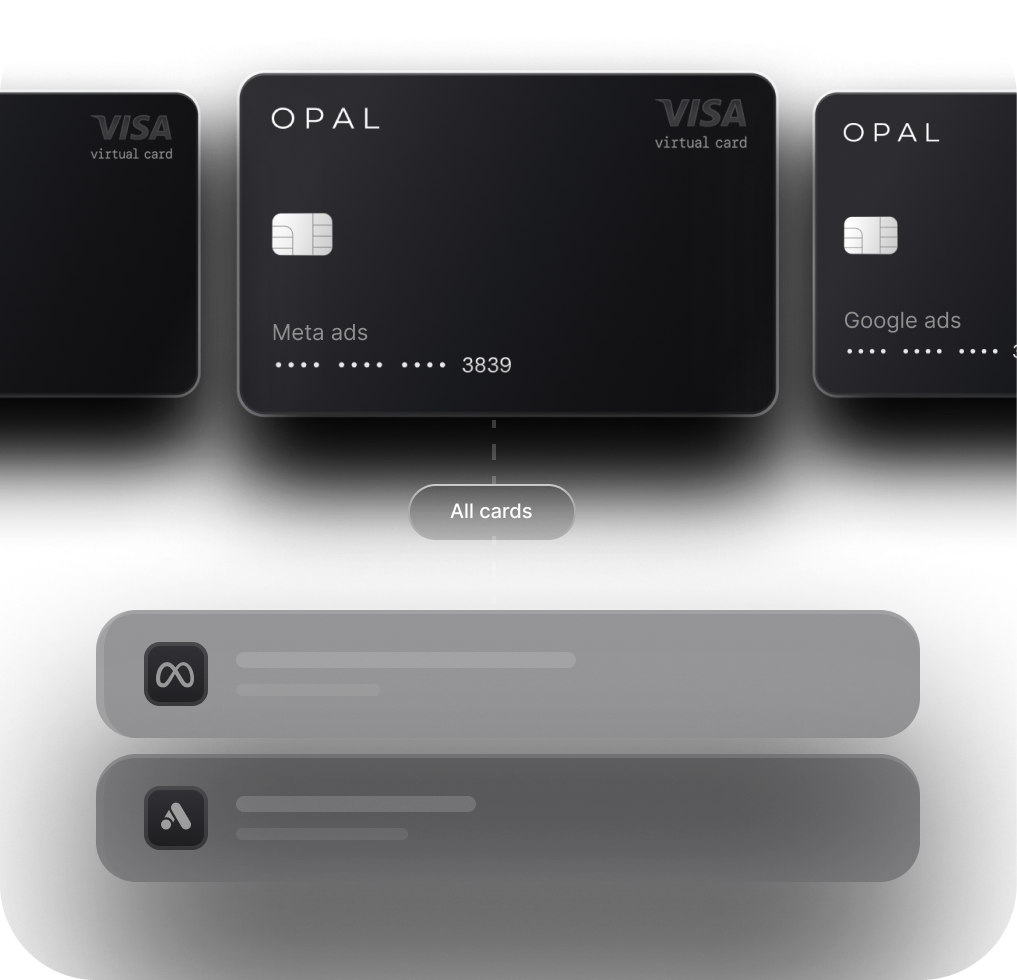
The standard to look for: One dedicated virtual card per ad account, never shared, never changed. A card that stays on file and processes charges cleanly builds the payment history that allows Meta to increase your billing threshold over time. This is also why virtual cards are preferable to physical cards: you can issue a unique card number for each account, keep it isolated, and never touch it unless something breaks. The goal is a payment method that Meta never has a reason to question.
3. Cashback on Ad Spend Specifically
Most business cards categorize digital advertising as "other" or "miscellaneous," earning 1% or less. That's a structural problem when ad spend is your single largest expense category. The math compounds fast:
Monthly Ad Spend |
1% Cashback |
2% Cashback |
3% Cashback (capped/tiered) |
|---|---|---|---|
$50,000 |
$500 |
$1,000 |
$1,500 |
$100,000 |
$1,000 |
$2,000 |
$3,000 |
$250,000 |
$2,500 |
$5,000 |
$7,500 |
The standard to look for: A card that earns on the ad spend category specifically, with no cap on earnings. A tiered or capped cashback structure that starts high but cuts off at $50k/month in spend is less valuable than a lower flat rate with no ceiling, especially at scale.
4. Virtual Card Architecture for Agencies
If you're an agency managing multiple client accounts on Meta, a shared card is a reconciliation disaster waiting to happen. One card across five client accounts means five clients' charges in a single statement, no clean way to separate spend by client, and a single point of failure if the card declines.
The standard to look for: One virtual card per client ad account, with spend controls and real-time visibility at the card level. This isn't just a convenience feature; it's the difference between a billing dispute taking 15 minutes to resolve and taking three days. Opal extends credit directly to your agency, sized to your managed spend volume, so each client gets a dedicated virtual card drawing from that credit line with no commingling of funds. For a deeper look at how to structure cards across clients, see our guide on eliminating ad spend disputes before they start.
5. Payment Terms and Cash Flow
Meta charges on threshold, not on a fixed monthly date. At $100k/month in spend, you might see 8-12 separate charges hit your card across the month, timed to whenever your account crosses each threshold increment. If your card has daily billing (Net 1), every one of those charges hits your bank account the next day. That's a cash flow squeeze that compounds when you're managing multiple clients.
The standard to look for: Extended payment terms (Net 30-55) give agencies the breathing room to collect from clients before the card balance comes due. For agencies fronting client spend, the gap between when Meta charges and when the client pays is the liability window. A card with longer terms compresses that window. This is one of the most overlooked criteria when evaluating a credit card for Meta Ads, and it has the most direct impact on agency cash flow at scale.
One more layer worth knowing about: For high-spend accounts that Meta has moved off card billing entirely (onto invoice billing), Opal offers Ad Pay: a feature that auto-detects Meta and Google invoices from your inbox and lets you pay them with Opal credit or a connected card in one click. It extends cash flow up to 55 days, earns 1% cashback on every dollar paid, and eliminates the bank transfer delays that pause campaigns. If Meta has pushed your account to invoice billing, this is the bridge back to card-based payments. Ad Pay is currently in early access (waitlist open at opalspend.com/ad-pay).
How Common Card Types Stack Up
Here's how the most common options compare against the five criteria above. This is an honest comparison: where a card is strong, it's listed as strong.
Criteria |
Generic Business Card |
General Fintech (Ramp/Brex) |
Ad Spend Card (Dash.fi) |
Opal |
|---|---|---|---|---|
|
Credit limit headroom |
Low ($5k-$25k typical) |
Moderate (tied to cash balance) |
Moderate-High |
Up to $10M, cash flow-based |
|
Virtual cards per account |
Rarely supported |
Supported |
Supported |
Unlimited, free |
|
Cashback on ad spend |
1% or less (generic "other") |
1-1.5% |
Up to 3% (may be tiered/capped) |
1% uncapped |
|
Client account separation |
Not designed for this |
Possible but manual |
Not built for agencies |
Native: one card per client |
|
Credit scales with book of business |
No |
Tied to cash deposits |
No |
Yes, up to $10M |
|
Payment terms |
Net 30 (varies) |
Net 1-30 |
Net 30 |
Net 30-55 |
|
No personal guarantee |
Rarely |
Sometimes |
Varies |
Yes |
A few honest notes on this table:
Dash.fi advertises up to 3% cashback, which is the highest rate in this comparison. If you're a brand spending your own budget on Meta and cashback rate is the primary decision factor, that number is worth evaluating carefully, including whether it applies to your spend volume and category mix.
Opal's 1% is lower on paper, but it's uncapped and applies to all ad spend across every platform. For agencies running $500k/month across Meta, Google, TikTok, and other channels, that's $5,000/month in cashback with no ceiling and no tiered structure to navigate.
The more significant Opal advantage for agencies isn't the rate. It's the architecture: native client separation, the client-funded model that eliminates fronting risk, and billing controls at the card level. No other card in this comparison was built for the multi-client agency use case specifically.
Which Card Is Right for You
The answer depends on which of these two situations describes you.
If you're a brand spending your own budget on Meta
Your priorities, in order:
-
Credit limit headroom above your peak monthly spend, with room to grow as Meta increases your billing threshold.
-
Cashback rate on the ad spend category specifically, not a blended rate that includes travel and dining.
-
Virtual card support so you can keep your Meta ad account on a dedicated card number that never changes.
Payment terms matter less here because you're spending your own money. The cash flow gap between Meta's charge and your bank account is an internal treasury question, not a client collection problem.
If you're an agency managing client accounts on Meta
Your priorities shift significantly:
-
Client separation by card. One virtual card per client ad account, full stop. This is the agency card for Facebook Ads standard that prevents reconciliation problems and makes billing disputes solvable in minutes.
-
Payment terms. The longer the better. Net 30-55 gives you the window to invoice clients and collect before your card balance comes due.
-
Credit that scales with your book of business. Opal extends credit to your agency based on managed spend volume, not deposits or personal financials. That means your limit grows as your client roster grows, with no personal guarantee and no hard credit check required.
-
Cashback rate comes fourth, because it matters less than avoiding the cash flow problems that come from the wrong card architecture.
Opal was built for the agency use case specifically. Unlimited free virtual cards, the client-funded model, limits up to $10M, no personal guarantee, and no hard credit check. If you're an agency running Meta campaigns across multiple clients and you've been managing it with a shared card or a general fintech product, the setup takes about two minutes.
Apply for Opal at opalspend.com and run your next Meta billing cycle the way it should work.
Frequently Asked Questions
What makes a credit card good for Facebook Ads specifically?
Meta bills in threshold increments that can hit multiple times per month at unpredictable intervals. A good card for Facebook Ads needs limit headroom above your peak monthly spend, consistent card stability (no frequent changes or declines), and verification behavior that doesn't trigger campaign holds. For agencies, it also needs virtual card support and payment terms that fit your client billing cycle.
Why does a high decline rate hurt Meta campaign performance?
Meta treats payment behavior as a trust signal. Accounts with a decline rate above 15% are flagged as high-risk. Above 25%, Meta slows the learning phase by up to seven additional days and reduces delivery efficiency. The performance hit isn't just operational; it's algorithmic. A payment failure resets optimization signals that took weeks to build.
Should I use a virtual card for my Meta ad accounts?
Yes, and ideally one dedicated virtual card per ad account. A shared card across multiple accounts creates commingled spend, harder reconciliation, and a single point of failure: if the card declines or gets flagged on one account, it affects every account it's attached to. A dedicated virtual card per account keeps billing isolated and builds a clean payment history for each account independently.
What credit limit do I actually need for Facebook Ads?
A useful rule of thumb: your card limit should be at least 3x your highest expected billing threshold charge, with additional headroom for retries and verification holds. If Meta's billing threshold on your account is $10,000 per charge and you're running multiple accounts, a card with a $15,000 limit is already too tight. Cards built for ad spend, like Opal, size limits to cash flow rather than a static credit decision.
Is a higher cashback rate always better for ad spend?
Not if it comes with a cap. A card offering 3% cashback that cuts off at $50,000/month in spend earns less than a card offering 1% with no ceiling once you cross that threshold. At $250,000/month in ad spend, an uncapped 1% card returns $2,500/month. A tiered card that drops to 1% above $50k returns the same or less, with more structure to track. Run the math against your actual spend volume before choosing based on the headline rate.