

TikTok Ads Billing for Agencies: Virtual Cards, Limits, and Why Payments Fail
If you manage TikTok ads for clients, you've probably already run into a billing surprise: a campaign paused mid-flight, a card declined with no obvious reason, or a threshold charge hitting your card four times in a single day.
TikTok's billing model is not a copy of Meta or Google. It has its own logic, its own hierarchy of accounts, and its own set of failure modes. Most of the pain comes down to one assumption: that TikTok works like the platforms you already know. It doesn't.
This guide covers how TikTok billing actually works, how to structure payments across multiple client accounts, how virtual cards fit into the picture, and exactly why payments fail.
TL;DR
TikTok billing can include Manual Payment, Automatic Payment, and Monthly Invoicing, depending on account eligibility, region, and setup.
Manual Payment works like prepay: once the account balance runs out, campaigns can pause until funds are added.
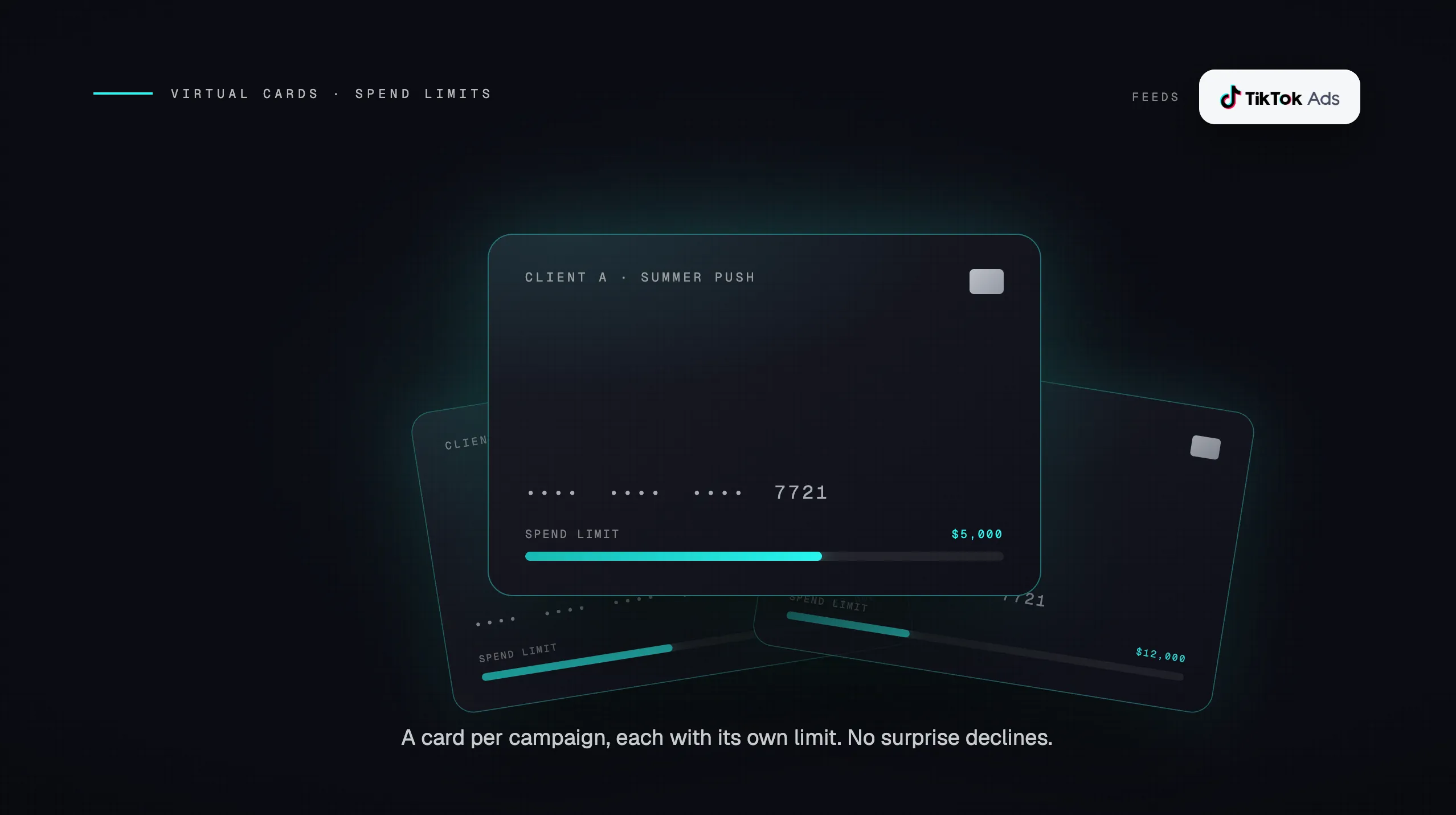
For agencies, the cleanest setup is usually one dedicated virtual card per ad account, with spending limits set above expected peak spend.
Payment failures often come from billing address mismatches, authentication issues, country or issuer mismatches, bank risk controls, or card limits.
Do not retry a failed payment over and over. Fix the root cause first, then attempt payment again.
TikTok's Three Billing Modes
When you create or manage a TikTok Ads Manager account, the available billing options can depend on the account type, country, eligibility, and whether the account is self-serve or managed. This decision matters because changing billing setup later may be restricted, and not every account will have access to every billing option from day one.
Here's how each mode works:
Billing Mode |
How It Works |
Best For |
|---|---|---|
|
Manual Payment |
Prepay a balance upfront. Ads run until balance hits zero, then pause. |
New accounts, test budgets, clients with fixed spend caps |
|
Automatic Payment |
TikTok charges your card when spend reaches a billing threshold or on the weekly/monthly bill date, whichever comes first. |
Ongoing campaigns, agencies running consistent volume |
|
Monthly Invoicing |
TikTok extends a credit line. You receive an invoice after the campaign period, due Net 30. |
Enterprise accounts, high-volume agencies with TikTok approval |
Manual Payment: The Prepay Model
Manual Payment is TikTok's prepay model. You add funds in advance, and TikTok draws down that balance as ads deliver. Minimum top-up amounts can vary by country, currency, and account setup.
The critical rule: if the account balance runs out, active campaigns can pause until the balance is replenished. For agencies managing tight daily budgets, this is a real operational risk. A client's campaign can go dark overnight if no one is monitoring available balance.
Automatic Payment: Threshold-Based Billing
Automatic payment is TikTok's recommended mode for agencies. Instead of prepaying, your card is charged when spend hits a billing threshold, or on your account's bill date, whichever comes first. Bill dates are weekly for self-serve accounts and monthly for managed service. You can review how TikTok defines this in their automatic payment documentation.
The threshold often starts low for newer accounts and may increase over time as the account builds successful payment history. Exact threshold amounts and timing can vary by country, currency, account status, spend volume, and TikTok's internal risk controls.
TikTok may raise thresholds based on consistent spend, successful charges, and stable account behavior. Agencies should treat threshold increases as something earned through clean billing history, not something they can rely on being manually changed on demand.
The implication for high-spend accounts: if your threshold is $500 and you are spending $2,000 per day, your card will be charged four times in a single day. Your bank needs to be able to handle multiple charges from the same merchant within a short window, or you will hit a decline.
Monthly Invoicing: The Enterprise Option
Monthly invoicing is not available by default. TikTok extends it to pre-approved businesses with substantial, consistent ad spend. If approved, TikTok provides a credit line and invoices you monthly, with payment due 30 days from the invoice date.
For agencies managing large accounts, this is the cleanest billing structure: run ads all month, receive one invoice, pay via bank transfer. The downside is that access is not guaranteed, and TikTok determines the credit limit at its sole discretion.
Important: Once you switch to Monthly Invoicing, you cannot revert to Manual or Automatic payment. Treat this as a permanent upgrade, not a trial.
How the Agency Business Center Changes Your Payment Structure
If you are managing TikTok ads for more than one client, you should be operating out of a TikTok Business Center for Agencies, not individual Ads Manager accounts. The difference matters for billing.
In a standard Ads Manager setup, payment is tied to each ad account individually. That means each client account has its own card on file, its own balance, and its own billing threshold. Manageable for one or two clients. Unmanageable at scale.
The Agency Business Center centralizes this. From a single hub, you can:
Link multiple client ad accounts (either by creating them or requesting access to existing ones)
Set a single payment method that covers all owned ad accounts
Share balance across accounts
Manage invoices in one place
Assign Finance Manager or Finance Analyst roles to your billing team without giving them full admin access
The billing ownership distinction matters. When your agency owns an ad account in the Business Center, you control the billing. When you have been granted access to a client-owned ad account, the client controls their own billing and you are operating as an authorized user. This affects who gets charged when campaigns run.
Two Ways to Structure Client Accounts
Structure |
Who Controls Billing |
Best For |
|---|---|---|
Agency-owned ad account |
Your agency |
Full-service clients where you manage everything |
Client-owned ad account, agency access |
The client |
Clients who want billing visibility or pay TikTok directly |
TikTok also supports billing groups, which allow you to consolidate costs across multiple ad accounts into a single invoice. For agencies that bill clients on a net basis, this simplifies reconciliation significantly.
Virtual Cards on TikTok: What Works and What Doesn't
TikTok accepts Visa, Mastercard, American Express, and Discover (region-dependent) as payment methods, per their supported payment methods page. Virtual cards work, and for agencies they are the preferred approach. The reason is isolation: one virtual card per ad account means a decline on one client's card does not cascade to others, and you can set spending limits that match each client's budget.
Before you add any card to TikTok Ads Manager, there are four requirements to verify:
-
Authentication support. Your card should support common online payment authentication flows, including 3D Secure when required by TikTok, the issuer, or the region.
-
Online and international payment capability. The card should be enabled for online transactions and any cross-border processing that may apply. Some corporate cards block these by default.
-
Country and issuer fit. A mismatch between the card's issuing country and the Business Center's registered country can trigger payment reviews or declines. Use a card issued in the same country whenever possible.
-
Billing address match. The billing address entered in TikTok should match the address on the card account. Address mismatches are a common cause of setup and authorization failures.
Spending Limits and Virtual Cards
When you issue a virtual card for a specific TikTok ad account, set the card's spending limit to align with that client's expected monthly budget, with some buffer above it. If the card limit is lower than a single threshold charge, TikTok will decline the payment and pause the campaigns.
The math to keep in mind: on automatic payment, TikTok may charge your card multiple times per day once your threshold is low. A card with a $500 daily limit and a $200 billing threshold works fine at low volume. Once spend picks up and TikTok tries to charge $200 five times in a day, your bank may flag the pattern as suspicious even if the card has sufficient available balance.
One virtual card per ad account is the recommended setup. Do not share a single card across multiple client accounts. If that card is declined for any reason, every account tied to it loses billing.
Why TikTok Payments Fail (and How to Fix Them)
TikTok runs a strict risk-control system on every payment attempt. The system is automated, and it does not always communicate clearly why a charge was declined. Most failures fall into one of five categories.
The Five Most Common Decline Triggers
1. AVS mismatch The billing address entered in TikTok does not match the card statement. This is the number one cause of initial card binding failures. The fix is exact: verify the address character-by-character against your card statement, including apartment numbers, zip codes, and abbreviations.
2. 3DS authentication failure TikTok requires 3D Secure verification for most payment attempts. If a VPN is active, it can block the 3DS redirect page from loading. If your browser has pop-up blockers enabled, same result. Disable both before attempting payment, or use an incognito window.
3. BIN-country mismatch Your card's issuing country does not match your Business Center's registered country. TikTok's fraud detection flags this as a risk signal. The only fix is to use a card issued in the same country as your Business Center registration.
4. Bank-level blocks on ad platform charges Some banks flag repeated charges from the same merchant, especially when they occur multiple times per day. This is a common problem for accounts on automatic payment with low thresholds. Your bank may see four charges from TikTok in a day and treat it as suspicious. The fix is to contact your bank and whitelist TikTok as a merchant, or increase your threshold (which happens automatically over time with a clean payment history).
5. Card limit exceeded during high-spend periods During Q4, Black Friday, or any rapid scaling period, your card's daily or monthly limit may be hit before TikTok's threshold is reached. The card declines, campaigns pause, and TikTok's retry attempts may compound the problem. Set card limits with headroom above your expected peak spend, not your average spend.
What to Do When a Payment Fails
If a payment fails, the worst response is to immediately retry multiple times. Repeated failed attempts flag the account as suspicious in TikTok's risk system and can result in further restrictions.
The correct sequence is:
Pause active campaigns to stop additional charge attempts
Remove the declined card from TikTok billing settings
Resolve the underlying issue (contact your bank, verify AVS, check card limits)
Add a new or corrected payment method
Resume campaigns gradually, starting with lower daily budgets
If the issue is unclear, TikTok's payment troubleshooting guide walks through the diagnostic steps. For persistent issues, contact TikTok support directly rather than attempting multiple self-service retries.
Note on rapid card swapping: Adding and removing multiple cards in quick succession triggers TikTok's automated fraud controls. If you need to update a payment method, do it once deliberately, not repeatedly in a short window.
How TikTok Billing Differs from Meta and Google
Agencies that manage spend across multiple platforms often assume billing works the same way everywhere. It doesn't. Here's where TikTok diverges in ways that actually matter operationally. (For a related read, see our guide on choosing the right credit card for Facebook Ads.)
|
Platform |
Billing behavior agencies should watch |
Why it matters |
|---|---|---|
TikTok |
May use Manual Payment, Automatic Payment, or Monthly Invoicing depending on eligibility and setup |
Manual balances can run out, and automatic billing can create repeated card charges as spend scales |
Meta |
Commonly uses threshold-based billing plus a monthly billing date |
Low thresholds can create multiple charges in a day and increase decline risk |
Often uses automatic payments, thresholds, or invoice billing depending on account eligibility |
Billing setup can vary widely between self-serve and larger managed accounts |
The most operationally significant difference is that TikTok accounts may operate on a prepay model, especially earlier in the account lifecycle or depending on region and setup. On Manual Payment, a zero balance can pause delivery until the account is funded again. Agencies coming from Meta or Google often discover this the first time a client campaign stops because the prepaid balance was not monitored closely enough.
The second difference is TikTok's payment risk controls. Address mismatches, authentication issues, country or issuer mismatches, and repeated payment attempts can all create friction. This is why a card that works fine on another ad platform can still fail on TikTok.
Agency Billing Checklist
Before you go live with a new client on TikTok, run through this list:
Account setup
Set up an Agency Business Center (not just individual Ads Manager accounts)
Decide whether to own the ad account or request access to a client-owned account
Assign Finance Manager permissions to whoever handles billing
Billing mode selection
New account or test budget: start with Manual payment, upgrade to Automatic once the account is established
Ongoing campaigns: switch to Automatic payment as soon as possible to avoid balance-zero pauses
High-volume, consistent spend: apply for Monthly Invoicing through your TikTok rep
Card setup
Issue a dedicated virtual card per ad account
Confirm the card supports 3DS
Confirm the card's issuing country matches your Business Center's registered country
Enter the billing address exactly as it appears on the card statement
Set the card's spending limit above your expected peak monthly spend, not average spend
Add a backup payment method to every account
Ongoing management
Monitor balances on manual payment accounts daily, not weekly
Know your current billing threshold for each automatic payment account
Pre-fund balances before major campaign periods (Q4, product launches, holidays)
If a payment fails: pause campaigns, remove the card, fix the root cause, then re-add. Do not retry repeatedly.
TikTok's billing system rewards clean payment history. The more consistently your charges clear, the higher your threshold climbs, the fewer interruptions you see. The agencies that run into the most problems are the ones who treat TikTok billing like Meta billing. It isn't. Build your setup around how TikTok actually works, and most of the common failure modes disappear.
For agencies managing significant TikTok ad spend across multiple clients, the card infrastructure matters as much as the account structure. See how agencies are approaching high-limit card setup for ad platforms to avoid the same payment failure patterns on other channels.