

How Ad Platforms Bill in 2026: Meta, Google, TikTok, Amazon, and Apple Search Ads Explained
.webp)
You run campaigns on four platforms simultaneously. Each one bills differently, and no single reference covers all of them in one place.
Meta charges your card every time spend hits a threshold. Google does the same, but one payments profile can govern dozens of accounts. TikTok is prepay: campaigns stop the moment your balance runs out. Amazon splits billing across two separate systems that don't sync.
This is a technical reference covering ad platform billing mechanics in 2026: how each platform bills, what triggers a decline, how to raise limits, and what agencies need to know that solo advertisers don't.
TL;DR
Meta Ads uses postpay threshold billing. New accounts start at a $25 billing threshold. The standard ceiling is $2,500, with higher limits available on request for accounts spending above that level.
As of April 1, 2026, Meta requires high-spend accounts connected to a Business Portfolio to switch from credit cards to monthly invoicing or direct debit. Smaller accounts below an undisclosed spend threshold can continue using credit cards.
Google Ads defaults to postpay threshold billing. New account thresholds start at $50 and increase based on payment history and account age.
TikTok Ads is prepay by default in the US. Campaigns stop immediately when the balance hits zero. There is no threshold billing and no grace period.
TikTok requires cards to support 3D Secure (3DS) authentication. The minimum top-up is $50 in the US.
Amazon Ads Sponsored Products use postpay threshold billing. New accounts start at a $50 threshold, which increases through a fixed progression: $50, $150, $200, $350, $500. Higher limits are available on request.
Starting August 1, 2026, Amazon is migrating some Sponsored Products accounts from credit card billing to proceeds deduction, where ad costs are netted against seller balances before disbursement.
Amazon DSP uses monthly invoice billing with a $10,000 per month minimum spend commitment.
Each platform has distinct verification triggers. A payment event that pauses one account can cascade to others sharing the same billing profile.
Card infrastructure decisions, including virtual cards per account and credit limits sized for peak exposure, directly determine whether campaigns keep running across all four platforms.
Meta Ads Billing
The Billing Model
Meta uses a postpay threshold system by default. A billing threshold is the cumulative spend amount at which Meta charges your payment method. New ad accounts start at a $25 threshold. Each time a charge clears, the threshold increases automatically up to a standard ceiling of $2,500. Higher limits are available on request.
A monthly billing date acts as a secondary trigger. Even if spend hasn't hit the threshold, Meta charges any outstanding balance on that date. You can receive both threshold charges and a month-end catch-up charge in the same cycle.
2026 Update: Meta Is Removing Credit Cards for High-Spend Accounts
Starting April 1, 2026, Meta required all ad accounts connected to a Business Portfolio to switch from credit cards to either monthly invoicing or direct debit. Monthly invoicing bills on Net 30 terms via a Meta-assigned credit line. Direct debit pulls from a linked bank account. Neither supports credit card rewards or float.
Who is affected: High-spend accounts connected to a Business Portfolio. Meta has not disclosed the exact spend threshold. Smaller standalone accounts can continue using credit cards.
What to do: Check Billing and Payments in Meta Business Suite for a notification banner. Apply for monthly invoicing through Credit Lines, or add a bank account for direct debit. Credit line approval takes several business days.
How Do Meta Billing Threshold Increases Work?
Threshold increases happen automatically with on-time payments: $25 clears, next is $50; $50 clears, next is $100, and so on. Speed depends on payment history and account age.
To request a manual increase:
-
Go to Business Settings > Billing > Payment Methods
Confirm your payment method is verified with no failed charges
Contact Meta Business Support, cite your spend volume and history
Allow 3-5 business days
Approval is more likely with 60+ days of clean payment history and a verified business identity on file.
What Is the Difference Between a Threshold Decline and a Card Decline?
These are distinct failure modes, not the same event.
A threshold decline is a card-side problem: the issuer rejects the charge due to insufficient credit, a fraud flag, or a blocked transaction category (see MCC codes below).
A payment hold is a platform-side problem: Meta pauses your account after a previously failed charge, unusual activity, or a payment dispute, even if your card technically processed.
The cascade consequences are documented in Opal's guide to declined ad payments: failed charge, campaigns pause, re-verification triggered, potential account lock.
Prepay Option
Meta offers a prepay alternative: manually add funds to your account balance and campaigns draw from that balance before threshold billing applies. Useful for strict budget caps. Two limitations: no auto-recharge, and unused balances are not automatically refunded on account closure.
Business Manager vs. Personal Ad Account Billing
-
Personal ad accounts: Lower threshold ceilings, fewer payment method options
-
Business Manager accounts: Multiple payment methods, primary and backup card support, higher threshold limits after verification
-
Verified Business Manager accounts: Faster threshold increases, access to invoicing for high-spend accounts
For agencies: always use a Business Manager account with business verification completed before running significant spend.ificant spend.
Verification Triggers
Meta can require identity or business verification at any point. The most common triggers:
A payment method fails or is removed
A new payment method is added to the account
Spend increases sharply compared to account history
The account is flagged for unusual activity (multiple login locations, rapid campaign creation, etc.)
A new Business Manager account is created
Identity verification requires a government-issued ID. Business verification requires business documentation (articles of incorporation, business license, or utility bill in the business name). Verification can take 24-72 hours and campaigns are paused during the review window.
MCC Code Behavior
Every merchant has a Merchant Category Code (MCC) that card networks use to classify transactions. Meta's MCC is typically 7311 (Advertising Services). Some issuers block this category, meaning a card can appear correctly configured in Meta's settings and still get declined at the network level. That's an issuer-side problem, not a Meta-side one.
The Agency-Specific Wrinkle
Meta's fraud detection is trained on single-business behavior. One card charging across multiple Business Manager accounts with different business names and spend patterns looks like the same payment method being used by multiple unrelated businesses, which is a known fraud signal.
The fix is not a call to Meta support. It's card infrastructure: a dedicated virtual card per Business Manager account. See the best credit card for Facebook Ads guide for how to structure this.
Google Ads Billing
The Billing Model
Google Ads offers two billing modes: automatic payments (postpay) and manual payments (prepay). Most accounts default to automatic. Google's official billing documentation covers both.
Under automatic payments, Google charges when spend hits your payment threshold or on your monthly billing date, whichever comes first. New accounts start as low as $50; the exact figure is visible in your Billing Summary page. Thresholds increase with payment history.
Under manual payments, you pre-fund your account and campaigns draw from that balance. When it hits zero, campaigns pause with no grace period.
Automatic Payments: Threshold Logic
Google's threshold increases are more conservative than Meta's: gradual, tied to both payment history and account age.
-
Starting threshold: As low as $50 (check your Billing Summary page for the exact figure)
-
Increase trigger: On-time payment plus account age
-
Maximum: Not published; varies by account type
-
Requesting an increase: Not self-serve. Contact Google Ads support directly.
Note: the payment threshold is not your credit limit. Actual credit exposure can exceed the threshold if spend accelerates faster than the billing cycle.the billing cycle.
Manual Payments: How Prepay Credits Work
Minimum top-up: typically $10 USD for US accounts
Funds apply immediately after payment clears
Balance hits zero: campaigns pause, no grace period
Unused balances are refundable; process takes 2-4 weeks
Useful for strict budget caps, client accounts with fixed spend limits, or new accounts building payment history.g payment history.
Monthly Invoicing
Google offers monthly invoicing for qualifying accounts:
-
Minimum spend: ~$5,000/month
-
Payment history: 6+ months clean (Google doesn't publish the exact requirement)
-
Account age: Newer accounts are not eligible
-
Application: Through Google Ads support; not self-serve
Invoicing sends one bill per month, eliminates mid-month threshold charges, and is the preferred structure for most large agencies.threshold charges.
What Is a Google Ads Payments Profile and Why Does It Matter for Agencies?
A payments profile is a billing entity that can govern multiple Google Ads accounts. Accounts created under the same login or MCC may share one automatically.
Why it matters: A payment failure or fraud flag on one account can pause every account sharing that profile. Five clean client accounts. One billing issue. All five paused. Most agencies don't discover this architecture until it happens.
Google Ads MCC (Manager Account) Billing Structure
In Google's MCC structure, each client account can have its own payments profile and payment method, or you can consolidate billing across all accounts under one payment method.
Consolidated billing is simpler to manage. Separate billing per account is structurally safer: a failure on one client doesn't touch the others.tructurally safer.
Verification Triggers
Google's re-verification triggers are broader than Meta's. The events that kick off identity or business verification review include:
A payment method fails or is removed
A new payment method is added to the account
Significant spend increases relative to account history
Account age (Google reviews newer accounts more frequently)
Multiple accounts linked to the same payment method with inconsistent spend patterns
A new manager account is created or an existing account is added to a manager account
The verification window is typically 5 business days, during which campaigns may be paused. This is covered in detail in the guide to declined ad payments and campaign interruptions.
Payment Hold vs. Account Suspension
These are different outcomes with different resolution paths:
Status |
What it means |
How to resolve |
|---|---|---|
Payment hold |
Billing paused; campaigns may pause |
Resolve the payment issue; campaigns typically resume within hours |
Account suspension |
Full account access restricted |
Requires Google support review; timeline unpredictable |
A payment hold is almost always resolvable by clearing the outstanding balance and confirming the payment method. An account suspension can result from repeated billing failures, policy violations, or fraud flags and requires a formal appeal process.
The Agency-Specific Wrinkle
Each client account should have its own payments profile tied to a dedicated payment method. Google doesn't surface the payments profile architecture during setup, so most agencies don't discover the shared-profile risk until a cascade takes down multiple client accounts at once.
TikTok Ads Billing
The Billing Model
TikTok Ads uses a prepay model by default in the US. TikTok's billing overview confirms this for self-serve accounts. There is no threshold billing. You fund your account balance first, campaigns run until it depletes, then they stop immediately with no grace period.
The practical consequence: balance hits zero at 2pm Tuesday, campaigns pause at 2pm Tuesday, regardless of what's scheduled.
Minimum Top-Up Amounts
TikTok sets minimum top-up amounts by market:
-
United States: $50 minimum per top-up
-
United Kingdom: Equivalent local minimum applies; verify in your account settings
-
Most other markets: Approximately $50 USD equivalent, though amounts vary by currency
These minimums matter because TikTok's payment processing can take longer than expected. A top-up initiated at end of day may not clear until the following business day, depending on your payment method.
How Does TikTok Ads Auto-Recharge Work?
TikTok offers auto-recharge: set a trigger balance and a top-up amount, and TikTok charges your card when the balance falls below that level. Setup: Account > Billing > Auto-Recharge.
Two failure modes to know:
-
Payment method failure: If the charge is declined, TikTok does not retry. Campaigns pause immediately. You get an email, but spend may have been down for hours by the time you see it.
-
Trigger timing lag: The top-up does not clear instantly. There can be a gap between trigger and available funds.
For high-spend accounts, set the trigger balance higher than feels necessary. A $500 trigger on a $10,000/day account gives roughly 72 minutes of buffer if the recharge fails.harge fails.recharge fails.
Payment Method Requirements
-
Credit cards: Visa, Mastercard, and Amex accepted in the US. All cards must support 3D Secure (3DS) authentication. Cards without 3DS are declined at verification regardless of available credit.
-
Debit cards: Accepted in some markets; flagged more frequently than credit cards on new accounts.
-
Virtual cards: Accepted, subject to the same verification requirements as physical cards.
-
PayPal: Available in the US for prepay top-ups.
New accounts should expect a verification step before any payment method is approved for use. approved for use.
Business Account vs. Self-Serve Account Billing
Most agencies operate on self-serve accounts. Business accounts (managed, with a TikTok rep) can access invoicing for high-spend advertisers, but those terms are negotiated directly with TikTok.
Managing TikTok Billing Across Multiple Client Accounts
There is no MCC equivalent on TikTok. Each account is a separate entity with its own balance, payment methods, and billing settings. For an agency managing five clients, that means five separate balances to monitor, five auto-recharge configurations, and no consolidated spend view in the platform. Agencies build this visibility manually or through third-party tools.
What Happens When a Top-Up Fails
Balance hits zero, all campaigns pause immediately, TikTok sends an email. There is no grace period and no automatic recovery of lost impression share. On Meta or Google a failed charge often leaves a short window before campaigns are affected. On TikTok the pause is instantaneous.
For a full breakdown of what campaign pauses cost, see the guide to ad campaigns paused mid-flight.
Refund Policy for Unused Prepay Balance
TikTok refunds unused balances on account closure, but it requires a formal support request and takes 7-14 business days. There is no self-serve option. Plan for a balance rundown rather than a quick refund.
The Agency-Specific Wrinkle
On Meta and Google, threshold billing extends implicit short-term credit: run the spend now, pay when the charge hits days later. TikTok does not work this way. That $100,000 in client spend needs to be in the account balance before the first impression runs.
TikTok is not a postpay platform. Operating it like one will pause your campaigns.
Amazon Ads Billing
The Billing Model
Amazon Ads runs on two separate billing systems. Amazon's billing documentation covers the basics, but understates the reconciliation complexity agencies face in practice.
-
Sponsored Products, Sponsored Brands, Sponsored Display: postpay, threshold-based billing
-
Amazon DSP: invoice-based billing with minimum spend commitments
Run both for the same client and you are managing two fundamentally different billing relationships simultaneously.taneously.
Sponsored Products/Brands/Display: Threshold Billing
-
Starting threshold: $50 on new accounts (visible in your Billing tab)
-
Progression: Fixed sequence published by Amazon: $50, $150, $200, $350, $500. Each step requires a successful payment at the previous level. Accounts with strong history can request higher limits through Seller Support.
-
Billing triggers: Threshold hit or monthly billing date, whichever comes first
-
Payment methods: Credit cards, debit cards, and ACH accepted. Credit cards verify faster.
New accounts at $50 running $500/day will trigger multiple charges in the first week. High-frequency small charges can flag the issuer's fraud system if the card isn't configured for it.ncy small charges.
Amazon DSP: Invoice Billing
-
Minimum spend: $10,000/month (self-serve). Managed DSP has higher minimums.
-
Billing structure: Monthly invoice, issued after the spend period ends
-
Payment terms: Net 30 typically
-
Invoice timing: Arrives 1st to 10th of the following month
-
Payment method: ACH or wire transfer. Credit card availability depends on account configuration.
DSP operates more like a media buy than a self-serve platform. No threshold charging, no real-time balance management.as Sponsored Products.
2026 Update: Amazon Is Moving Some Accounts to Proceeds Deduction
Starting August 1, 2026, Amazon is migrating some Sponsored Products, Sponsored Brands, and Sponsored Display accounts to proceeds deduction: ad costs are netted against the seller's balance before disbursement rather than charged to a card.
Practical effect: disbursements shrink by the amount of ad costs deducted. Model this into cash flow forecasts before August 1.
Options: Accounts spending $10,000+/month can switch to Pay by Invoice to preserve timing flexibility. Amazon is providing $2,500/month in click credits for five months to affected advertisers.
Why Is Amazon Ads Reconciliation So Difficult for Agencies?
Sponsored Products charges hit throughout the month. DSP invoices arrive weeks later. The two systems use different reporting periods and charge codes, and there is no native Amazon tool that reconciles them.
For agencies running both products across multiple clients, month-end means manually matching card charges to campaigns, then reconciling against DSP invoices that haven't arrived yet.
See the guide to automating ad spend reconciliation for how to fix this.d-reconciliation).
Agency Billing Structure: Client Accounts vs. Managed Accounts
Structure |
Agency billing implication |
|---|---|
Client owns account, agency has access |
Client's payment method on file; agency does not front spend |
Agency-managed account |
Agency's card is charged; agency invoices client separately |
Seller Central integration |
Billing tied to Seller Central; complex without Seller access |
The cleanest structure: client-owned accounts with agency access permissions.
Payment Holds and Dispute Resolution
Amazon holds trigger on failed charges, past-due balances, or fraud flags. Resolution is slower and more opaque than Meta or Google. Clear the balance, update the payment method, then contact Amazon Ads support to lift the hold.
Billing disputes go through the Amazon Ads billing team (not standard support) and require formal documentation. Resolution timelines are unpredictable.unpredictable.
The Agency-Specific Wrinkle
Five clients on both Sponsored and DSP means ongoing threshold charges all month, then five DSP invoices arriving in the first two weeks of the following month, with no native tool to reconcile the two streams.
The result: you can't produce a clean real-time spend view for any client. Sponsored charges are on your card statement; the DSP invoice hasn't arrived. The two numbers won't match what Amazon's reporting dashboard shows.
Amazon doesn't provide the reconciliation process. Agencies have to build it themselves.n doesn't provide.
Platform Billing Comparison: All Five Platforms at a Glance
Platform |
Billing model |
Starting threshold / limit |
Prepay option |
Agency structure |
Verification triggers |
|---|---|---|---|---|---|
|
Meta |
Postpay threshold (credit card); monthly invoicing or direct debit required for high-spend Business Portfolio accounts as of April 2026 |
$25 (new accounts); $2,500 standard ceiling |
Yes (manual top-up, no auto-recharge) |
Business Manager |
Payment failure, new card, spend spike, new BM account |
|
|
Postpay threshold or prepay |
$50 (new accounts; increases with payment history) |
Yes (manual payments mode) |
MCC + payments profile |
Payment failure, new card, account age, spend increase |
|
TikTok |
Prepay only; 3DS card required |
N/A (balance-based; $50 minimum top-up in US) |
Prepay only |
No MCC equivalent |
Account creation, payment method change |
|
Amazon |
Postpay threshold (Sponsored): $50 start, progression to $500; Invoice (DSP): $10K/mo minimum. Note: some accounts moving to proceeds deduction August 2026. |
$50 (new accounts; published by Amazon) |
No |
Separate per account |
Payment failure, new card |
Key Differences That Matter for Agencies
Credit model: Meta and Google extend implicit short-term credit via thresholds. TikTok does not. Amazon Sponsored does; DSP does not. Treat TikTok and Amazon DSP as cash-in-advance platforms.
Agency structure: Only Google (MCC/payments profile) and Meta (Business Manager) have native multi-account structures. TikTok and Amazon treat every account as standalone with no consolidated billing view.
Verification triggers: Google's are the broadest: a spend increase alone can trigger a review. Meta is triggered primarily by payment events. TikTok is most aggressive at account creation.
Threshold starting points: Meta ($25) escalates fastest. Google ($50) escalates slowly. Amazon ($50) escalates slowest. New accounts on Amazon will see the most frequent small charges.
What This Means for Card Infrastructure
Four platforms. Four billing models. Four different failure modes. A card setup designed for one will create problems on another.
Why a Single Card Across Multiple Platforms Fails
Meta, Google, and TikTok fraud detection is trained on single-entity behavior. One card across five Business Managers, three Google payments profiles, and four TikTok accounts looks anomalous regardless of whether it's legitimate.
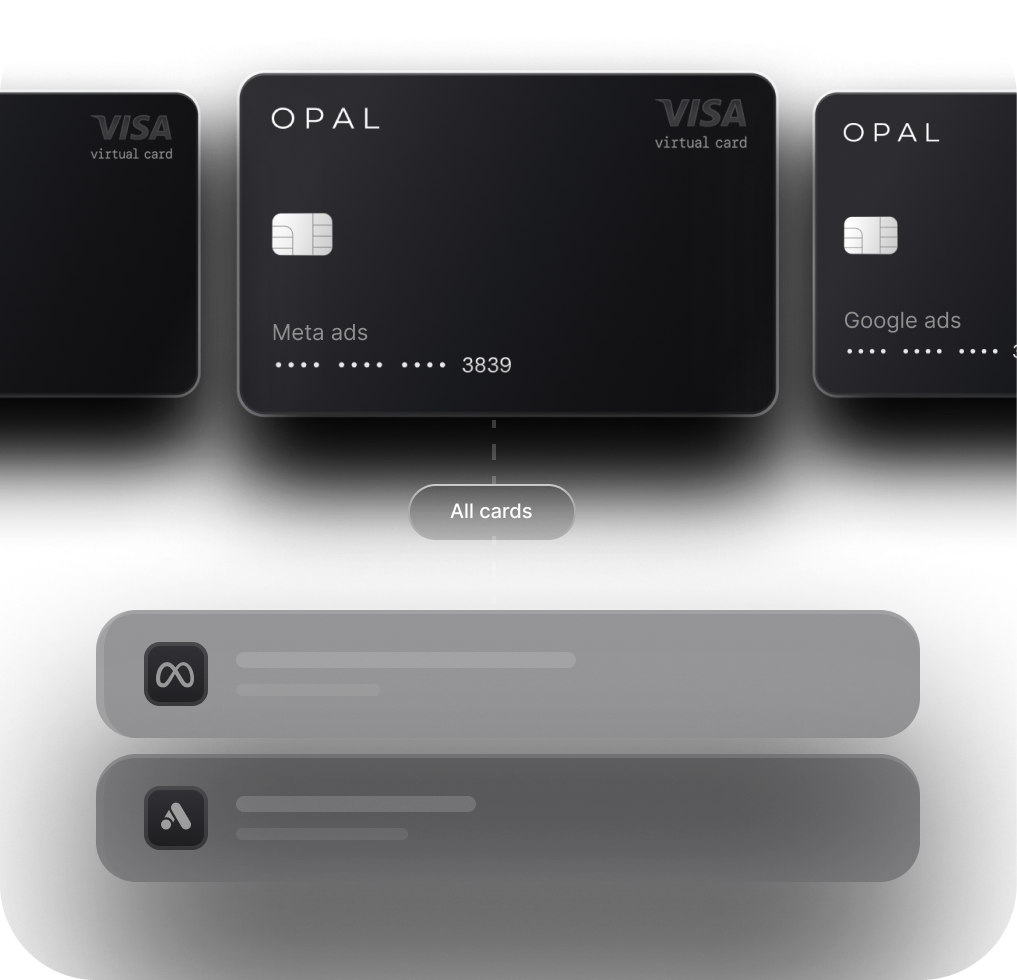
The fix is card architecture: a dedicated virtual card per platform account. Each account sees a card that only charges that account. That's single-entity behavior. That's what passes cleanly.
Why Credit Limits Need to Be Sized for Peak Exposure
On postpay platforms (Meta, Google), your credit limit needs to cover peak threshold exposure across all accounts simultaneously. Five Business Managers each at a $750 threshold means $3,750 in available credit needed at any moment.
On TikTok, your card needs to support the full top-up in a single transaction. A $10,000 top-up on a $5,000-limit card fails.
On Amazon DSP, you need the credit available when the invoice is due, up to 30 days after the spend.
Size for peak concurrent exposure, not average monthly spend.
Why Virtual Cards Per Account Solve the Cross-Contamination Problem
One virtual card per account does three things:
-
Isolates fraud risk: A problem on one card doesn't touch any other account
-
Eliminates cross-platform verification triggers: Each platform sees normal single-entity behavior
-
Simplifies reconciliation: Each card maps to one account; every charge is attributable without manual tagging
Why Auto-Sync Prevents Re-Verification Loops
Updating a payment method is one of the most common re-verification triggers on all four platforms. A card expiry that requires a manual update kicks off a verification review. Campaigns may pause during that window.
Auto-sync propagates card updates to platforms automatically. No manual change means no re-verification trigger.
Frequently Asked Questions: Ad Platform Billing Mechanics
What is a billing threshold in Meta Ads? A billing threshold is the cumulative spend amount at which Meta automatically charges your payment method. New accounts start at $25. The threshold increases each time a charge clears, up to a standard ceiling of $2,500. Accounts above that can request a higher limit from Meta.
Why does my Google Ads account keep getting put on payment hold? Payment holds are most commonly triggered by a failed charge, a newly added payment method, or a significant spend increase. A hold is not a suspension. Most clear once the payment issue is resolved. If multiple client accounts share a payments profile, a hold on one can pause all of them.
How does TikTok Ads billing work for agencies managing multiple clients? TikTok is prepay by default. Each client account needs its own funded balance before campaigns run. There is no consolidated billing structure. If a top-up fails, that account's campaigns pause immediately with no grace period.
What is the difference between Amazon Sponsored Products billing and Amazon DSP billing? Sponsored Products uses postpay threshold billing starting at $50, progressing to $500. DSP uses invoice billing with a $10,000/month minimum and net 30 terms. The two systems operate independently and cannot be reconciled natively in Amazon's platform.
Why does using one card across multiple ad platform accounts cause billing problems? Meta, Google, and TikTok fraud detection is trained on single-entity behavior. One card across multiple Business Managers, payments profiles, or TikTok accounts matches known fraud patterns. The fix is a dedicated virtual card per account.
How do I raise my billing threshold on Meta, Google, or Amazon? On Meta: go to Billing in Ads Manager, confirm your payment method is verified, and contact Meta Business Support. Allow 3 to 5 business days. On Google: check Billing Settings for an "Edit threshold" option; if unavailable, contact Google Ads support. On Amazon: thresholds increase automatically through the published progression. Accounts with a strong payment record can request a higher limit through Seller Support.
If you're looking for card infrastructure built specifically for this problem: Opal is a charge card designed for agencies running multi-platform ad spend. It provides unlimited virtual cards (one per account, per platform), credit limits sized to managed spend volume rather than company cash on hand, and auto-sync with Meta, Google, TikTok, and Amazon to prevent re-verification loops. There's no annual fee, no personal guarantee, and no hard credit check. The application takes about two minutes.