

Ramp vs Brex vs Opal: Which Spend Management Platform Fits Your Business?

.webp)
Ramp vs Brex vs Opal compares 3 U.S. corporate card programs on how they handle advertising, the largest variable cost for many agencies, ecommerce brands, and growth-stage companies.
To choose among the 3, sort 3 months of card spend by category, then compare what each platform pays back on ad spend, how it sizes credit, what it charges per user, and how cleanly transactions reach your ledger.
Ramp and Brex pair corporate cards with expense management, reimbursements, bill pay, and travel booking, and both base credit on business financials such as revenue, funds raised, or cash balance.
Opal provides a charge card built for advertising on platforms such as LinkedIn Ads, Google Ads, and Meta Ads, with credit limits of up to $10 million sized around managed ad spend and transactions syncing to QuickBooks or Workday.
The comparison matters because a card program that treats ad spend like any other expense can leave cashback unearned and hold credit below what scaling campaigns need.
Key Takeaways
On ad spend, Opal pays 1.5% uncapped cashback on eligible purchases, while Brex awards 1x points outside its bonus categories of rideshare, travel, restaurants, and software, and Ramp publishes no fixed cashback rate.
Opal sizes credit limits of up to $10 million around underwriting, managed ad spend, and cash flow, while Ramp and Brex base limits on revenue, funds raised, or cash balance.
Opal charges no subscription, annual, or cancellation fee, while Ramp and Brex charge per user for their advanced approvals and enterprise resource planning (ERP) integrations.
Opal syncs to QuickBooks and Workday with no subscription, while Ramp lists Workday under its custom-priced Enterprise plan.
Unlimited free virtual cards per client, platform, or campaign let Opal users see ad spend in the ledger already sorted, with less manual tagging at month end.
How Do Ramp, Brex, and Opal Compare?
Ramp and Brex are general spend management platforms, and Opal is built around advertising, so the differences show up most clearly on ad spend. Treat any spend management platform comparison as a test of how each program handles your largest spending category.
Compare Ramp, Brex, and Opal Side by Side
Each row reflects the plan and product pages each platform publishes. Terms change, so confirm current figures with each provider before you sign.
|
Ramp |
Brex |
Opal |
|
Rewards on ad spend |
Cashback, no fixed rate published |
1x points |
1.5% cashback, uncapped |
Credit basis |
Revenue or funds raised |
Revenue, funds raised, or cash balance |
Underwriting, managed ad spend, and cash flow, up to $10M |
Subscription |
Free plan, paid per-user tiers |
Free plan, paid per-user tiers |
No subscription fee |
Advanced approvals |
Routing options on paid tiers |
Advanced approvals on Premium |
Approvals and permissions included |
ERP sync |
NetSuite on Plus, Workday on Enterprise |
Custom ERP integrations on Premium |
QuickBooks and Workday included |
On every row tied to advertising, Opal carries the ad-specific answer: a fixed cashback rate on ad spend, credit sized on the budgets you manage, and no per-user charge to unlock approvals or Workday. Ramp and Brex spread their value across travel, dining, software, and general vendors instead.
Read the Table Against Your Largest Category
If paid media is your largest variable cost, the rewards and credit rows decide most of the value, because both scale with every dollar you put into campaigns. Start there, then check the subscription and ERP rows against the size of your finance team.
Is Ramp or Brex Better for Ad Spend?
Neither Ramp nor Brex prices its rewards around advertising, so a Ramp vs Brex comparison on ad spend comes down to an unpublished cashback rate against base-rate points. Opal answers the same question with a flat 1.5% uncapped cashback on eligible ad spend.
Weigh Base-Rate Points Against Unpublished Cashback
Brex awards 7x points on rideshare, 4x on flights and prepaid hotels booked through Brex travel, 3x at restaurants, 2x on software, and 1x on everything else, so a Google Ads or Meta Ads charge earns the base rate.
Ramp pays cashback on card spend without publishing a fixed rate on its card page, so ask for your rate in writing during underwriting. For a fair corporate card comparison, apply each program's rate to your last 3 months of ad spend and compare the annual totals.
Check What Each Rate Is Worth at Volume
At 1.5%, $100,000 in eligible monthly ad spend earns $1,500 back each month, or $18,000 a year, and Opal's rate has no ceiling as volume grows.
Ask Ramp and Brex for the cash value of their rewards on that same $100,000 before you compare. Our guide on how reward caps work shows how a capped program erodes the effective rate at scale.
Ramp vs Brex vs Opal: Which Fits Each Operating Need?
Map each operating need to what each program includes, then weight the needs by where your money goes. The matrix covers 5 common needs, from lean teams to finance visibility.
Use the Operating-Need Matrix
Read across each row and compare what you get without adding a paid tier. The Opal column shows what comes with the card at no subscription cost.
|
Operating Need |
Ramp and Brex |
Opal |
Lean team |
Free plans, with advanced features on per-user tiers |
No subscription fee, unlimited free virtual cards, and cashback on eligible ad spend |
Approval-heavy organization |
Advanced routing and review chains on paid tiers |
Approvals and employee permissions included |
Distributed ad spend |
Limits tied to revenue, funds raised, or cash balance |
Cards per client, platform, or campaign, with credit sized on managed ad spend |
Software subscriptions |
Renewals and ad charges share one card program |
Ad spend on dedicated cards, apart from software renewals |
Finance visibility |
Accounting sync on free plans, ERP sync on paid tiers |
Spend sorted by client, platform, or campaign and synced to QuickBooks or Workday |
Weight the Matrix With a 3-Month Spend Test
Export 3 months of card and bank outflows and group them into advertising, software, travel, vendors, and reimbursements. The bigger the advertising share, the more the rewards, credit, and per-card rows decide the outcome. If you are weighing the best Ramp alternative or best Brex alternative for a media-heavy business, this test shows how much of your spend each program actually rewards.
Which Platform Costs Less for Lean Teams and Approval-Heavy Organizations?
Opal charges no subscription fee, so a growing team never pays per seat to unlock controls, approvals, or accounting sync. Ramp and Brex start free but move their more advanced approvals and integrations onto per-user plans.
Start a Lean Team Without Per-User Fees
Ramp's Free plan and Brex Essentials cost $0 per user, while multi-entity support, ERP sync, and advanced policies sit on per-user plans such as Ramp Plus and Brex Premium.
Opal charges no annual, subscription, or cancellation fee, includes unlimited virtual cards, and takes 2 to 3 minutes to apply for, with cards typically issued within 1 to 2 days.
For a 5-person team whose biggest bill is Meta Ads, that moves paid media off the founder's personal card without adding a software line item.
Price Your Approval Chain Before Picking a Tier
Write down who requests spend, who approves it, and which amounts or vendors trigger a second approver. On Ramp, routing by vendor, department, general ledger (GL) code, or entity comes with the Plus plan, priced per user plus a platform fee, and Brex reserves advanced approvals and review chains for Premium, also priced per user.
Opal includes spend approvals and employee permissions with no per-user charge, so the cost of control does not climb with headcount. In each demo, ask the rep to raise a test request above your threshold and show which approver receives it.
How Should You Manage Distributed Spend and Software Subscriptions?
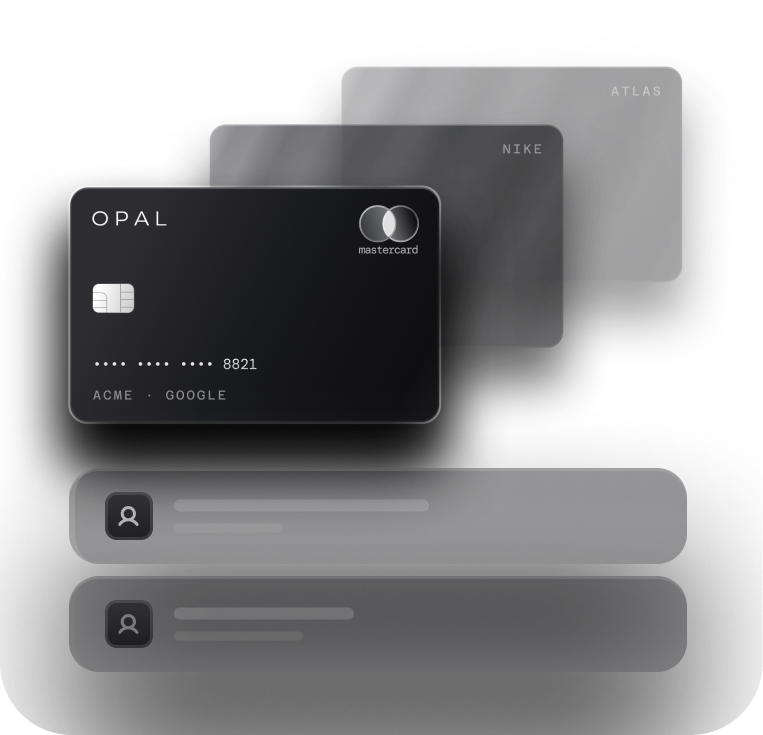
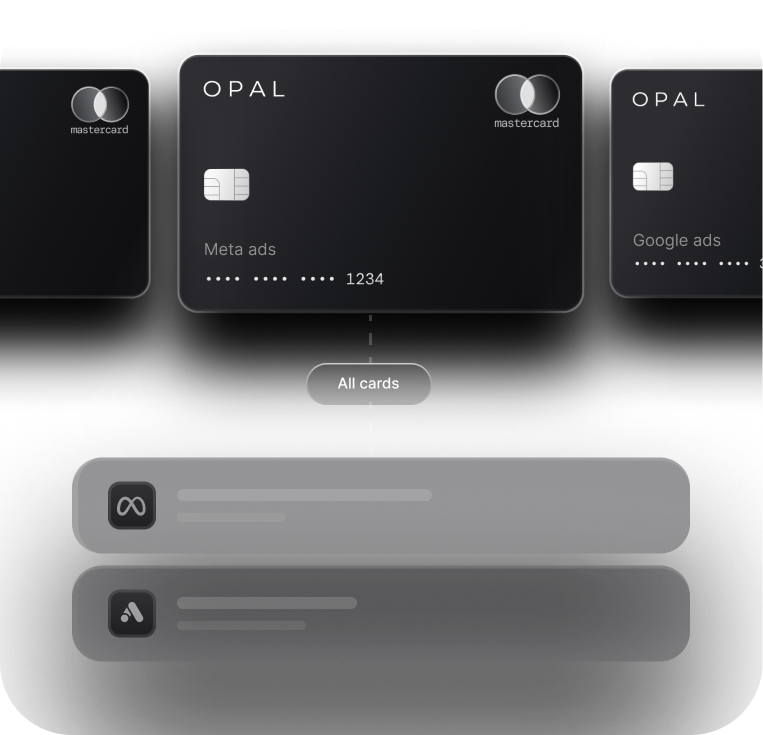
Give each ad account its own card and keep software renewals off the cards that pay for media. Opal is built for that split, with free virtual cards per client, platform, or campaign and credit sized on the ad budgets you manage.
Give Every Ad Account Its Own Card
Opal issues unlimited free virtual cards, each with its own spending limit, merchant restriction, and expiration date, so the card for one client's Google Ads account cannot pay another client's Meta Ads charge.
Because Opal sizes credit around managed ad spend rather than your own revenue or cash balance, adding a client or platform does not have to wait on your balance sheet. Our guide on how card controls work explains how the issuer applies each rule at authorization.
Payments fraud is common enough to plan around. In the Association for Financial Professionals (AFP) payments fraud survey of 465 treasury practitioners, 76% of organizations reported attempted or actual payments fraud during the year covered. A card locked to 1 merchant limits what a leaked number can buy.
Keep Software Renewals Out of Your Ad Ledger
Software spend scatters across teams, and Zylo's SaaS Management Index puts median software-as-a-service (SaaS) spend at $9,455 per employee, with business units controlling 81% of it.
The same research found organizations leave an average of 36% of their SaaS licenses unused, so renewals deserve their own review. Opal's cards are built for advertising, so media spend stays on its own cards and never mixes with subscription charges at month end.
Which Platform Gives Finance Teams Faster Visibility?
Opal sorts ad spend at the card level and syncs it to QuickBooks or Workday without a subscription, so transactions reach the ledger already tagged by client, platform, or campaign.
Ramp and Brex sort spend with receipts, policies, and coding rules, and place ERP sync on paid tiers.
Check What Reaches the Ledger
Ask each vendor to run a test transaction and show the line that lands in your accounting system, including merchant, amount, date, and card name.
Ramp lists NetSuite and Sage Intacct on Plus and Workday on Enterprise, and Brex places customizable ERP integrations on Premium, while Opal includes QuickBooks and Workday at no subscription cost. Our walkthrough of Opal's QuickBooks sync shows what a per-card line looks like.
Separate Ad Spend Before It Posts
When 1 card pays 4 ad platforms for 10 clients, someone splits every charge by hand at month end. With a dedicated Opal card per client, campaign, or platform, each transaction already carries that context, and finance teams can review transactions, approve spending, and export reports from 1 dashboard.
On a general platform, the same result depends on naming conventions and coding rules that someone has to maintain.
Move Your Ad Spend to Opal
We built Opal for businesses where paid media is the biggest variable cost, and every part of the product is designed around ad accounts. Here is what we provide, what you configure, and how to start without changing banks.
See What Opal Includes
We provide the Opal Card, a charge card you pay in full each month, with unlimited virtual cards and no annual, subscription, or cancellation fee, and other applicable fees appear in the Cardholder Agreement.
Eligible ad spend returns 1.5% in cashback with no cap, and limits reach $10 million subject to underwriting, with neither a personal guarantee nor a hard credit pull. We never take a cut of your media spend.
Configure Cards Around Your Accounts
You create a card for each client, campaign, employee, or ad platform, set its limit, merchant restriction, and expiry, and assign approvals and permissions.
Spend shows up in 1 dashboard as it happens and syncs to QuickBooks or Workday. For detail against your current platform, read Opal and Ramp compared or Opal and Brex compared.
Start Without Changing Banks
Opal works alongside most U.S.-based banks, so you can apply without moving your operating cash. Many teams move ad platform charges to Opal cards first, then compare cashback and reconciliation time after a full billing cycle.
If advertising is your largest category, start an Opal application and put your first platform cards to work. The form takes 2 to 3 minutes, and there is no subscription to cancel.
Frequently Asked Questions (FAQs)
These questions surface once a shortlist narrows to Ramp, Brex, and Opal and the finance lead starts assigning categories to cards. Each answer stands alone, ready for the notes your team reviews before a demo.
Is Opal a Good Ramp Alternative or Brex Alternative?
For businesses where advertising is the largest variable cost, Opal is one of the Ramp alternatives and Brex alternatives built specifically for that spend. It pays 1.5% uncapped cashback on eligible ad spend, sizes credit of up to $10 million around managed ad spend, and includes unlimited free virtual cards with no subscription fee.
Can You Use Opal With Ramp or Brex at the Same Time?
Yes. A common setup keeps Ramp or Brex for employee expenses, travel, and bills, and moves ad platform charges onto Opal virtual cards split by client, campaign, or platform. Ad spend then earns Opal's cashback and arrives in the ledger already sorted, while nothing changes for the rest of the team.
Which Platform Pays the Most Back on Ad Spend?
Opal pays a flat 1.5% back on eligible ad spend, and that rate keeps paying as volume grows. Brex awards 1x points on purchases outside its bonus categories, which include rideshare, travel, restaurants, and software. Ramp pays cashback without publishing a fixed rate, so request your rate in writing and compare all 3 on your own ad volume.
How Does Opal Set Credit Limits Compared With Ramp and Brex?
Ramp bases limits on financial factors such as revenue or funds raised, and Brex on revenue, funds raised, or cash balance. Opal sizes limits of up to $10 million around underwriting, managed ad spend, and cash flow, without a personal guarantee or a hard credit pull, so capacity can follow the ad budgets you run.
What Does Each Platform Cost?
Ramp's Free plan and Brex's Essentials plan cost $0 per user, and both charge per user for advanced approvals, policies, and ERP integrations. Opal has no annual, subscription, or cancellation fee, includes unlimited virtual cards, and never takes a cut of media spend. Other applicable fees appear in the Cardholder Agreement.
How Quickly Can You Start Using Opal?
The online application needs only 2 to 3 minutes, and your first virtual cards usually arrive 1 to 2 days after submission. Opal requires no personal guarantee or hard credit pull, and you can keep your current bank, so your first ad platform cards can be running within the same week.
Why General Spend Tools Like Ramp and Brex Fail at Agency Ad Spend

Opal vs. Brex for Agencies: Which Card Actually Works for Ad Spend?

5 Best Virtual Business Cards for Ad Spend in 2026