



Best Spend Management Platforms for Startups: How to Build a Shortlist You Can Defend

.webp)
The best spend management platforms for startups give a small team card-level controls, approval rules, and accounting sync without needing a finance department to run them.
Create a shortlist by scoring platforms on 6 criteria (card controls, approval workflows, virtual cards, accounting integrations, rewards, and setup effort), weighting each score by the amount of your monthly spend the feature touches, and testing the 2 heaviest criteria (that you expect to be the most important to your business) live in a demo before applying.
A spend platform sits between your bank account and your accounting system. It issues cards on a network such as Visa or Mastercard through a partner issuing bank, whose name and Federal Deposit Insurance Corporation (FDIC) membership appear in the legal disclosure, then pushes each transaction into a ledger such as QuickBooks or Workday.
The category matters because early purchases can land on a founder’s personal card, and the U.S. Small Business Administration (SBA) business banking guidance links separate business funds to limited personal liability protection and notes that a business credit card account can help establish the company’s credit history.
For a startup whose largest variable cost is paid acquisition on Meta Ads, Google Ads, or TikTok Ads, the card program ends up doing much of the work a finance team would.
Key Takeaways
A startup can compare spend platforms on 6 criteria (card controls, approval workflows, virtual cards, accounting integrations, rewards, and setup effort), each weighted by the share of monthly spend it affects.
Rules written onto each card, such as a spending limit, a merchant restriction, and an expiry date, let a founder delegate purchasing without approving every charge by hand.
An accounting sync should carry the merchant, amount, date, and card tag into the ledger, because the Internal Revenue Service (IRS) generally expects supporting records to be kept for 3 years after a return is filed.
The U.S. Small Business Administration (SBA) ties separate business funds to limited personal liability protection, so whether a card program demands a personal guarantee belongs on the scorecard beside rewards.
Rewards are worth comparing only on spend that qualifies: at 1.5%, $30,000 a month of eligible ad spend returns $7,200 a year.
What Does a Spend Management Platform Do for a Startup?
A spend management platform brings all your company cards, the rules linked to them, and a real-time record of every transaction, into a single account.
For a young business, the return is that policies get enforced at the moment of purchase by the card, rather than weeks later by a person reading an expense statement.
Replace Reimbursements and Shared Cards
An early team may run on the founder’s card and an expense spreadsheet, which holds up until a second person needs to buy something.
Expense management for startups then turns into chasing receipts and settling reimbursements. A platform swaps that setup for cards issued to people, vendors, or channels, each carrying a separate limit, and attaches the category to every transaction as it posts.
Know Which Jobs Sit Elsewhere
Payroll, customer invoicing, and tax filing live in other tools, and some platforms add bill pay while others stay card-only.
Map each job in your startup finance stack before comparing vendors. A platform that handles your largest spend category well is worth more than one that touches every category loosely.
How Do You Compare the Best Spend Management Platforms for Startups?
Score all shortlisted platforms against the same 6 criteria and then weight the scores according to where your money goes.
Startup spend management software demonstrations are strong on a sales call, so the scorecard is paired with a test you do yourself.
Use a 6-Criterion Scorecard
Each row names one criterion, the evidence that settles it, and a test you can run on a live demo account. Ask the vendor to share a screen while you run the tests.
|
Criterion |
What to Check |
How to Test It in a Demo |
Card controls |
Per-card limits, merchant restrictions, expiry dates |
Lock a card to one merchant, then attempt a purchase somewhere else |
Approval workflows |
Who can request cards, approve them, and raise limits |
Request a higher limit from a non-admin seat and see where it lands |
Virtual cards |
Card cap, cost per card, time to issue |
Issue 3 cards during the call and note any per-card fee |
Accounting integrations |
Ledgers supported, fields synced, sync timing |
Run a test transaction and find it in the ledger |
Rewards |
Rate, caps, eligible merchants, payout form |
Ask for the agreement clause that defines eligible spend |
Setup effort |
Application length, guarantee, credit check, issuing time |
Ask which documents underwriting needs and how long a decision takes |
Give each row a score from 1 to 5 based on what you saw rather than what you were told. A row the vendor could not show stays at 1 until they can.
Weight Each Criterion by Your Spend Mix
Pull 3 months of card and bank statements and group outflows by category. If paid acquisition is 60% of card spend and software is 15%, controls and rewards on ad platforms deserve far more weight than travel features. Multiply each score by its weight, add the results, and keep the top 2 vendors for a short trial.
Which Spend Controls Should a Startup Set First?
Start with the controls that stop a charge before it posts: limits, merchant restrictions, and expiry dates. Spend controls for startups then need an approval layer, because approvals decide who may change those rules.
Write Limits and Merchant Locks Onto Each Card
A limit defines how much a card can spend in a time period. A merchant restriction defines which vendor or category a card can be spent at. And an expiry date defines the end of the card's lifecycle.
A founder can combine all 3 of these controls to handout cards without the hassle of approving each individual purchase. Our guide to card control types describes how each of these controls is enforced.
Route Approvals to a Named Owner
Decide who may request a card, who approves it, and who can raise a limit, then check that the platform lets you assign those roles separately.
On a 6-person team, that may be a single approver for anything above a set amount. During the trial, confirm that a request from a team member reaches that approver and that nothing changes until it is approved.
When Do Virtual Cards for Startups Pay Off?
Virtual cards pay off once more than one vendor bills the same company card. Separate numbers give each recurring charge its own limit, record, and off switch.
Give Every Recurring Vendor Its Own Number
Issue a separate virtual card to each ad platform, software tool, or contractor, and name it after what it pays. When a subscription renews without notice or a vendor raises its price, the charge lands on a card you can trace and cap. Read up on how virtual cards work before setting up your first batch.
Check the Cost and Speed of Issuing Cards
Some programs cap the number of virtual cards or charge per card, which turns a clean structure into a budget line.
Ask for the cap, the per-card fee, and how long a new number takes to become usable. Then confirm that freezing one card leaves the others running.
What Should a Spend Platform’s Accounting Integration Sync?
The integration should move each transaction into your ledger with enough detail that nobody retypes or re-sorts it. Check the fields that sync and how long the platform keeps the records behind them.
Confirm the Fields and the Timing
Each synchronized line should contain the merchant, amount, date, and card tag to automatically code paid search.
Ask whether charges sync as they post, and which ledgers connect to one another in a more direct manner. Our QuickBooks sync walkthrough shows a per-card sync in practice.
Keep Records for the Tax Period
The Internal Revenue Service (IRS) record-keeping guidance says records supporting income or deductions should generally be kept until the period of limitations for that return expires, which is 3 years in the standard case and longer in some situations. Confirm that receipts and transaction exports stay downloadable for at least that long, including after an account closes.
How Much Are Card Rewards Worth to a Startup?
Rewards are worth the rate multiplied by the spend that qualifies, minus any fees paid to earn them. Run that number on your own statements before it decides anything, since a high headline rate on a small eligible base can be worth less than a fee you avoid.
Run the Math on Eligible Spend Only
Start from the categories the program pays on rather than total card spend. At 1.5%, $30,000 a month of eligible ad spend returns $600 a month, or $7,200 a year, while the same spend at 1% returns $3,600 a year. When a rate is quoted as “up to” a figure, ask what decides the rate you would receive.
Read the Caps, Fees, and Payout Terms
Ask whether the rate stops at an annual cap, whether some merchants are excluded, and whether rewards pay out as cash or as points with their own conversion value. Subtract any annual, per-card, or processing fees. Our cashback cap math shows how a ceiling changes the effective rate as volume grows.
How Much Setup Effort Should a Startup Expect?
Setup effort covers the application, the underwriting decision, and the payment terms you sign up to. Weigh all 3 before rewards, because they decide whether the card is available and whether it strains your cash.
Ask How Underwriting Works and Who Is Liable
Some programs underwrite the owner’s personal credit and ask for a personal guarantee, while others assess the business.
A guarantee puts the founder’s own assets behind the company’s card debt, which undoes much of the separation a business account is meant to provide, so ask early whether one is required, whether a hard credit pull is involved, and what the decision rests on. Request the document list up front so the application does not stall halfway.
Plan Cash Around Pay-in-Full Terms
A charge card collects the full statement balance each cycle, whereas a revolving card allows an unpaid amount to roll forward and accrue interest.
Pay-in-full terms avoid revolving interest but need the cash in the linked account on the due date, so hold a buffer before moving spend over. Our look at charge card trade-offs covers the difference at higher volumes.
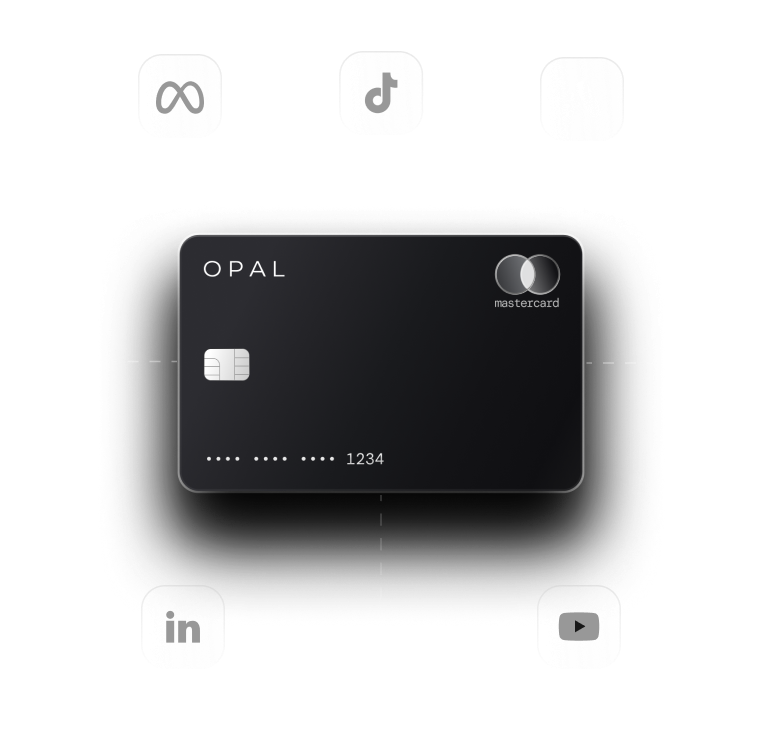
Put Your Startup’s Ad Spend on Opal
We built Opal for teams whose largest variable cost is paid media and who want card controls without adding finance headcount. Below is what we provide, what you set up, and where our card stops.
What We Provide at No Cost
The Opal Card is our charge card for advertising, settled in full each month, and every account includes as many virtual cards as you need, with no annual, subscription, or cancellation fee. Other applicable fees are set out in the Cardholder Agreement.
Cashback on eligible ad spend runs as high as 1.5% with no ceiling, at a rate we confirm when we approve your application, and credit limits reach up to $10 million subject to underwriting. Our underwriting skips the personal guarantee, and applying does not trigger a hard credit pull.
What You Set Up
You give each card a limit, a merchant restriction, and an expiry date, assign approvals and employee permissions, and watch transactions post in real time.
Spend syncs to QuickBooks or Workday, so each platform card reaches your ledger already separated. Onboarding starts with a 2 to 3 minute form, and new virtual cards usually follow 1 to 2 days after you submit it.
Where Our Card Stops
We serve U.S.-based businesses, and the card runs only on supported advertising and media platforms such as TikTok Ads, Meta Ads, and Google Ads, so payroll, software, and travel need a separate account.
We operate Opal as a software and service provider rather than a bank, and our partner bank issues the card.
Ad Pay, our service for settling Meta and Google invoices on credit we extend, is a separate waitlist product open to teams whose ad spend reaches $50,000 a month, priced at 3% per payment on Opal credit (2% net after 1% cashback where eligible) or 3.5% if the payment runs on a card of your own.
Run us through the same 6-row scorecard as every other vendor on your list. If paid media carries the most weight in your mix, apply for Opal and use free virtual cards for each ad platform as your trial.
Frequently Asked Questions (FAQs)
What Is a Spend Management Platform for Startups?
A spend management platform for startups is software paired with company cards that sets limits, merchant restrictions, and approval rules on each card and syncs every transaction into the accounting system. It replaces reimbursements and shared cards with rules the card enforces at the moment of purchase, which suits teams without a dedicated finance department.
Are the Best Corporate Cards for Startups the Same as Spend Platforms?
Not always. A corporate card supplies the credit line and the card number, while a spend management platform adds the controls, approvals, receipts, and accounting sync around it. Some programs bundle both, and others offer only basic controls, so score the software layer separately from the card’s limit and rewards.
How Many Virtual Cards Does a Startup Need?
Start with one virtual card per recurring vendor or ad platform, plus one for each person who buys regularly. A team paying 4 ad platforms and 8 software tools would begin with 12 vendor cards. That count grows with every new vendor, so favor a program with no card cap and no per-card fee.
Do Spend Management Platforms Require a Personal Guarantee?
It depends on the program. Some underwrite the owner and ask for a personal guarantee, while others assess the business itself. A guarantee makes the owner personally responsible if the company cannot pay the balance, so confirm the requirement in writing before applying and read the liability section of the cardholder agreement.
What Is the Difference Between Expense Management and Spend Management?
Expense management records and reimburses purchases after they happen, usually through receipts and approved claims. Spend management controls purchases before they happen, with card limits, merchant restrictions, and approval rules checked at authorization. Some platforms combine both, but the controls that act before the charge are the ones that limit overspend on a small team.
Can a Startup Use Opal for All Company Spending?
No. The Opal Card works only on supported advertising and media platforms, including TikTok Ads, Meta Ads, and Google Ads, and serves U.S.-based businesses. A startup using Opal for paid media pairs it with a separate account for payroll, software, and travel, which also keeps ad spend separated in the ledger.
Ad Spend Management: The Complete Guide for Agencies and Brands (2026)

5 Best Virtual Business Cards for Ad Spend in 2026

Ad Spend Card: What It Is, Who Needs One, and How to Choose the Right One