


How to Govern a Law Firm Google Ads Budget and Local Services Ads Spend

.webp)
A law firm Google Ads budget is the monthly amount a firm approves for paid search and Local Services Ads, set by practice area and enforced through platform caps, card limits, and partner sign-off.
To manage it, size each practice area’s budget from what intake can answer, cap it in Google and on the payment card, route every change through a named approver, and judge results on cost per signed case after lead credits.
This guide is for managing partners, practice group leaders, firm administrators, and chief financial officers (CFOs) at U.S. firms running Google Ads search campaigns alongside Local Services Ads (LSA): the pay-per-lead listings on Google Search and Google Maps that Google is moving into Google Ads as Performance Max campaigns with pay-per-lead goals.
With 2 billing models, lead credits that post after the invoice, and American Bar Association (ABA) Model Rule 7.2 on paying for leads, legal marketing finance needs the caps, approvals, and reconciliation a firm applies to any large recurring expense.
Key Takeaways
Google Ads search campaigns bill per click, and a campaign can spend up to twice its average daily budget on a given day while monthly charges stay at or below 30.4 times that budget.
Local Services Ads (LSA) bill per valid lead against an average weekly budget, and once the monthly maximum is reached, the ads stop showing for the rest of the month.
LSA billing runs through Google Ads, so a linked LSA account reuses the Google Ads payment method, and a Google Ads suspension also suspends LSA.
Automated LSA lead credits usually post within 30 days while the original charge stays on the invoice, so month-end numbers need an estimate of credits still to come.
Google does not credit valid leads received outside business hours, and a firm that opts into general lawyer leads cannot get credit for leads about other types of law, which makes intake coverage and category settings budget decisions.
Cost per signed case, net of credits and loaded with intake costs, is the figure partners should approve budgets against.
How Should a Law Firm Google Ads Budget Be Set?
Set it per practice area, working backward from the leads your intake team can answer and convert, then split that amount between search and LSA. That ties spend to capacity the firm controls.
Start From Intake Capacity
Ask each practice group how many consultations intake can run in a week, then apply the firm’s lead-to-consultation rate. If intake can handle 20 personal injury consultations a week and 1 in 3 qualified leads books one, the group needs about 60 leads a week. Multiply by each channel’s historical cost per lead for that practice area, and revisit the figure when intake staffing changes.
Split the Practice Area Budget Between Clicks and Leads
Search campaigns let you choose keywords and landing pages, so they suit practice areas where the query itself signals case value. LSA is keywordless, targeting the service categories and areas you select, and charges only for valid leads. One workable pattern treats LSA as the base budget and search as the adjustable layer, reviewed quarterly against cost per signed case by channel.
Fund Only the Hours Intake Covers
Google does not credit valid LSA leads received outside your business hours, so a voicemail left at 11 p.m. stays charged. Set the ad schedule to the hours your intake team or answering service covers, and make paid overnight coverage a partner decision, since it changes intake cost and which leads qualify for credit.
How Do Google Ads and LSA Bill Differently?
Search campaigns charge per click against an average daily budget, while LSA charges per valid lead against an average weekly budget with a monthly maximum. Both run on Google Ads billing, so one payment decision affects both channels.
|
Google Ads search campaigns |
Local Services Ads |
|
|---|---|---|
What you pay for |
Clicks on your ads |
Valid leads: answered calls, texts or emails, voicemails, returned missed calls, and booking requests |
Budget setting |
Average daily budget |
Average weekly budget, converted to daily after the move into Google Ads |
Monthly ceiling |
30.4 times the average daily budget |
Weekly budget times the average number of weeks in a month |
Short-term swing |
Up to twice the daily budget on a given day |
Can exceed the weekly budget in a given week |
At the ceiling |
Served costs above the limit are not billed |
Ads stop showing until the next month |
Adjustments |
No charge beyond the daily and monthly limits |
Automated credits for low-quality leads, usually within 30 days |
Record to reconcile |
Billing and cost reports in Google Ads |
Lead reports marked not charged, charged, in review, or credited |
Payment method |
The Google Ads account’s payment settings |
Reuses the payment settings of the linked Google Ads account |
What a Search Click Costs the Firm
Google’s help page on overdelivery says a search campaign can spend up to twice its average daily budget on a given day, while monthly charges stay at or below 30.4 times that budget. Charge timing then follows the account’s payment threshold, covered in our guide to Google Ads billing thresholds.
What an LSA Lead Costs the Firm
Google’s lead billing rules count an answered call, a text or email, a voicemail, a returned missed call, or a booking request as a valid lead, with prices that vary by location, job type, lead type, and bidding mode.
Spend can exceed the average weekly budget in a given week, but at the monthly maximum the ad stops appearing for the rest of the month unless you raise the budget.
Plan for LSA Moving Into Google Ads
According to Google’s migration guidance, LSA accounts move into Google Ads in phases by business category, starting with select home and storefront services. On migration day, the weekly budget is divided by 7 to set an average daily budget, monthly spend is capped at that figure times 30.4, and manual bidding, including a maximum cost per lead, ends.
Performance reports, including past weekly spend, do not carry over, so export them by practice area when the administrator’s 14-day advance email arrives.
Where Should a Law Firm Put Its Budget Caps?
Use 3 layers: the platform budget paces spend, the card limit stops anything unapproved, and a partner approval threshold governs changes to either. Each layer catches a different failure, so none can stand in for the others.
Let the Platform Cap Pace the Month
Convert every approved monthly figure into the platform setting that produces it. A search campaign with a $300 average daily budget can reach $9,120 in a month, and the same conversion drives Local Services Ads spend management, where a $2,000 average weekly budget tops out at roughly $8,700. Record both in the budget file, so a buyer who adds $50 to a daily budget is asking for about $1,520 more that month.
Set the Card Limit as the Backstop
Automatic payments trigger at a payment threshold or every 30 days, so a card’s charges in a calendar month can include activity from the month before.
Size each card’s limit at the approved maximum for the accounts it pays plus one payment threshold of room, and give each practice area its own virtual card, a structure our piece on practice-area card separation explains. Our breakdown of hard limits and alerts covers when a card should block and when it should warn.
Treat One Payment Method as One Point of Failure
Per Google’s Local Services payment help, an LSA account linked to an existing Google Ads account reuses its payment settings, and a Google Ads suspension also suspends LSA. A decline on that card touches both channels’ billing at once, so decide which Google Ads account each LSA account links to before launch.
Who Should Approve Changes to Legal Ad Spend?
Give spending authority to the people who run campaigns, approval authority to partners, and card authority to the firm administrator or CFO, and keep those roles apart. A decision-rights table reviewed yearly replaces hallway approvals that make month-end questions hard to answer.
|
Decision |
Proposed by |
Approved by |
Record kept |
|---|---|---|---|
Annual or quarterly budget by practice area |
Marketing director |
Managing partner or executive committee |
Budget file with a monthly maximum per channel |
Shift between search and LSA inside an approved total |
Marketing director or agency |
Practice group partner |
Change log with the new daily or weekly setting |
Raise a practice area’s monthly maximum |
Practice group partner |
Managing partner |
Written approval dated before the platform change |
Change a card limit |
Firm administrator |
CFO or managing partner |
Limit history tied to the approval |
Add a lead source or vendor |
Marketing director |
Partner responsible for ethics review |
Vendor file with the ethics review |
Turn on general lawyer leads or widen LSA service areas |
Marketing director |
Practice group partner |
Change log noting the credit impact |
Separate Spending, Approving, and Paying
The person who edits budgets in Google Ads should not also control the card limit that pays for them. When the agency adjusts inside the cap, a partner signs off on the cap, and the administrator mirrors it on the card, any overspend has to get past 2 separate people. Review the change log at each partner meeting.
Review Each Lead Source Against Your State’s Ethics Rules
ABA Model Rule 7.2 allows lawyers to pay for advertising, and its Comment [5] allows paying for generated client leads if the lead generator does not recommend the lawyer and the arrangement fits Rules 1.5(e), 5.4, and 7.1.
The comment also points to Rule 5.3 on a firm’s responsibility for the nonlawyers it works with. States adopt their own versions, so have the partner responsible for ethics clear each pay-per-lead source before it gets a budget line.
How Should a Law Firm Pay for and Reconcile Ad Spend?
Map one payment path per Google Ads account, settle it from the operating account on a known schedule, and reconcile LSA charges and credits apart from search before close. A written law firm advertising payment workflow keeps “who paid for this?” out of email threads.
Write the Payment Path Down Before Launch
Document these 5 points for every Google Ads account the firm pays for:
-
Account owner: the firm holds admin access and the payments profile, and the agency is added as a user.
-
Payment method: the card that pays the account, and any LSA account that reuses it.
-
Charge timing: automatic payments bill at the payment threshold or 30 days after the last payment, whichever comes first.
-
Card settlement: the statement due date and the operating account that pays it.
-
Coding: the general ledger account and practice area for each charge.
Estimate LSA Credits That Arrive After the Invoice
Google’s page on automated lead credits says credits usually reach the account balance within 30 days, while the original lead charge stays on the invoice. At close, count leads marked in review, estimate credits from the share of in-review leads credited in past months, and reverse that estimate when Google applies the credit. Our monthly close checklist covers the rest of the cutoff work.
Know Which Leads Will Not Be Credited
Beyond after-hours leads, Google does not credit callers who never respond to your return call or requests for a specific service you list under a general category but do not handle. Firms in a law vertical that turn on general lawyer leads get no credit for leads about other law types, so price these rules into each practice area’s cost per lead.
How Do You Attribute Legal Ad Spend to Signed Cases?
Tie every lead to its channel on the intake record and divide net spend plus intake cost by signed cases from the same lead month. Campaign teams can keep using cost per lead, while partners approve budgets on cost per signed case.
Capture the Source on Every Intake Record
LSA leads carry their own record, including charged status and lead type, and Google lets you download them for import into your client relationship management (CRM) system.
Search leads need the firm’s own call and form tracking, with campaign and practice area saved on the intake record. Without that source field, the cost-per-case math in our guide to law firm media buying loses its denominator.
Load Intake Costs Into Cost per Signed Case
Take media spend, subtract LSA credits, add the practice area’s intake cost, including staff time, answering services, call tracking, and CRM seats, and divide by signed cases from that month’s leads.
A family law group that spends $12,000, receives $500 in credits, and carries $2,100 of intake cost has $13,600 in total acquisition cost. If that month’s leads produce 8 signed matters, cost per signed case is $1,700, against $1,500 when only gross media spend is counted.
Enforce Partner-Approved Budgets With Opal
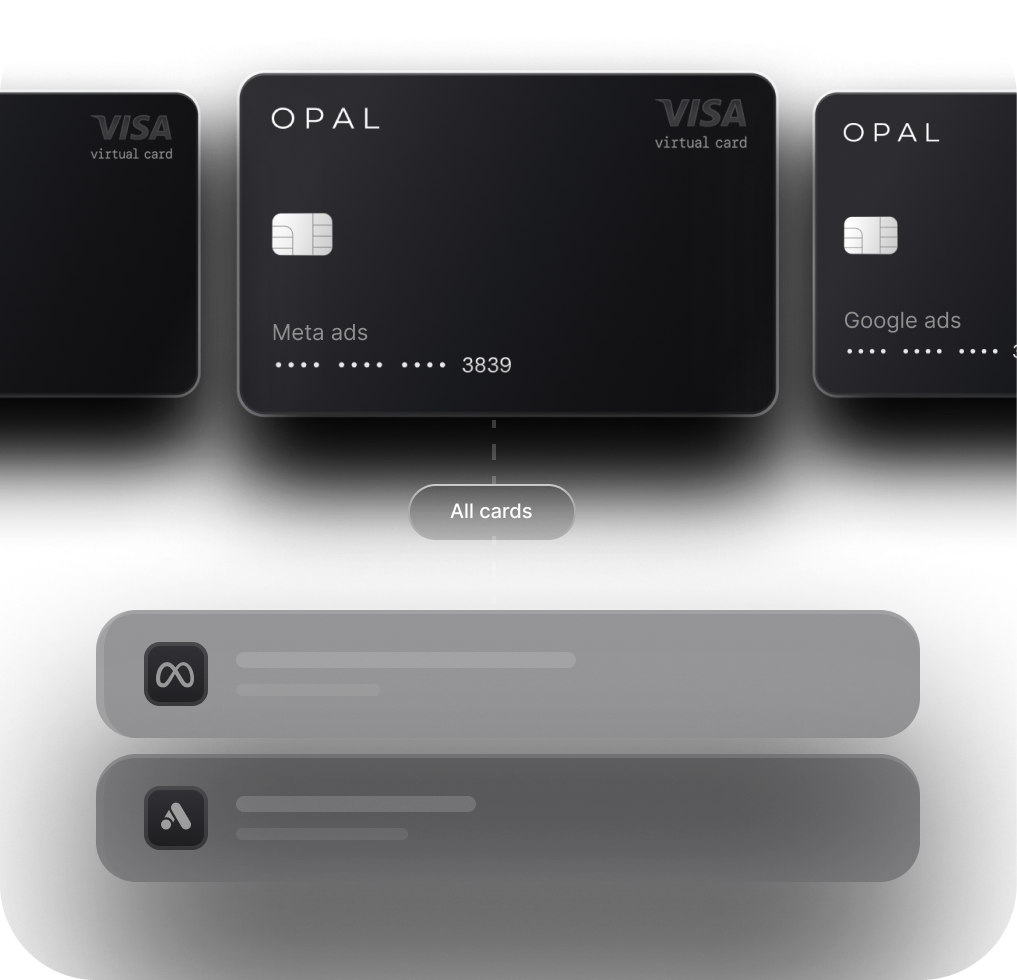
Put each practice area’s approved Google Ads spend on its own Opal virtual card, sized to the monthly maximum the partners signed off on. We provide the card, credit, and controls, and your firm sets the limits, approvers, and account structure.
What We Provide and What Your Firm Configures
We issue unlimited free virtual cards, each carrying a spending limit, merchant restrictions, and an expiration date you set, alongside approvals and employee permissions that separate campaign staff from limit approvers.
Every transaction shows in one dashboard, exports for review, and syncs through QuickBooks and Workday integrations. Cashback on eligible ad spend is uncapped at up to 2%, with the rate set at approval and no annual fee.
Credit runs up to $10 million subject to underwriting, without a personal guarantee or a hard credit check, while virtual cards follow 24 to 48 hours after applying.
The Opal Card, available to U.S.-based businesses, is a charge card paid in full monthly by automatic debit and usable only on supported advertising and media platforms.
Ad Pay, a separate waitlist product for advertisers, pays detected Google Ads invoices at 3% when funded by Opal credit, which earns 1% cashback, or 3.5% with your own card.
See how Opal for Google Ads fits your payment layer, then book a demo with our team for more detailed information.
Frequently Asked Questions (FAQs)
How Much Should a Law Firm Spend on Google Ads Each Month?
No single figure fits every firm, because cost per lead varies by market and practice area. Set each practice area’s monthly budget from the consultations intake can handle, the firm’s lead-to-consultation rate, and each channel’s historical cost per lead, then approve it against a target cost per signed case.
Does Google Ever Charge More Than the Daily Budget?
On a given day, a Google Ads campaign can spend up to twice its average daily budget to catch traffic swings. Over a month, charges stay at or below 30.4 times that budget, and Google does not bill served costs above those limits, so partners should approve the monthly figure.
Can a Law Firm Get Credit for Bad Local Services Ads Leads?
Google reassesses charged Local Services Ads leads and credits low-quality ones automatically, usually within 30 days, while the original charge stays on the invoice. Leads received outside business hours, callers who never answer a return call, and leads for other law types under the general lawyer leads setting are not credited.
Is Paying for Leads Allowed Under Legal Ethics Rules?
American Bar Association Model Rule 7.2 permits paying for advertising, and its Comment [5] permits paying for generated client leads when the lead generator does not recommend the lawyer and the payment fits Rules 1.5(e) and 5.4. States adopt their own versions, so confirm yours with ethics counsel before funding a pay-per-lead source.
What Happens to a Local Services Ads Budget After the Move to Google Ads?
On migration day, Google divides the average weekly budget by 7 to set an average daily budget, and monthly spend is capped at that daily budget times 30.4. Manual bidding, including a maximum cost per lead, is no longer supported, and past performance reports do not carry over, so export them before migrating.