


Apple Search Ads Billing for Agencies: How to Pay, Control Spend, and Avoid Campaign Interruptions

The direct answer: Agencies should use a payment workflow that keeps client budgets separate, protects campaigns from payment failures, gives finance clear reconciliation records, and provides media buyers enough control to move quickly without exposing the agency to unnecessary risk.
Key Takeaways
Apple Search Ads is a high-intent acquisition channel for app installs. If billing fails, campaigns stop. Reliability is not optional.
Mixing multiple client budgets or app accounts into a single, unclear payment structure creates reconciliation problems and financial exposure.
Payment controls should be designed by client, app, campaign objective, and team member where possible.
Reconciliation and client reporting processes should be defined before spend scales, not after.
A payment method should be evaluated for reliability and operational fit first. Rewards and cashback are secondary considerations.
How Apple Search Ads Billing Works for Agencies
Apple Search Ads (now officially called Apple Ads) operates on a self-serve model where the entity that creates the account is the legal entity responsible for all charges. That distinction matters for agencies: whoever holds the account is invoiced by Apple, regardless of whose app is being promoted.
Two account structures for agencies
Apple Ads gives agencies two paths for managing client work, and the billing implications differ significantly between them.
Option 1: Agency-owned account. The agency creates and owns the Apple Ads account. Client campaigns run inside the account as separate campaign groups, each linked to the client's App Store Connect account. Apple invoices the agency. The agency then bills the client. According to Apple's account setup documentation, this structure is appropriate when the agency is the legal entity being invoiced for all campaigns in the account.
Option 2: Client-owned account. The client creates their own Apple Ads account and invites the agency as a user. Apple invoices the client directly. The agency manages campaigns but does not carry billing responsibility. Apple's documentation explicitly states: if your client wants to own their account or be billed directly, do not create a campaign group for them inside your agency account.
Payment methods Apple accepts
Apple Ads accepts Visa, Mastercard (including Apple Card), and American Express credit or debit cards. Prepaid cards, gift cards, ATM cards, and digital wallets like PayPal and Venmo are not accepted.
Each account can have only one active payment method at a time. That single-card constraint is the root of most billing complexity for multi-client agencies.
How charges are triggered
Apple Ads charges the payment method when cumulative spend reaches $500 (USD) or every seven days, whichever comes first. Campaigns running in multiple countries may generate charges from multiple Apple legal entities, so a single billing period can produce several line items on the same card statement.
For qualifying Apple Ads Advanced advertisers, Apple offers a line of credit with monthly invoicing. If approved, the account receives a billing summary and separate invoices for the period's accrued spend. P.O. numbers can be added to campaigns to support client purchase-order workflows.
User roles and access
Apple Ads includes several user roles that control what team members can see and do. The Account Finance role gives a user access to billing and account settings without campaign management. Campaign Group Manager and Read & Write roles restrict access to specific campaign groups, which is useful for limiting what individual team members or clients can see.
Key point: Billing access and campaign access are separate. Finance contacts can be assigned the Account Finance role without giving them control over live campaigns.
Why Apple Search Ads Payment Setup Becomes More Complex as Agencies Scale
A single client with one app is straightforward. One account, one card, one campaign group. The moment an agency adds a second client, or a second app for the same client, the payment structure starts to matter.
The single-card problem
Because each Apple Ads account supports only one active payment method, an agency running multiple clients from a single account is charging all of that spend to one card. That creates several operational problems:
-
Commingled charges. Every $500 threshold charge from Apple lands on the same card statement, regardless of which client or campaign generated it. Sorting those charges by client after the fact requires manual cross-referencing against campaign-level data.
-
Reconciliation burden. Finance teams need to match each card charge to a specific client, app, and campaign group. Without a systematic process, this becomes a significant month-end task. For more on structuring this workflow, see how to separate client ad budgets as an agency.
-
Offboarding risk. When a client relationship ends, the agency's card is still the payment method on file. Campaigns need to be paused or transferred before the client is removed. Any delay creates continued charges that now belong to a former client.
-
Dispute exposure. If a client disputes charges or pays late, the agency has already fronted that spend on its own card. The financial exposure is the agency's, not the client's.
Shared payment methods and approval gaps
Different clients often have different budget approval processes. One client may have a $20,000 monthly cap with weekly sign-offs. Another may have an open budget with quarterly reviews. When all of that runs through one payment method, there is no native mechanism inside Apple Ads to enforce per-client spend limits at the payment level.
Campaign budgets can be set within Apple Ads at the campaign and campaign group level, but those are platform-level controls, not payment-level controls. A card limit applies to the entire account, not to individual clients.
Payment failures and campaign interruptions
If a card is declined, campaigns tied to that account stop running. Apple Ads will not serve ads without a valid payment method. A single card expiration, a fraud hold, or a missed payment can interrupt campaigns across every client in that account simultaneously.
For high-intent channels like Apple Search Ads, where users are actively searching for an app in the App Store, a campaign interruption is a direct loss of acquisition opportunity. Understanding how ad platform billing mechanics work across channels can help agencies build more resilient payment infrastructure before problems occur.
A Practical Payment-Control Framework for Apple Search Ads
The goal is not to build the most sophisticated system possible. It is to build one that is clear enough that any team member can follow it and auditable enough that finance can reconstruct what happened without asking media buyers to explain every line item.
Separate client-level payment structures where possible
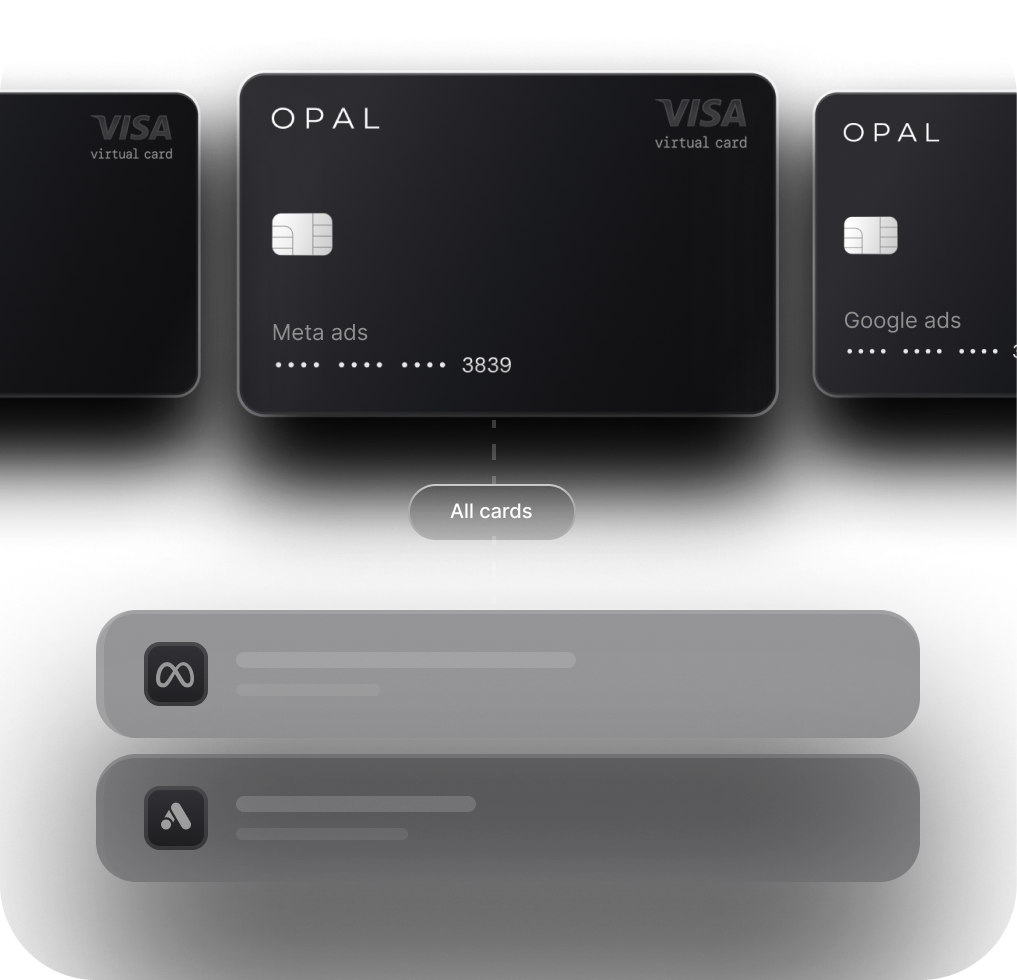
The cleanest approach is one payment method per client account. If clients own their own Apple Ads accounts, this happens naturally: Apple invoices the client, the agency manages campaigns, and there is no commingling. If the agency owns the account and manages multiple clients from it, consider using separate virtual cards per client where your payment infrastructure supports it. This creates a direct mapping between a card and a client that makes reconciliation straightforward.
Define budget owners and approval thresholds
For each client, document:
The monthly budget cap
Who has authority to approve spend increases
The threshold at which an increase requires written sign-off
What happens if spend is projected to exceed the cap mid-month
This does not need to be complex. A shared document or a field in your project management system is sufficient. What matters is that the threshold exists and that everyone on the team knows it. For a deeper look at structuring spend limits by client, see how agencies set monthly ad spend limits.
Build a recurring reporting cadence
Reconciliation is easier when it is done weekly, not at month-end. A simple weekly review should cover:
Spend to date by client and campaign group
Budget remaining for the month
Payment method status (card expiration, credit availability)
Any anomalies in spend pace
Client-facing spend reports should be structured before campaigns launch, not assembled retroactively when a client asks for a summary.
Document escalation steps
Define in advance what happens when a payment fails or a client requests a sudden budget increase. Who gets notified? Who has authority to act? How quickly does the agency need to respond to prevent a campaign interruption? These steps should be written down, not improvised at the moment of a problem.
Match payment timing to client billing terms
Apple charges the payment method in real time as spend accumulates. If a client pays the agency on net-30 or net-45 terms, the agency is fronting that spend for the duration of the billing gap. That gap should be explicitly accounted for in client agreements and in the agency's cash-flow planning. See how finance teams manage ad spend timing for a broader framework.
What to Look for in an Apple Search Ads Payment Workflow
When evaluating a card or payment tool for Apple Search Ads, work through this checklist in order. Operational requirements come first; rewards come last.
Criterion |
What to evaluate |
|---|---|
|
Payment reliability |
Does the card have a high enough limit to absorb Apple's rolling $500 threshold charges without triggering fraud holds? Does the issuer support foreign transactions without blocking? |
|
Client separation |
Can you assign a distinct card or virtual card to each client account? Can charges be traced back to a specific client without manual reconciliation? |
|
Spend limits and permissions |
Can you set per-card or per-user spend limits? Can you restrict who can change the payment method on an account? |
|
Transaction-level visibility |
Can you see individual charges with enough detail to match them to a campaign group and client without logging into Apple Ads separately? |
|
Export and accounting sync |
Can transaction data be exported to CSV or synced to your accounting system? Does it include enough metadata to automate reconciliation? |
|
Working-capital impact |
How long does the agency carry the spend before the client reimburses? Is the card limit large enough to cover that float without restricting other clients? |
|
Rewards and cashback |
Relevant, but only after the above requirements are met. A card that earns 1-2% cashback but causes card declines or commingled statements is not a good trade. |
Purpose-built ad-spend tools, such as Opal Spend, are designed specifically around these agency workflows: high limits, virtual cards for client separation, and transaction data structured for reconciliation. General business cards may offer competitive rewards but are not built with multi-client ad billing in mind. Evaluate based on the full checklist, not the headline rate.
When Funding Flexibility Can Help, and When It Cannot
Flexible payment terms, charge cards with extended billing cycles, or purpose-built ad-spend credit lines can help an agency manage the timing gap between when Apple charges the card and when the client reimburses the agency. That gap is real, and for agencies managing meaningful Apple Search Ads budgets across several clients, it can create meaningful cash-flow pressure.
Where funding flexibility helps:
Bridging the gap between Apple's real-time charges and client net-30 or net-45 payment terms
Maintaining campaign continuity during a slow client payment cycle
Scaling spend for a new client before the first reimbursement arrives
Where it does not help:
Funding flexibility should not be used to cover unclear client agreements, campaigns that are not generating acceptable returns, or spending that has not been approved by the client. Extending credit to cover operational gaps is reasonable. Extending credit to mask financial problems is not.
If an agency is consistently floating more than 30 days of client spend across multiple accounts, that is a cash-flow signal worth addressing at the contract level, not just the payment infrastructure level.
A Simple Operating Checklist for Agencies
Use this checklist when onboarding a new Apple Search Ads client. It takes less than 30 minutes to complete and prevents most of the billing problems that emerge later.
Optional diagram concept: Apple Search Ads agency payment workflow from client approval to campaign spend, reconciliation, and reporting.
Confirm account ownership: will the agency own the Apple Ads account, or will the client?
Confirm who is legally responsible for charges to Apple
Document the monthly budget cap and the threshold that requires written approval to exceed
Decide how spend will be separated: by account, by campaign group, or by virtual card
Assign the correct user roles: Account Finance for billing contacts, Campaign Group Manager for client visibility if needed
Confirm billing contacts and define the escalation process for a failed payment
Align client payment terms (net-30, net-45, etc.) with the agency's payment timing and available credit
Schedule weekly spend and reconciliation reviews before the first campaign goes live
Frequently Asked Questions
How do agencies pay for Apple Search Ads?
Agencies pay using a credit or debit card (Visa, Mastercard, or American Express) saved to the Apple Ads account. Apple charges the card when cumulative spend reaches $500 or every seven days, whichever comes first. Qualifying advertisers may apply for monthly invoicing through Apple's line of credit program. Prepaid cards and digital wallets are not accepted.
Can an agency manage Apple Search Ads for multiple clients?
Yes. Agencies can manage multiple clients either through campaign groups within a single agency-owned account, or by being invited as a user into each client's separately owned account. Apple's account structure documentation recommends separate accounts when clients want to own their billing relationship with Apple directly.
What happens if an Apple Search Ads payment fails?
If the payment method on file is declined, Apple Ads campaigns will stop running. Apple sends a notification to the billing contact when a charge is declined. The agency needs to update the payment method and resolve any outstanding balance to resume campaigns. There is no grace period documented by Apple for continued ad delivery after a failed charge.
Should agencies use one card for all Apple Search Ads clients?
Generally, no. A single card for all clients creates commingled charges, harder reconciliation, and shared risk: one card failure stops all campaigns simultaneously. Where possible, use a separate payment method per client account. Virtual cards issued per client are one practical approach for agencies that manage campaigns from a single account structure.
How can agencies reconcile Apple Search Ads spend by client?
Apple Ads provides billing summaries and downloadable invoices from the Billing tab in account settings. For accounts using Apple Ads Advanced, invoices include campaign-level transaction detail. Agencies should pull these reports weekly and match charges to client campaign groups. Using separate cards or accounts per client makes this significantly faster, since each card statement maps directly to one client.
Closing Note
Apple Search Ads is a straightforward platform to use. The billing complexity comes from managing it across multiple clients, multiple apps, and multiple team members with different levels of access and authority.
The agencies that handle this well are not necessarily the ones with the most sophisticated tools. They are the ones that defined their payment structure, reconciliation process, and escalation steps before problems arose. Clean records, reliable payment methods, and intentional cash-flow planning are not operational overhead. They are what keeps campaigns running and client relationships intact.