

The Best Virtual Card for TikTok Ads: How to Test One Before You Commit

.webp)
The best virtual card for TikTok ads is a business credit or charge card, never a prepaid card, that TikTok Ads Manager accepts under all 3 of its billing options, that completes 3D Secure checks, and that carries a limit above your largest single TikTok charge.
You find it by testing each candidate card against the 5 payment events TikTok creates: the verification deduction, a balance top-up, repeated threshold charges, the bill-date sweep, and the monthly invoice.
TikTok runs ad billing through TikTok Ads Manager and TikTok Business Center, and its Business Help Center sets the card rules for agencies, in-house brand teams, and media buyers on Visa or Mastercard alike.
Prepaid cards cannot fund Automatic Payment, a newly added card faces a deduction of at least $10, and TikTok asks that cards support 3D Secure, the authentication protocol specified by EMVCo.
The topic exists because TikTok billing options only move forward, so a card that suits a new prepaid account can stop working the day that account upgrades.
That's why this guide will help you understand the specific requirements for virtual cards on TikTok Ads, how to test them, and what features matter most for successful ad campaigns.
Key Takeaways
TikTok does not accept prepaid cards for Automatic Payment, so a prepaid virtual card covers manual top-ups only and fails once the ad account upgrades.
TikTok billing options change in one direction, from Manual Payment toward Automatic Payment or Monthly Invoicing, so pick a card that works under all 3 before the first top-up.
Every card added for Automatic Payment faces a verification deduction of at least $10, refunded within 15 days, which can sit against a tightly set card limit.
A sound limit equals the approved monthly TikTok budget plus at least one threshold charge, with any per-transaction cap above your largest planned top-up.
One card per ad account, restricted to TikTok as a merchant, keeps a decline inside one client or campaign stream and makes every charge traceable.
Which Is the Best Virtual Card for TikTok Ads?
The best card is the one that passes every payment event TikTok can create on your account, which rules out prepaid and single-use cards and favors business credit or charge cards with per-card controls. Brand and reward rate come second, since a declined card earns nothing on the spend it fails to fund.
Judge Cards by TikTok’s Billing Rules First
Lists of the best virtual cards for TikTok ad campaigns tend to score limits, rewards, and software, but TikTok adds constraints of its own. Under Automatic Payment a primary payment method must always be on file and prepaid cards are excluded, and under Manual Payment ads stop once the balance runs out. A virtual card for TikTok advertising has to meet those rules before any other feature counts.
For one card program across several platforms, our multi-platform virtual card comparison weighs Meta, Google, and TikTok together. This guide stays on TikTok’s own tests.
Score Each Card Against 5 TikTok Payment Events
Each event below asks your card for money, and each can fail for a different reason:
Verification: TikTok deducts at least $10 when you add the card for Automatic Payment and refunds it within 15 days.
Top-up: on Manual Payment, you fund the ad account balance in advance, and each top-up settles as a single transaction.
Threshold charge: on Automatic Payment, TikTok bills the card each time unpaid spend hits the threshold set for the account.
Bill-date sweep: on the bill date, TikTok charges whatever unpaid balance remains below the threshold.
Invoice payment: on Monthly Invoicing, the invoice falls due 30 days from its date and can be settled by card where TikTok accepts one.
A card that clears all 5 events on a test ad account can carry live spend. One that clears only the first 2 holds up while the account is new and breaks when it graduates.
Which Card Types Does TikTok Accept for Each Billing Option?
For billing in US dollars, TikTok lists credit and debit cards for Manual Payment and Monthly Invoicing and bankcards for Automatic Payment, while excluding prepaid cards from Automatic Payment. The type of card, more than the brand on it, decides how far an ad account can grow on a single card.
Compare Virtual Card Types on TikTok
The table maps common virtual card types against TikTok’s 3 billing options, using TikTok’s published rules for United States accounts. A “Works” entry means TikTok allows that card type, not that every such card will clear.
|
Card type |
Manual Payment |
Automatic Payment |
Monthly Invoicing |
Main TikTok risk |
|---|---|---|---|---|
Prepaid virtual card |
Not on TikTok’s list |
Not accepted |
Not on TikTok’s list |
Leaves the account without a valid card after an upgrade |
Single-use virtual card |
Funds one top-up, then closes |
Cannot stay on file as the primary method |
Settles one invoice only |
Needs replacing after every charge |
Debit virtual card |
Works |
Works |
Works |
Every charge draws down your bank balance |
Business credit virtual card |
Works |
Works |
Works |
Limit may not track your TikTok budget |
Ad-spend charge virtual card |
Works |
Works |
Works |
Full statement balance due each month |
Rule Out Prepaid and Single-Use Cards Early
Prepaid virtual cards look attractive for test budgets because they cap exposure, but TikTok’s automatic payment setup page says outright that a prepaid card cannot be used for that billing option. An account built on a prepaid card therefore has to change cards at the exact moment it upgrades.
Single-use virtual cards fail for a related reason. TikTok charges a stored payment method again and again, so a number that closes after one transaction suits a one-off invoice better, as our explainer on single-use virtual cards sets out.
How Should You Size a TikTok Ad Spend Card Limit?
Set each card’s limit at the approved monthly TikTok budget plus at least one threshold charge, and keep any per-transaction cap above your largest planned top-up. A TikTok ads virtual card sized to average daily spend fails on the days TikTok bills it more than once.
Read Your Threshold Before You Set the Limit
TikTok’s guide to tracking your billing threshold shows how a threshold turns into charges. In its example, an account with a $180 threshold spends $185 in a day, is charged $180, and carries $5 forward, then $179 of new spend plus that $5 triggers another $180 charge the next day. On the bill date, the $4 left over is swept in one small charge.
A fresh account begins on a low threshold that rises as spending grows, so a TikTok ad spend card sees many small charges early and fewer, larger ones later. Check the current figure under Finance and Payment Management in Business Center before you set the limit.
Add Room for Verification and the Next Cycle
Two smaller amounts also sit against the limit. The verification deduction stays on the card until TikTok refunds it, and a new cycle’s first threshold charge can land before your statement payment restores the limit.
Here is the arithmetic for a client approved at $30,000 a month on Automatic Payment with a $2,000 threshold: $30,000 plus one $2,000 charge plus the $10 verification comes to $32,010, which rounds up to a $32,500 limit. On Manual Payment, check the per-transaction cap separately, because a $15,000 top-up is one charge however high the monthly limit sits.
Which Card Controls Matter Most on TikTok?
The controls that matter on TikTok contain a failure and trace a charge: one card per ad account, a merchant restriction to TikTok, and permissions that line up with TikTok’s finance roles. Reward rates and software features rank below them.
Issue One Card per Ad Account and Lock It to TikTok
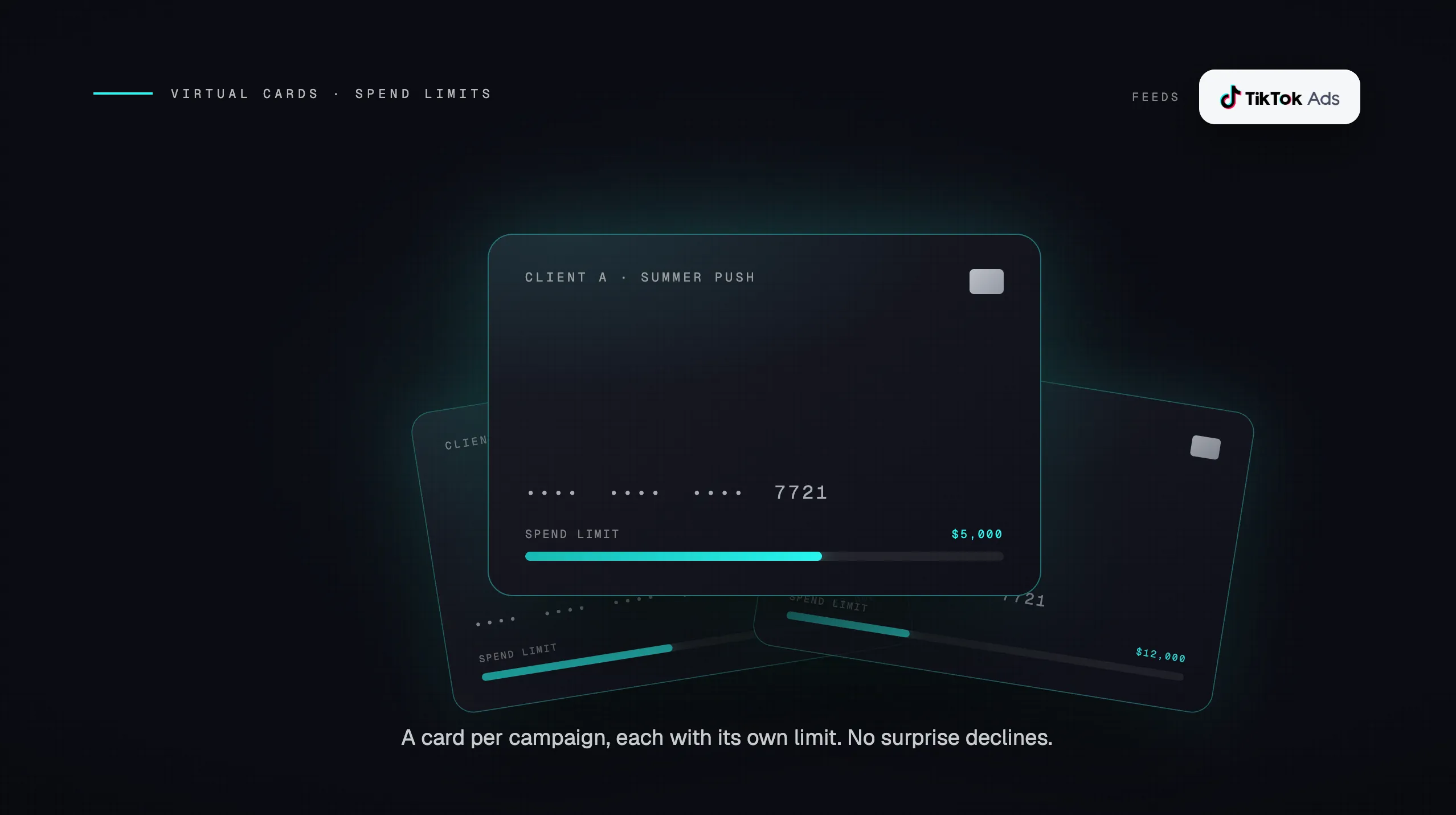
TikTok assigns billing thresholds per ad account, so one card per ad account keeps a decline, a hold, or a limit breach inside a single client or campaign stream. Restrict that card to TikTok as a merchant so a stray subscription or another platform’s charge cannot consume the TikTok budget, and set an expiration date that matches the client contract.
The same structure gives you the simplest TikTok ads payment method for agencies to bill back, since every charge on the card already belongs to one client. Our guide to TikTok billing for agencies covers who controls billing when the client, not the agency, owns the ad account.
Match Card Permissions to Business Center Roles
When a Business Center owns the ad account, TikTok only lets you add an automatic payment method inside Business Center, and only users with the Financial Manager role can adjust the billing threshold. TikTok also caps threshold changes at 3 per month and notes that failed payments may affect the threshold.
Give card issuance rights to the person who holds Financial Manager, or write down a handoff between the 2 roles, so the card limit and the TikTok threshold change together. Split between people who never compare notes, those levers drift until a card limit sits below one threshold charge.
How Do You Test a Virtual Card Before Moving TikTok Spend to It?
Run the card on one low-budget ad account through a full billing cycle, confirming it clears verification, a threshold charge, and a bill-date sweep before other accounts move. The trial costs little and surfaces problems early.
Run a One-Cycle Trial on a Single Ad Account
Use this sequence for any candidate card:
Add the card in Business Center or Ads Manager and let the 3D Secure step complete with VPNs and pop-up blockers switched off, since TikTok says both can stop the verification page from loading.
Check that the verification deduction of at least $10 posts, then confirm the refund arrives within 15 days.
Let the account reach its threshold at least once, then match the charge on the card’s transaction feed to the amount shown in Ads Manager.
Confirm the bill-date sweep posts as its own charge for the leftover balance.
Record the dates and amounts so finance knows what a normal TikTok cycle looks like on that card.
Plan for the Billing Option Upgrade
Decide which billing option the account will grow into before the trial ends, because TikTok allows only 3 changes: Manual Payment to Automatic Payment, Manual Payment to Monthly Invoicing, and Automatic Payment to Monthly Invoicing. Test the card under the option the account will hold a year from now, and see our cashback routing guide for keeping invoiced TikTok spend on a card.
If a payment fails during the trial, find the cause before trying again. TikTok advises waiting at least 24 hours before another attempt if you are blocked, and our breakdown of the cost of declined payments covers what a failed charge does to a live campaign.
Put Every TikTok Ad Account on Its Own Opal Card
We run the Opal Card as a pay-in-full charge card for ad spend, never a prepaid card, and we issue a separate virtual card for every TikTok ad account at no extra cost. You set each card’s controls and connect it in Business Center or Ads Manager.
What Opal Supplies and What Your Team Sets Up
We supply the credit and the controls: unlimited free virtual cards, and every one can carry a spending limit, a merchant restriction, and an expiration date, alongside approvals, employee permissions, and real-time transaction visibility. Credit runs up to $10 million subject to underwriting, without a personal guarantee, an annual fee, or a hard credit check, and cashback on eligible ad spend runs up to 1.5% with no cap, at the rate we confirm on approval.
You size each card against its TikTok threshold and choose the billing option. Charges flow into QuickBooks or Workday, and new cards are typically ready within 24 to 48 hours.
Know Where the Opal Card Fits and Where It Does Not
Our card is open to U.S.-based businesses only, and it works on supported advertising and media platforms only, so software, travel, and payroll fall outside it. The full balance is debited each month, and Ad Pay, our separate fee-based waitlist service for Meta and Google invoices, does not cover TikTok.
Where a client owns its ad account and pays TikTok directly, TikTok charges the client’s card. For every account you fund, see how Opal for TikTok Ads maps one card to each ad account, then apply.
Frequently Asked Questions About TikTok Ad Cards
Can You Use a Prepaid Virtual Card for TikTok Ads?
Not for Automatic Payment. TikTok’s help center states that prepaid cards cannot be used for that billing option, and TikTok’s United States payment methods list names credit and debit cards, not prepaid cards, for Manual Payment. Because billing options only move forward, a prepaid card leaves the account without a valid card once it upgrades.
Does TikTok Charge a Card When You First Add It?
Yes. When you add a payment method for Automatic Payment, TikTok verifies the card by deducting at least $10, or the local currency equivalent, and refunds it within 15 days. Until that refund posts, the deduction can reduce the available limit on a tightly sized virtual card.
Should You Pay for TikTok Ads With Debit or Credit?
TikTok accepts both under all 3 billing options for United States accounts billed in US dollars. A debit card draws on your bank balance with every top-up or threshold charge, while a credit or charge card defers payment to the statement due date, which keeps cash in the bank for teams fronting client budgets.
How Many TikTok Cards Should an Agency Issue?
One for each TikTok ad account the agency funds. TikTok assigns thresholds per ad account, so a dedicated card keeps each client’s charges separate and contains any decline to that client. An agency funding 12 client ad accounts would run 12 TikTok cards, each restricted to TikTok and sized to that client’s approved monthly budget.
Can You Pay a TikTok Monthly Invoice With a Card?
Yes, where TikTok accepts it. TikTok’s billing options page names card payment alongside bank transfer as ways to settle Monthly Invoicing, and its United States payment methods list includes credit and debit cards for invoices billed in US dollars. Payment is owed 30 days after TikTok issues the invoice, and disputes must reach TikTok within 7 days.
Can a Failed Payment Change My TikTok Billing Threshold?
It can. TikTok’s guidance on tracking thresholds notes that failed payments may affect the billing threshold, which otherwise rises as spending grows. A dedicated card sized above your largest charge protects that progression. If a payment does fail, fix the cause first, and wait at least 24 hours if TikTok blocks further attempts.
.webp)