

How to Maximize Cashback on Google, Meta, TikTok, and Amazon Ads

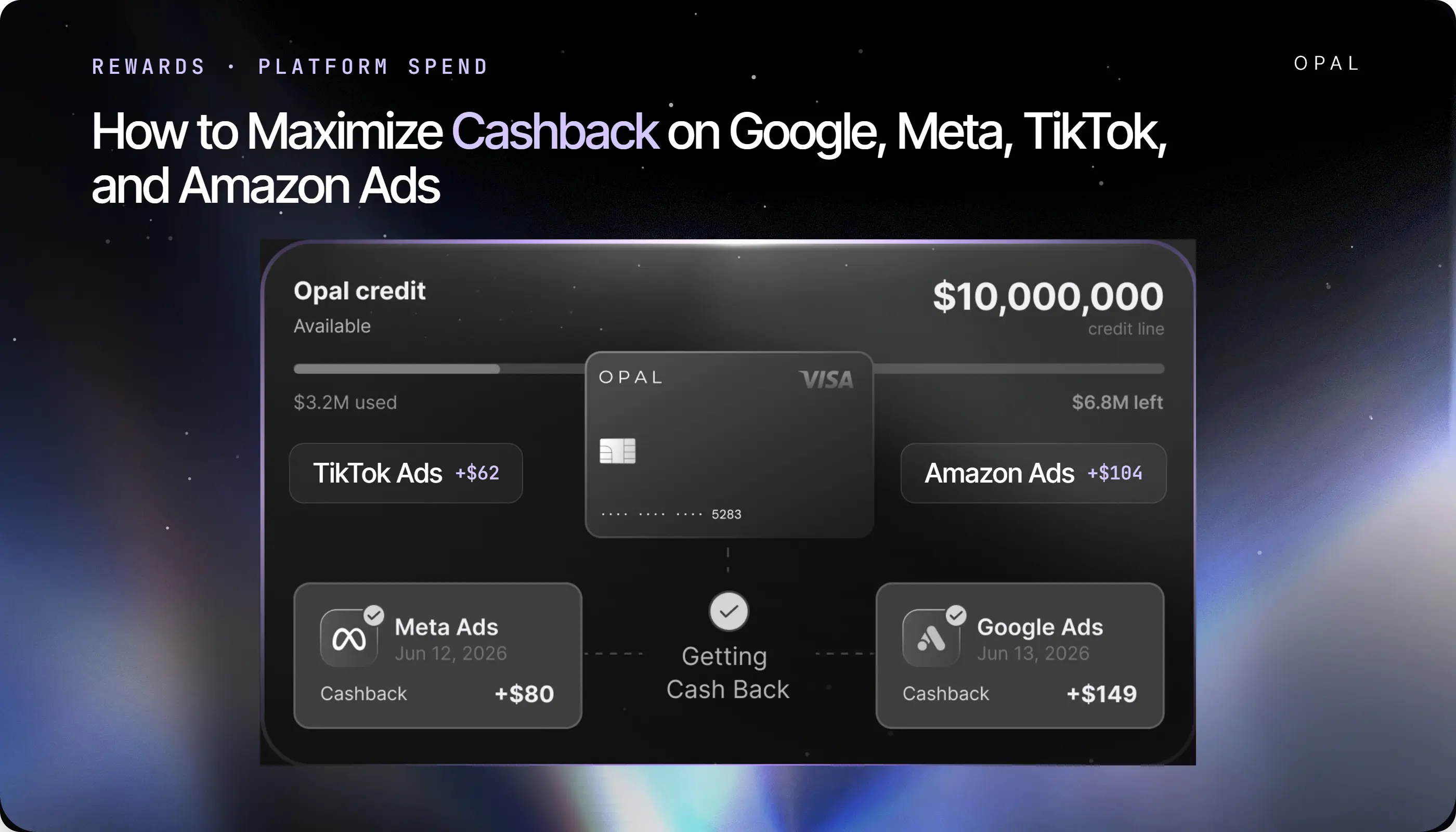
To maximize cashback on Google, Meta, TikTok, and Amazon ads, route the largest possible share of your media budget through one card that pays an uncapped rate on all 4 platforms, then defend that routing against the payment settings that quietly move spend off the card.
Rewards on advertising are the product of 2 numbers: the rate your card pays, and the share of total media budget that settles on a card at all. Most teams negotiate the first number and never measure the second, which is why reported rewards keep falling short of the arithmetic done at signup.
Google Ads, Meta, TikTok Ads Manager, and Amazon Ads each run a separate billing stack, and each one offers at least one route that bypasses a card entirely.
Google Ads Help lists automatic payments, prepay, and monthly invoicing as the available billing options, and it states that monthly invoicing is settled by check or bank transfer. TikTok Ads Manager offers Manual Payment, Automatic Payment, and Monthly Invoicing. Amazon Ads bills Sponsored Ads against a threshold, offers Pay by Invoice, and has begun moving a contacted group of advertisers onto deduction from a seller or vendor account balance.
Layer merchant category codes (MCCs), Visa network rules, and platform-issued credit lines on top, and you get a media budget where some dollars are eligible to earn and some are structurally incapable of it.
Key Takeaways
Cashback on advertising equals your reward rate multiplied by card coverage, the share of media budget that actually settles on a card, so a higher rate applied to a shrinking share can still shrink the total you earn.
Monthly invoicing on Google Ads is paid by check or bank transfer, which means qualifying for it and accepting it removes that platform's spend from card rewards completely.
TikTok Ads Manager states that monthly invoices can be paid by bank transfer, credit card, or another payment method it accepts, so an invoiced TikTok account can keep earning if the invoice itself goes on a card.
Amazon Ads has told a contacted group of advertisers that their default payment method will become deduction from an available seller or vendor account balance, with the existing card retained only as a backup.
A 4-platform budget of $400,000 a month returns $96,000 a year at an uncapped 2% rate, and $52,800 a year if 2 of those platforms move off the card, a gap of $43,200 created by routing rather than by rate.
The Opal Card pays up to 2% uncapped cashback at a single rate across Google, Meta, TikTok, Amazon Ads, and other supported media platforms, with your approved rate confirmed at application.
How Do You Maximize Cashback on Google, Meta, TikTok, and Amazon Ads?
You fix coverage first and rate second, because the rate only applies to budget a card actually settles. Every platform in a modern media mix offers at least one funding route that pays the platform without touching your card, and each of those routes sets the reward on that spend to zero.
1. Multiply Your Rate by Your Card Coverage
Start with a figure most finance teams have never calculated: the percentage of last month's media budget that appeared on a card statement. Divide total card-settled advertising charges by total media spend across every platform and account.
That percentage is your coverage, and it is the ceiling on everything a rewards program can return to you.
Take a business running $400,000 a month across the 4 platforms, split $160,000 on Google, $120,000 on Meta, $60,000 on TikTok, and $60,000 on Amazon.
At an uncapped 2% rate with every platform on card billing, that returns $8,000 a month, or $96,000 a year. Move Google to monthly invoicing and let Amazon default to balance deduction, and coverage falls to 55%. The same rate now returns $4,400 a month, or $52,800 a year.
The $43,200 difference came from 2 administrative decisions, neither of which felt like a rewards decision at the time. No rate was renegotiated and no card was cancelled.
Run the same division on your own accounts before you shop for a better rate, because a rate increase applied to 55% coverage is worth less than a coverage increase applied to your current rate.
2. Find the Budget That Never Touches a Card
Coverage leaks in 5 predictable places, and each one is a setting rather than an accident. Audit them in this order:
Platform balances funded by bank transfer or wire, where the card never appears in the transaction
Invoiced accounts settled by check, wire, or automated clearing house payment
Accounts where the platform deducts from a balance it already holds for you
Client-owned ad accounts billed to the client's own payment method while your team runs the campaigns
Charges that were attempted and declined, which earn nothing because they never settled
The last 2 deserve particular attention. A client-owned account can represent a third of managed spend at some agencies, and no card infrastructure on your side will ever capture it. Declined charges are the recoverable half of the problem, and they are worth fixing first because the same fix protects delivery.
Which Payment Settings Keep Ad Spend on Your Card?
Each platform offers several funding routes, and only some of them settle on a card you control. The table below maps what each platform supports and what that means for what you earn.
|
Platform |
Funding routes available |
Settles on your card? |
Effect on rewards |
|---|---|---|---|
Google Ads |
Automatic payments, prepay, monthly invoicing |
Automatic and prepay yes, invoicing no |
Invoicing is paid by check or bank transfer, so that spend earns nothing |
Meta |
Threshold charges plus a monthly bill date, invoicing for approved accounts |
Threshold billing yes, invoicing no |
Declines and invoice migration are the 2 main leaks |
TikTok |
Manual Payment, Automatic Payment, Monthly Invoicing |
All 3 can, if the balance or invoice is funded by card |
The only platform here whose invoice explicitly accepts a card |
Amazon Ads |
Threshold charges, prepay, Pay by Invoice, account balance deduction |
Threshold and prepay yes, the others no |
Balance deduction is becoming a default for some advertisers |
A) Keep Google Ads on Automatic Payments Where You Can
Google Ads Help describes automatic payments as being charged after your ads run, on the first day of each month or when you reach your threshold, whichever comes first. That route settles on your card every time, so coverage on an automatic-payment account is effectively 100% as long as charges clear.
The alternative is the one that costs you. Google's own documentation for monthly invoicing requirements sets out the criteria: a business registered for at least 1 year, an active Google Ads account in good standing for at least 6 months, and spending of at least $5,000 per month in any 3 of the last 12 months.
Google emails the invoice by the 5th business day of the month, payment terms are typically 30 days, and the invoice is paid by check or bank transfer.
Read those 2 facts together and the trade becomes clear. The accounts that qualify for invoicing are exactly the accounts spending enough for rewards to matter, and accepting the invoice hands that spend to a payment rail no card can reach.
If threshold charges are the reason you were considering the switch, the fix belongs in card headroom rather than billing mode, and our breakdown of Google billing threshold mechanics covers how those charges escalate.
B) Give Meta's Threshold Charges Room to Clear
Meta bills against a threshold and a monthly bill date, which produces several charges in a month and sometimes several in a day. Coverage on Meta is rarely lost to a billing mode change, because most accounts stay on card billing. It is lost to declines.
A declined charge is the purest form of lost reward, since the spend either stops or reroutes to another payment method while the campaign pauses.
Size the card limit for the account against the largest plausible single day rather than the monthly average, and keep a second funded card on the account so a verification hold does not take delivery down with it. Our guide to Meta threshold declines explained sets out the charge pattern in detail.
C) Move TikTok Off Prepay Once the Account Qualifies
TikTok Ads Manager supports 3 routes, and the distinction between them matters more for coverage than for cash flow. On Manual Payment you add funds to the ad account in advance, and TikTok states that it will not deliver ads in excess of your balance, so a depleted balance stops delivery until someone tops it up.
Automatic Payment charges when transactions reach the designated billing date or the billing threshold, whichever comes first, which keeps the account continuously card-settled without anyone watching a balance.
Monthly Invoicing is available to businesses TikTok deems eligible, and it settles on net 30 terms counted from the date the invoice is issued.
Here is the detail worth knowing before you dismiss invoicing outright: TikTok's help centre lists bank transfer, credit card, or another payment method it accepts as ways to settle that invoice.
An invoiced TikTok account can therefore keep full coverage where an invoiced Google account cannot. Account structure shapes this too, and TikTok billing for agencies walks through how ownership in the Business Center decides who gets charged.
D) Stop Amazon Spend From Defaulting Off Your Card
Amazon Ads is the platform where coverage disappears without anyone choosing to give it up. In Amazon's advertiser payment update, the company states that with account balance payments, debits and credits are handled automatically, and describes this as the payment method used by the overwhelming majority of its advertisers.
The same update tells a contacted group of advertisers that if they do not select a preference before the change takes effect, their default payment method will be updated to deduction from an available seller or vendor account balance, and that the existing credit or debit card will be retained as a backup payment method.
A backup card is a card that earns nothing until the balance runs dry. Amazon also offers Pay by Invoice, where it sends an invoice at the end of each month with payment due 30 days later.
Check which method each advertising account is set to, and set a reminder to check again after any Amazon-initiated change.
Spend on Amazon demand-side platform (DSP) campaigns is invoiced separately from Sponsored Ads, so confirm both streams rather than one, and our Amazon Ads invoicing guide explains how those documents diverge.
When Is Monthly Invoicing Worth the Cashback It Costs?
Invoicing buys payment terms, a single monthly document, and freedom from decline risk on that platform. It costs you every reward dollar on that platform unless the invoice itself can be settled with a card, so the decision deserves arithmetic rather than instinct.
Price the Trade Between Terms and Rewards
Work it out per platform, not across the whole budget. Multiply that platform's monthly spend by your card rate to get the reward you would forgo each month, then value the terms you gain against the same amount over the days they free up.
A platform running $150,000 a month at an uncapped 2% rate is worth $3,000 a month in rewards, or $36,000 a year.
Net 30 terms on that spend free roughly a month of working capital, which is worth whatever your financing costs on $150,000 for 30 days. If your capital is cheaper than $3,000 a month, invoicing costs more than it returns, and the answer flips as soon as the numbers do.
Run this before you apply rather than after you are approved. Several platforms make invoicing difficult to reverse once granted, so treat the application as the decision point.
Ask Whether the Invoice Accepts a Card
The answer differs by platform and is stated plainly in each help centre. Google Ads directs monthly invoicing payments to check or bank transfer. TikTok lists credit card among its accepted invoice payment methods. Amazon's Pay by Invoice is settled outside the card entirely.
Where an invoice will not take a card directly, a payment product can sit between the 2, and we build one. Ad Pay lets you settle ad invoices with a card and extends cash flow by up to 55 days, with payments processed within 3 to 5 business days.
It is a paid product rather than an included feature: we charge 3% for payments made with Opal credit, reduced to a net 2% by the 1% cashback earned on the payment, or 3.5% if you use your own card, and it is currently in early access with a waitlist rather than generally available.
Be clear-eyed about what that means for rewards. The fee on an invoice payment exceeds the cashback it earns, so Ad Pay early access is a cash flow instrument, not a rewards strategy. Keeping the account on card-settled automatic payments costs nothing and earns the full rate, which makes it the better option whenever the platform still allows it.
What Should a Card Do to Earn on All Four Platforms?
Once coverage is protected, the card itself has to hold up across 4 different billing behaviours without the rate changing underneath you. Two questions separate a card that survives this from one that quietly underperforms.
1. Require One Rate Across Every Platform
Ask the issuer what you earn on each platform by name, and ask whether any monthly or annual ceiling applies.
Get the answer from the rewards terms rather than the marketing page, because category-based rates depend on how each platform is coded and coded rates vary between issuers, a mechanism our post on merchant category code mismatches unpacks in full.
A flat uncapped rate removes both variables at once. It pays the same on a Sponsored Ads threshold charge as on a TikTok top-up, and it keeps paying in month 11 of a heavy year.
A ceiling does the opposite, converting your headline rate into a fixed annual dollar amount that stops growing the moment your spend does, so read the ceiling before you read the rate.
2. Check Limits Against Your Heaviest Billing Day
Build the worst case rather than the average. Take the largest single-day total each platform could charge, assume 2 or 3 accounts cross their thresholds within one working day, add pending authorisations and any retries after a hold, and compare that sum against your available limit.
Monthly averages hide this entirely, because a $400,000 monthly budget can arrive as an $18,000 Tuesday.
A limit sized to the average declines on the peak, and a decline costs the reward, the delivery, and the client conversation that follows.
Put Your Four-Platform Spend on One Card That Pays
Coverage and rate are both fixable in an afternoon, and the same setup solves for each. We built the Opal Card so that one payment instrument sits behind every platform in a media mix, at one rate, with limits sized to the spend it has to carry.
See What the Opal Card Covers, and What It Does Not
The Opal Card pays up to 2% uncapped cashback across Google Ads, Meta Ads, TikTok, Amazon Ads, The Trade Desk, LinkedIn, Snapchat, and other supported media platforms, with your approved rate confirmed at application.
Credit limits go up to $10M, there is no annual fee, no personal guarantee, and no credit check, and you can create unlimited virtual Opal cards at no cost so every ad account carries its own payment method.
Our QuickBooks integration syncs the resulting charges back to your books, and applying takes 2 to 3 minutes, with virtual cards typically issued within 24 to 48 hours.
The boundaries matter just as much. The Opal Card is a pay-in-full charge card, so your full statement balance is automatically debited on each monthly payment due date, and card use is limited to supported advertising and media platforms rather than general business spend.
Ad Pay, described above, is a separate early-access product carrying its own per-payment fee.
Start With Your Highest-Spend Platform
Pull last month's statements, calculate coverage, and fix the largest leak first, because a single platform usually accounts for most of the gap.
Put that platform on a card-settled billing mode, issue it a dedicated virtual card with a limit sized to its heaviest day, and confirm the charge clears before moving to the next one.
Apply for the Opal Card or book a meeting with our team, and bring your platform-by-platform spend split to the conversation.
We will size limits against your heaviest billing day rather than your monthly average, which is the number that decides whether your rewards survive contact with an ad platform.
Frequently Asked Questions (FAQs)
Do Google, Meta, TikTok, and Amazon Ads All Earn the Same Cashback Rate?
On a category-based business card, usually not, because each platform can be coded differently by the card network and only some codes trigger the bonus rate. On a flat-rate card with no category restrictions, every platform earns identically. Confirm by asking your issuer what each named platform earns, in writing.
Does Switching to Monthly Invoicing Cancel My Ad Spend Rewards?
It depends on how the invoice is paid. Google Ads directs monthly invoicing payments to check or bank transfer, so that spend stops earning card rewards. TikTok lists credit card among its accepted invoice payment methods, so an invoiced TikTok account can keep earning. Check the accepted payment methods before accepting an invoicing offer.
Can I Still Earn on Amazon Ads if Amazon Deducts From My Account Balance?
No, because a balance deduction never reaches your card. Amazon has told a contacted group of advertisers that their default will become deduction from an available seller or vendor account balance, with the card retained as a backup. Check the payment method on each advertising account and reset it if card settlement matters to you.
Is TikTok Manual Payment or Automatic Payment Better for Earning Rewards?
Both can earn if the funding source is a card, but Automatic Payment is steadier. Manual Payment depends on someone topping up the balance, and TikTok will not deliver ads beyond the funded amount, so a missed top-up pauses delivery and the spend never happens. Automatic Payment charges at the billing date or threshold without manual intervention.
How Do I Work Out What My Current Card Actually Pays Me?
Divide the rewards posted last month by total media spend across every platform and account, including spend that never touched the card. That effective rate is almost always below the advertised one. The gap between the 2 numbers is the combined cost of caps, category coding, and uncovered spend, in that order of size for most advertisers.
Does Paying an Ad Invoice With a Card Ever Make Financial Sense?
It makes sense when you are buying time rather than rewards. Invoice payment products charge a fee that exceeds the cashback earned on the payment, so the net position is a cost. The case for it is working capital, specifically extending the gap between paying the platform and collecting from a client.