

Agency Ad Spend Financing: How to Fund Client Media Without Tying Up Your Own Cash

.webp)
Agency ad spend financing is the practice of paying ad platforms for client campaigns with money other than the agency's operating cash, either the client's media budget collected before launch or a credit line sized on the ad spend itself.
The method is to give each client a dedicated virtual card capped at its approved budget, then match that card to a funding source whose cash lands before the platform payment or the card statement comes due.
The need comes from timing. Meta, Google Ads, Amazon Ads, TikTok, The Trade Desk, and LinkedIn bill on their own schedules, charging a card at a billing threshold or invoicing against platform credit, while clients settle agency invoices 30 or 60 days later.
Google's monthly invoicing, for example, is a line of credit that each account has to qualify for on its own history, and client budgets sent over the Automated Clearing House (ACH) network arrive on that network's settlement schedule.
Every day between a platform charge and a client payment runs on someone's money, and by default it is the agency's.
Key Takeaways
Agency ad spend financing works when each client's media is paid from that client's own money or from credit timed to that client's payment, never from the agency's operating account.
Our card offers 2 funding routes: a pre-funded account, where money arrives before spend and can return as much as 1.5%, and a credit account with limits up to $10 million that earns 1%.
The credit route passes one test: the client's payment has to clear before your card statement is debited, because every day it clears later, you carry that client's full statement balance.
Dedicated virtual cards for each client on each platform, capped at the approved budget, stop one client's spend from consuming another client's funding.
Google's monthly invoicing is a Google line of credit that each account must qualify for on its own, so a newly opened client account needs another payment route at launch.
Same Day Automated Clearing House (ACH) payments carry a limit of $1 million per payment, so a client's top-up sent before the bank's cutoff can settle that same business day.
What Is Agency Ad Spend Financing?
Agency ad spend financing is any arrangement that pays platforms for client campaigns without drawing on the cash that runs your agency. It separates your money into pools and decides, client by client, which pool each campaign spends from.
Splitting Agency Money Into 3 Pools
Operating cash covers payroll, rent, software, and the margin you keep. Client media money is the budget each client approved for its campaigns, and it belongs to that client from the moment you invoice it.
Borrowed capacity is credit that bridges a platform charge and the client's payment.
Funding breaks down when the pools blur. A shared company card on 6 client accounts merges all 3 pools into one balance, so a slow payer quietly starts spending payroll. Give every client its own payment instrument before launch.
Why Google Ads Billing Puts Agencies in the Middle
Platforms charge whoever holds the payment method on the account, on their schedule rather than yours.
Google Ads and Meta bill cards at thresholds that rise with payment history, which we break down in our Google Ads billing thresholds explainer.
Platform credit doesn't close the gap for new clients either. Google's monthly invoicing definition says a business may qualify after at least 1 year as a registered business and $5,000 or more in spend during 3 separate months out of the previous 12, and spending on earlier accounts doesn't count toward a new one. A new client account needs another funding route until it qualifies.
Which Funding Routes Keep Your Cash Out of Client Campaigns?
Five routes cover almost every client relationship, and 2 of them keep both your cash and your card-level controls intact. The table compares them by whose money reaches the platform first.
Comparing Ways to Fund Client Media Spend
|
Funding route |
Whose money pays the platform |
Your cash tied up |
Cashback to your agency |
Client-level control |
|---|---|---|---|---|
Pre-funded account on Opal |
The client's budget, collected before launch |
None |
Up to 1.5%, rate confirmed at approval |
Card per client, capped at the approved budget |
Credit account on Opal, invoiced to the statement |
Opal credit, repaid from the client's payment |
None, if the client pays before your debit |
1% |
Card per client, capped at the approved budget |
Client's own card on the platform |
The client's card |
None |
None |
None at your end, and declines land on the client |
Platform invoicing, such as Google monthly invoicing |
The platform's credit, repaid by bank transfer |
The full invoice, whenever the client pays late |
None |
Set separately inside each platform |
Ad Pay on Opal credit, early access |
Opal credit, used to settle the platform invoice |
Deferred by up to 55 days |
1%, against a 3% fee |
Review and schedule per invoice |
The two Opal account types do the most work because the card sits between the platform and your bank, with a limit you set per client. The other three hand control to the client or to the platform's credit terms.
Matching Each Client to a Route
Pick the row from the client's payment behavior. A new client, a one-off flight, or any client you can't credit-check belongs on the pre-funded route, since its money arrives first.
An established client with a clean payment record fits the credit route if you time the invoice to your statement.
Reserve the client's own card for clients who insist on holding the payment method, accepting the loss of rewards and card-level control. Our agency billing models guide explains how to write each arrangement into the client contract.
How Does a Pre-Funded Account Work for Client Media?
A pre-funded account holds money in your Opal Balance before the cards spend it, so every platform charge draws down cash that has already arrived.
You collect each client's media budget ahead of launch, and the statement settles from that balance rather than from your bank account.
Setting a Top-Up Rule Before Launch
A pre-funded balance stops spend when it runs dry, so write the replenishment trigger into the contract. Divide the monthly budget by 30 to get daily spend, then pick a floor in days of runway.
A $45,000 monthly Meta budget burns about $1,500 a day, so a 10-day floor puts the top-up trigger at $15,000.
Pre-funded accounts qualify for an uncapped cashback rate of as much as 1.5% on eligible ad spend. We set the exact rate from your account arrangement and confirm it at approval, so get it in writing before pricing clients.
Getting Client Top-Ups to Land the Same Day
Pre-funding only works if top-ups arrive on time. Ask clients to send top-ups as Same Day ACH, which carries Nacha's $1 million limit per payment for eligible business credits and debits.
Confirm 2 details first: whether the client's bank offers Same Day ACH origination, and its cutoff for the last same-day window. A top-up that misses the cutoff can slip to the next business day, so build a day of margin into the trigger.
When Should You Use a Credit Account Instead?
Use a credit account when a client won't pay ahead but reliably pays before your card statement is debited. We extend credit sized on your ad spend, with limits up to $10 million, no personal guarantee required, and no hard credit pull, and credit accounts return an uncapped 1% on eligible ad spend.
Running the Due-Date Test for Each Client
The test compares 2 dates per client: when its payment clears and when your statement is debited. Find your statement closing date and payment due date in your account, invoice the client for that cycle's media on the day the statement closes, and set terms that bring the money in at least 3 business days before the due date.
Each day a client pays after the debit, you lend that client's entire statement balance. A client spending $40,000 a month who pays 10 days after your debit puts the full $40,000 on your operating cash for those 10 days.
Our card is pay-in-full, and the whole statement balance comes out on each monthly due date from your chosen bank account or your Opal Balance.
A failed debit there can block new purchases until you clear the balance, so plan each cycle around your slowest payer.
Moving a Late Payer to the Pre-Funded Route
Track each client's payment date against your due date. When a client clears after the debit twice in a row, move their next month to the pre-funded route and explain the change in writing. Our guide to clients who pay late covers the credit policy and collection steps behind that decision.
How Do You Keep Each Client's Spend Separate and Funded?
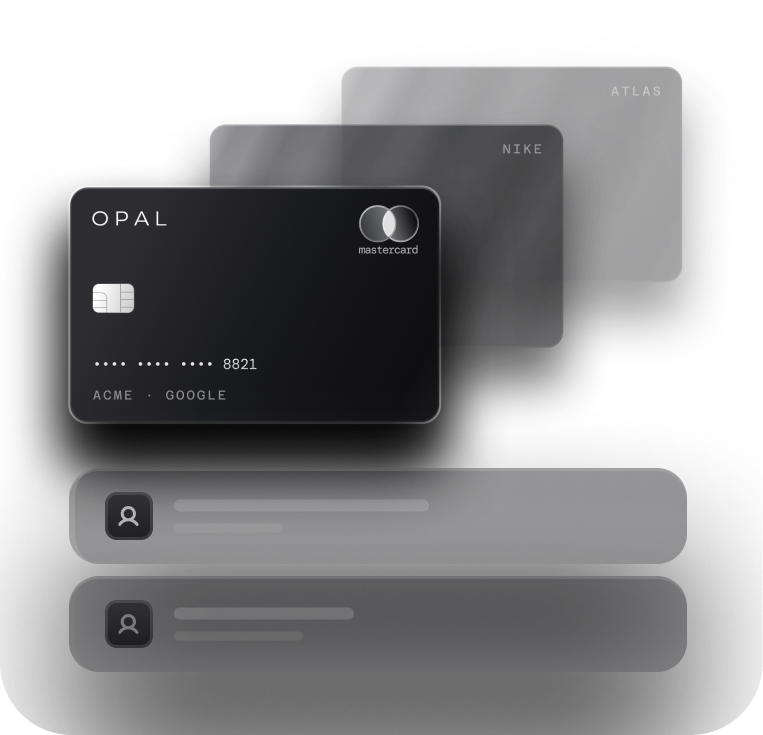
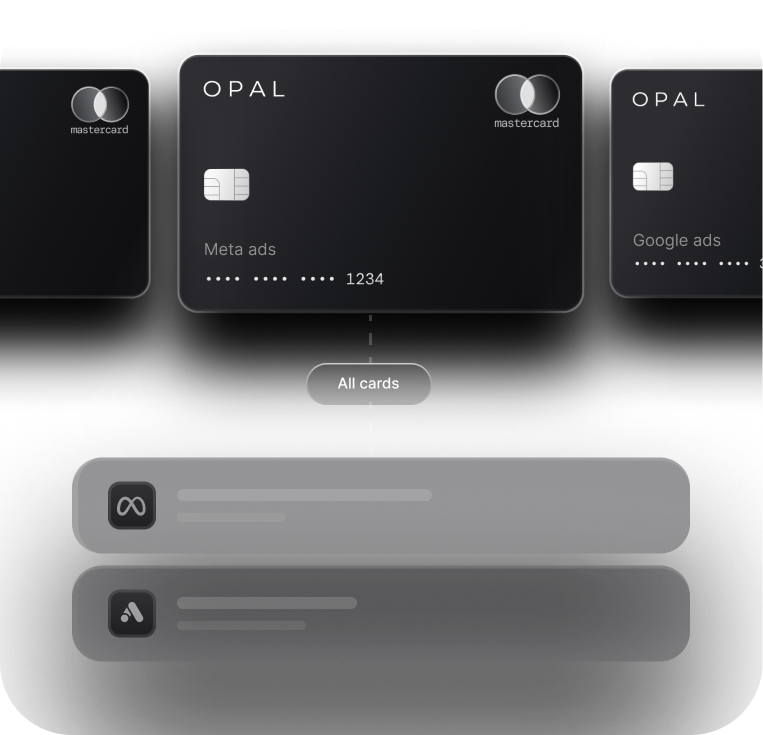
Give every client a separate virtual card for each platform it runs on, capped at the budget that client approved. Virtual cards are unlimited and free on every Opal account, so the structure costs nothing.
Sizing Virtual Cards for Agency Clients
Cap every card at what the client approved for that platform each month, then add merchant restrictions so the card only pays its assigned platform. Route every increase through an approval tied to the client's written sign-off. Our breakdown of card structure per client compares organizing cards by client, platform, and campaign.
Protecting Agency Cash Flow for Ad Spend
Every card limit draws on the account's total credit, so the approved budgets of your credit-route clients should sum to comfortably less than your limit. Leave headroom for weeks when threshold charges speed up, since a declined payment can pause delivery.
Live spend views by client and by card, plus QuickBooks or Workday sync, show the total climbing early. We may also periodically review your business performance and offer an eligible credit increase.
What Does It Cost to Finance Client Ad Spend This Way?
The card carries no annual fee and no subscription fee, and we take no percentage of the media you run. Ad Pay is the only route here with a processing fee, and the Cardholder Agreement lists any other applicable fees.
Reading the Cashback on Each Route
Cashback has no cap. Credit accounts earn 1% of eligible ad spend, and pre-funded accounts earn as much as 1.5%.
On a client spending $40,000 a month, that comes to $400 a month on the credit route or up to $600 on the pre-funded route, as much as $7,200 a year from one client. Decide in the contract whether that cashback stays with your agency or passes back to the client.
Deciding Whether Ad Pay Is Worth the Fee
Once Google or Meta shifts a large account to invoice billing, a card on the account stops settling that bill. Ad Pay, in early access through a waitlist for teams with at least $50,000 in monthly ad spend, settles those invoices on Opal credit.
The fee is 3% on Opal credit, which earns 1% cashback for a 2% net cost, and 3.5% when you pay with your own card. Payments take 3 to 5 business days to process, and cash can stay with you for up to 55 extra days.
To judge the fee, annualize it. A 2% cost for 55 days works out to roughly 13% a year, so compare it with the rate on any other credit that could carry the invoice. Our explainer on how Ad Pay works walks through the invoice flow.
Fund Your Next Client Launch on Opal
We built our card for agencies that want client media paid from client money or from credit sized on the spend, and never from payroll.
You choose the route for each client, issue the cards, and set the limits, while we supply the credit line, the card program, and the cashback.
Setting Up Your First Funded Client
The application form fits in 2 to 3 minutes, and in most cases your first virtual cards land 24 to 48 hours later. Opal serves U.S.-based businesses, works with any U.S. bank with limited exceptions, and restricts the card to ad and media platforms on our supported list, among them Meta, Google Ads, Amazon Ads, TikTok, Snapchat, The Trade Desk, and LinkedIn.
Start with your next launch: pick its route, issue its cards, and set the top-up rule or the due-date check before the first dollar spends. Apply or book a demo through our agency platform page, and we'll size the credit on the spend you manage.
Frequently Asked Questions (FAQs)
Can an Agency Run Client Ads Without Using Its Own Cash?
Yes. An agency can pay platforms from each client's budget collected before launch, or from credit repaid by the client's payment before the card statement is debited. Either route keeps operating cash out of client media when every client has a dedicated card capped at its approved budget and a written payment schedule.
What Is the Difference Between a Pre-Funded Account and a Credit Account on Opal?
A pre-funded Opal account spends money already sitting in your Opal Balance and can return as much as 1.5% of eligible ad spend, at a rate confirmed on approval. An Opal credit account spends Opal credit, with limits up to $10 million, earns 1%, and pays off its whole statement every monthly due date.
Will Opal Ask for a Personal Guarantee on Client Ad Spend?
No. Opal doesn't ask an owner to personally guarantee the account, applying involves no hard credit check, and credit limits follow the ad spend your agency runs rather than an owner's personal credit. Because the Opal Card is a charge card, your business clears the whole statement balance on every monthly due date.
Can Each Client's Google Ads Account Have Its Own Virtual Card?
Yes. Opal lets you create virtual cards without a cap or a per-card charge, so each client's Google Ads account can carry its own card with a limit set to the approved budget. Accounts Google has moved to monthly invoicing are paid by invoice instead, where Ad Pay, an early-access product with a fee, applies.
What Happens If a Client Pays After My Card Statement Is Debited?
Your agency covers the full statement balance for that client until the payment arrives, which pulls operating cash into client media. If the debit itself fails, the card can stop working until the balance is cleared. Clients who repeatedly pay after the debit date are better served by a pre-funded arrangement.
Which Ad Platforms Does the Opal Card Work On?
The Opal Card only works on ad and media platforms from our supported list, among them Meta, Google Ads, Amazon Ads, TikTok, Snapchat, The Trade Desk, and LinkedIn. Each virtual card can be restricted to a single platform, so a client's Meta card cannot be used on Google Ads or anywhere outside advertising.
How Quickly Can a New Client Have a Funded Card on Opal?
Once your Opal account is open, you can create a virtual card for a new client and cap it at the approved budget right away. Opening the account takes one short form of 2 to 3 minutes, and the first cards usually show up 24 to 48 hours later.