

How Finance Teams Track Billing Activity by User in Ad Accounts

.webp)
To track billing activity by user, finance teams connect each advertising charge to the named person behind it by joining three records: the card transaction log, each ad platform's change history, and a roster of who holds billing access on every ad account.
When every person signs in with an individual login and every client or buyer pays through a dedicated card, any charge can be traced to a name, a timestamp, and an approved budget.
The method matters because ad platforms bill whoever owns the payment method, while budgets move at the hands of whoever can log in.
Google Ads keeps a change history that names the editor by email for 2 years, and Meta's Marketing API exposes ad account activities that record the actor, the event time, and events such as spend limit updates, funding source changes, and user role changes.
TikTok Ads Manager, LinkedIn Campaign Manager, and Amazon Ads each keep their own user lists, so an agency running 10 clients across 4 platforms is checking 40 separate permission sets.
NIST SP 800-53 control AU-3 sets out the 6 facts an audit record should establish, which gives controllers and auditors a neutral checklist for ad spend that QuickBooks or Workday entries cannot answer alone.
Key Takeaways
Tracking billing activity by user means joining 3 records: the card transaction log, the ad platform's change history, and an access roster showing who can edit payment settings.
National Institute of Standards and Technology (NIST) control AU-3 lists 6 facts every audit record should establish: event type, time, location, source, outcome, and the identity of the people involved.
Google Ads change history names the person behind each edit by email and covers the past 2 years, though some account-level settings changes may not appear.
Meta's Marketing Application Programming Interface (API) returns 1 week of ad account activity by default, so teams that want a longer record should export it on a schedule.
One card per client, or one per buyer, turns every card transaction into a user-level record before anyone opens an ad platform.
What Does It Mean to Track Billing Activity by User?
It means every charge an ad platform bills to your company can be traced to a specific person, through records that already exist on the card and inside each platform.
Finance owns the payment side of that chain, so the work sits with your team even when buyers run the accounts.
Follow the Three Records Behind Every Ad Charge
The first record is the card transaction log, which shows the merchant, amount, date, and card used. The second is the ad platform's own change log, which shows who raised a budget, launched a campaign, or edited payment details.
The third is your access roster: a list, kept by finance, of each person's role on each ad account and the dates that role was granted or removed.
Each record answers part of the question. A card charge tells you which client paid, and a change log tells you who caused the spend, but only the roster tells you whether that person was authorized to act on that date.
See How Shared Logins and Shared Cards Erase the Trail
Shared credentials collapse many names into one. If 3 buyers sign in through the same profile, the platform log shows a single actor for all of their edits, and if those buyers pay through one card, the transaction log shows a single owner for all of their spend.
The records still exist, yet they can no longer separate the person who scaled a campaign from the person who paused it.
The fix starts with structure: an individual login on every platform and its own payment method for each client or buyer. Our guide to card permissions for buyers covers how to issue and scope buyer-level cards.
What Should an Audit Trail for Advertising Spend Record?
An audit trail for advertising spend should establish the 6 facts in NIST SP 800-53 control AU-3: what happened, when, where, from what source, with what outcome, and which people or objects were involved. Applying that checklist to ad billing shows quickly which questions your current records can and cannot answer.
Map the Six Audit Questions to Your Billing Records
The table below shows where each AU-3 element lives for a typical ad charge. Some cells stay thin by design, and the goal is for every row to have at least one dependable source.
|
AU-3 element |
Card transaction record |
Platform change log |
Access roster |
|---|---|---|---|
Type of event |
Charge, decline, or refund |
Budget, campaign, payment, or role change |
Role granted or removed |
When it occurred |
Authorization and posting dates |
Timestamp of the edit |
Grant and removal dates |
Where it occurred |
Merchant, meaning the ad platform |
Ad account, campaign, or ad set |
Ad account the role covers |
Source |
Virtual card name or last 4 digits |
Login email or connected tool |
Person who approved the access |
Outcome |
Approved or declined |
Change saved and live |
Access active or revoked |
Identity |
Card owner |
Editor's name or email |
Named user and their manager |
Set Your Own Retention Period for Each Record
NIST control AU-11 leaves the retention period for audit records to each organization, so write a number into your finance policy instead of inheriting each vendor's default.
Platform defaults vary widely: Google Ads change history covers the past 2 years, and Meta's activities endpoint returns 1 week of data by default.
Export platform activity monthly alongside your card statement so the record outlives both windows and any ad account that later closes.
How Do Ad Platforms Show Who Changed Billing?
Most major ad platforms record user-level changes inside the account, but each stores them in a different place and format. Google and Meta publish the most detail about what their logs contain, so start there and apply the same 6 questions to TikTok, LinkedIn, and Amazon Ads.
Read Google Ads Change History by Editor
Google's change history guide explains that the User column shows the email of the person who made each edit in the Google Ads interface, alongside the time and the change itself.
Edits made through tools appear under a system label such as Google Ads API, which points you to whoever owns that integration.
Some account-level settings changes, and edits made by Google representatives during consultations, may not be listed, so a missing entry leaves the question open until a second source closes it.
Payment details live in the payments profile instead, where only users with Admin or Billing access can add or edit a form of payment.
Google's article on access levels adds that payments admins receive an email whenever the payments profile changes, so file those emails with the month's evidence.
Pull Meta Ad Account Activities With Named Actors
Meta's activities reference describes a record for each ad account event that carries an actor ID, an actor name, an event time, and an event type. Listed event types include updating, resetting, or removing the account spend limit, adding or removing a funding source, adding or removing a user from a role, and billing charges, declines, and refunds.
For a finance team, that list covers the events that matter most: a new payment method, a higher spending ceiling, and a new person with access. Ask whoever manages your Meta integration to pull these event types into a monthly export, since the default window is only 1 week.
How Should Agency Billing Permissions Be Set Up?
Agency billing permissions should separate the people who spend from the people who can change how spend is paid, and each of those people should hold a named login. That separation makes every change log useful, because each entry then points to someone with a defined job.
Give Every Person a Named Login on Every Platform
Invite each buyer, analyst, and finance user by their own work email, and remove shared profiles and generic inboxes from your ad accounts.
Where an integration makes changes, record the person who owns it in your roster, since the platform log will show only the tool's name. Freelancers and client-side staff need the same treatment, with an end date written down on the day access is granted.
Keep Payment Changes Out of Buyers' Hands
Ad platform billing access controls work best when buyers can edit budgets but cannot add or remove payment methods. On Meta, adding a funding source is its own logged event, so limiting that right to finance makes any such entry from another user an immediate flag. Buyers still need room to work, and our guide to monthly spend limits shows how to size ceilings that do not send every request back to finance.
Tie Each Card to One Owner
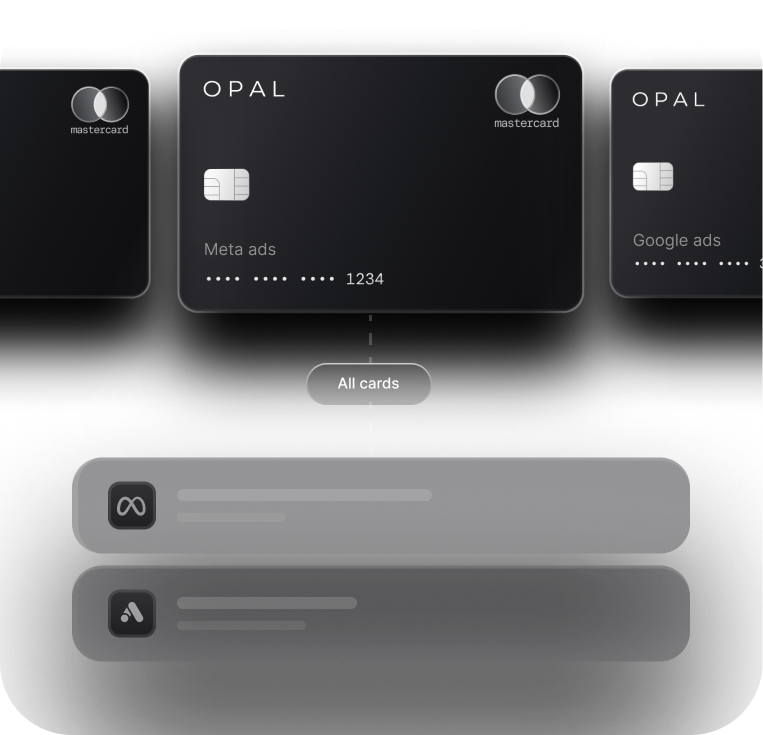
Give each client its own card, and where several buyers share a client, give each buyer a card for that client. The card's owner then becomes the identity field on every transaction, which is how user-level ad spend tracking works without anyone filling in a spreadsheet. Pair those cards with card-level spending controls so the limit and merchant rules sit on the same record as the owner.
How Do You Reconcile Ad Billing Activity by User Each Month?
Reconcile ad billing activity by user by matching each card charge to the platform changes that drove it, then confirming that every person involved held access on that date. Run the review alongside your month-end close so the evidence is gathered once.
Match Charges to the Changes That Caused Them
Start with the largest charges and any that exceed the client's planned budget. For each one, open the platform log for the days before the charge and note who raised the budget, launched campaigns, or changed the spend limit.
Record that editor's name against the charge in your ledger memo, then file the exported log with the month's statements. Our month-end reconciliation checklist and QuickBooks reconciliation workflow cover the ledger side of this step.
Flag the Exceptions That Break the Chain
Resolve these exceptions before you close the month:
A charge with no matching platform change during the prior billing cycle.
A payment method added or removed by someone outside finance.
An edit by a user missing from your roster, or made after their removal date.
An account spend limit raised without an approval on file.
Review Access Every Quarter
Compare your roster with the live user list on each ad account at least quarterly and on the day anyone leaves. An agency with 10 clients on 4 platforms has 40 user lists to check, so split the review by client and ask each account lead to confirm their own lists.
Remove stale users the same day and record the removal date, because that date is what proves a later edit was unauthorized.
Put a Name on Every Ad Charge With Opal
We built Opal so you can give each client, campaign, employee, or ad platform its own virtual card and watch every transaction from one dashboard. That gives your finance team billing visibility on the card side of the trail, and your platform logs supply the rest.
Set Up the Card Side of Your Audit Trail
With Opal you issue unlimited free virtual cards, give each one a spending cap, an allowed-merchant rule, and an expiry date, and assign it to the employee who uses it.
You set approvals and employee permissions, review transactions in real time, and export them or sync them to QuickBooks or Workday. The result is a transaction log where the card name and its owner answer the identity question before anyone opens an ad platform.
Know What the Card Includes Before You Apply
Opal works as a charge card you pay in full: we debit the whole statement on its monthly due date, the card runs only on the advertising and media platforms we support, and accounts are open to U.S.-based businesses.
You pay no annual fee, nobody signs a personal guarantee, and eligible ad spend earns uncapped cashback of up to 1.5%, with your exact rate set once your application is approved.
Ad Pay, our separate waitlist product for settling Meta and Google invoices with Opal credit, charges a 3% processing fee. Explore Opal for agencies and apply in about 2 to 3 minutes.
Frequently Asked Questions About User-Level Billing Records
Can I See Which User Changed the Payment Method on a Google Ads Account?
Partly. Google Ads change history names the editor of campaign and budget changes by email for the past 2 years, but payment methods sit in the payments profile. Only Admin or Billing users can edit them there, and payments admins get an email on every profile change, so keep those emails as your record.
How Long Should We Keep Ad Billing Audit Records?
NIST control AU-11 asks each organization to set its own retention period, so put a number in your finance policy instead of relying on platform defaults. Google Ads keeps 2 years of change history, and Meta's activities endpoint returns 1 week by default. Monthly exports filed with card statements keep the record under your control.
Who Should Have Billing Access on an Agency's Ad Accounts?
Billing access should sit with a small named group in finance, usually the controller and 1 backup, while buyers keep the editing rights they need to run campaigns. Every person should sign in with an individual login, and your roster should record the date each person's access began and ended.
Do I Need Separate Cards for Each Media Buyer?
Separate cards per buyer help when several buyers spend on the same client, because the card owner becomes the identity on every transaction. When 1 buyer runs each client, a card per client already identifies the person. In both setups, the card name and owner should match the access roster.
What Should I Do if a Charge Has No Matching Change in the Platform Log?
Treat it as an open exception before you close the month. Check whether the change came through an integration, which Google labels with a system name such as Google Ads API, or from a Google representative, whose edits may not be listed. If neither explains it, ask the account owner and file the answer with the statement.
Is User-Level Tracking the Same as Client Reporting?
The two serve different readers. User-level tracking is an internal control showing which person caused each charge and whether they were authorized, while client reporting shows a client what was spent for them. The same card data can feed both, but the access roster and platform logs normally stay with your finance team.
.webp)