
Automate Ad Invoice Payments: How Agencies Pay Meta and Google Without Manual Uploads

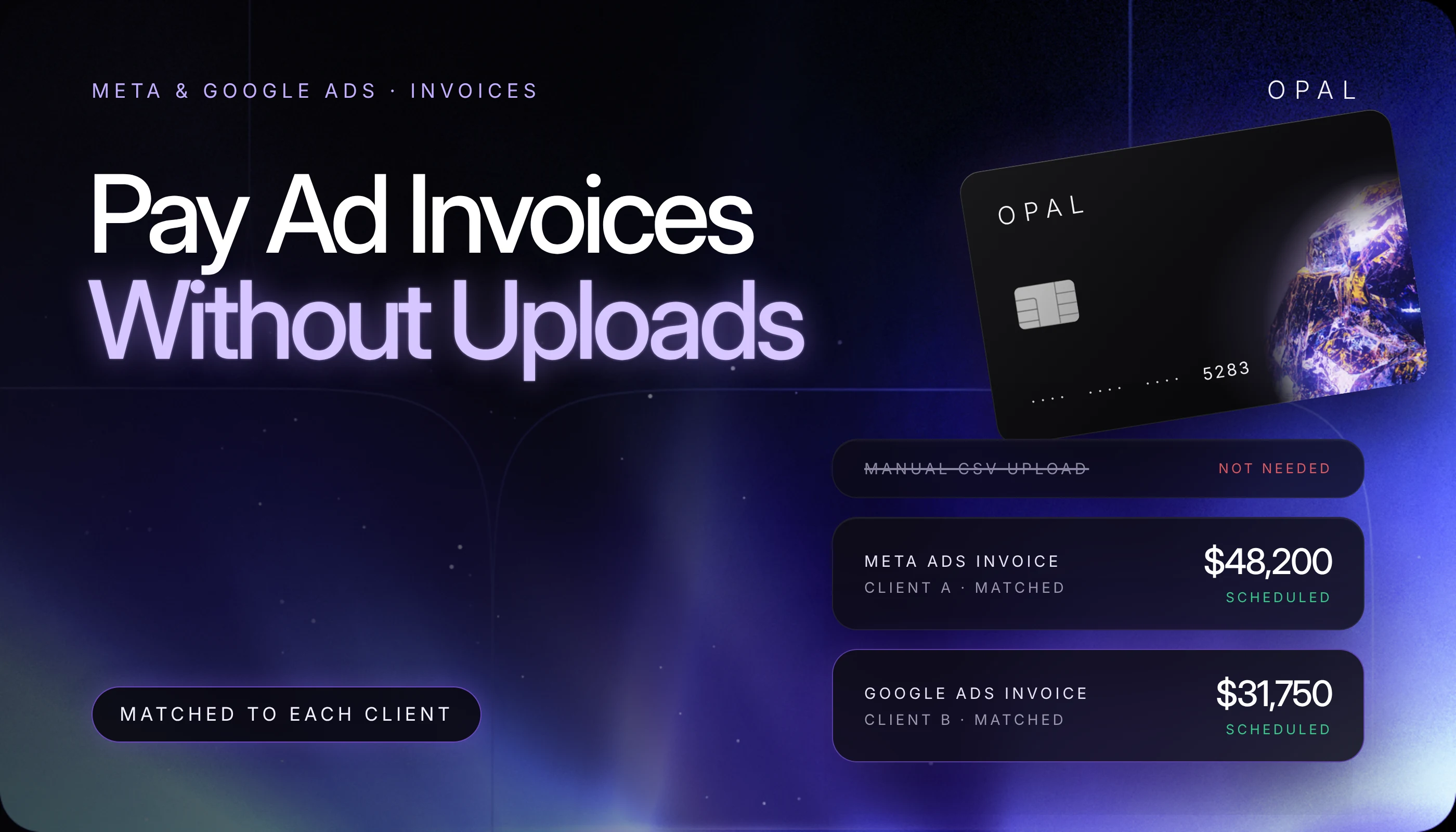
To automate ad invoice payments means moving every Meta and Google Ads invoice from the billing inbox to the general ledger without anyone downloading, uploading, or retyping it.
The reliable method is to capture each invoice from its billing email, tag it to a client, approve it against that client's budget, schedule payment ahead of the due date, and sync the payment record to accounting with the invoice number attached.
Invoices take over once an advertiser leaves threshold billing. Google Ads offers monthly invoicing, a line of credit repaid on agreed terms, to businesses that meet criteria such as $5,000 of monthly spend in 3 of the past 12 months.
Meta (Facebook and Instagram) bills against an extended credit line with ad accounts grouped onto consolidated invoices.
Because Google doesn't accept credit cards on those invoices, US agencies, media buyers, ecommerce brands, and in-house growth teams mostly pay by wire or check through an accounts payable (AP) process built for vendor bills.
In this article, you'll learn how each platform issues invoices, which payment methods it accepts, and where a person still makes the call. You'll also see how to set approval rules, handle unmatched payments, and reconcile each payment to a client.
Key Takeaways
Ad invoice automation covers 5 stages (capture, client coding, approval, payment, and reconciliation), and capture and matching are the stages rules handle most reliably.
Google Ads monthly invoicing emails each invoice by the 5th business day of the month, payment terms are typically 30 days, and Google doesn't accept credit card payments on those invoices.
Google applies a payment that arrives without its invoice number to your oldest outstanding charges, so every remittance should carry the Google invoice number and any credit memo numbers.
Meta's Marketing application programming interface (API) documentation describes invoice groups that combine ad accounts onto one consolidated invoice, each sent to a single email address you can route into a capture inbox.
Approval rules that compare each invoice with the client's approved budget, and escalate the variances, keep a person in control without holding up every payment.
Card-based invoice payment services charge a processing fee, so build that fee into the client budget or your margin model before you switch.
How Do You Automate Ad Invoice Payments From Start to Finish?
You automate the 5 stages every invoice passes through, in order: capture, client coding, approval, payment, and reconciliation. Each stage can run on a rule, but approval and exception handling still need a named owner.
Map the 5 Stages Before You Pick Tools
The table below shows each stage done by hand, what the automated version does instead, and the decision that stays with a person:
Stage |
Manual version |
Automated version |
Still needs a person |
|---|---|---|---|
Capture |
Log into each platform, download the PDF, upload it to AP |
Invoice emails land in one inbox and are parsed on arrival |
A missing or duplicate invoice |
Client coding |
Read the account name and look up the client |
The ad account ID maps to a client code at capture |
Adding new accounts to the map |
Approval |
Email the account lead and wait for a reply |
A rule compares the invoice total with the approved budget |
Approving variances |
Payment |
Key a wire for each invoice before its due date |
Payment is scheduled ahead of the due date with references attached |
Releasing payments above a set amount |
Reconciliation |
Match bank lines to invoices in a spreadsheet |
The payment record syncs to the ledger with the invoice number |
Clearing unmatched items |
Start with the stage that takes your team the most time. Capture is a common first pick, since every client account produces its own document.
Count the Touches in Your Current Process
Count the manual steps first. Say you manage 15 Google Ads accounts on monthly invoicing and 5 Meta invoice groups, which gives you 20 invoices a month.
Downloading, uploading, approving, paying, and matching each one by hand makes 100 touches before the books close. Automate the download, upload, and match, and 40 remain, all of them approvals and payment releases.
How Do Meta and Google Ads Invoice Advertisers?
Google Ads monthly invoicing gives qualifying businesses a credit line and a monthly invoice paid on agreed terms, while Meta bills against an extended credit line with ad accounts grouped onto consolidated invoices. Accounts still on threshold billing pay by card, as our Meta billing threshold guide and Google Ads threshold explainer explain.
Google Ads Monthly Invoicing Terms
Google's monthly invoicing page lists requirements that include 1 year as a registered business, 6 months of account history in good standing, and at least $5,000 of monthly spend in any 3 of the past 12 months. The account must also link to a manager account, and Google reviews your company's credit history.
Once approved, you receive each invoice by email by the 5th business day of the month, on terms that are typically 30 days. The credit line covers all unpaid costs, invoiced or not, so a busy month can use it up early.
Meta Extended Credit and Invoice Groups
Meta's Marketing API reference describes extended credit as a credit line that belongs to a business. Invoice groups combine ad accounts into one consolidated invoice, and each group carries one invoice email address and a customer purchase order (PO) number.
That documentation doesn't list payment terms or accepted payment methods, so take both from your Meta credit agreement before you automate anything tied to a due date. Our overview of how each platform bills puts both platforms next to the card-billed ones.
How Can You Collect Ad Invoices Without Manual Uploads?
Point every platform's invoice email at one shared billing inbox and let a capture tool read each message as it arrives. That removes the log in, download, and upload loop.
Send Every Invoice Email to One Billing Alias
Create a shared address such as billing@youragency.com and give at least 2 people in finance access. In Meta, set it as the invoice email on each invoice group so every consolidated invoice lands in one place.
For Google, ask your account team which contacts receive the monthly invoice email and add the alias. Keep Billing, then Documents, in the paying manager account as your fallback if an email goes missing.
Code Each Invoice to a Client at Capture
Build a mapping table before you switch anything on. List every Google Ads customer ID, the 12-digit payments profile ID on each invoice's cover page, and every Meta ad account ID, then give each one a client code and a general ledger account.
Your capture tool reads the ID and applies the code. An unmapped ID usually means a new account, so route that invoice to a person.
Which Payment Methods Work for Ad Platform Invoices?
Google's payment instructions say most monthly invoicing advertisers pay by wire transfer or check, and that Google doesn't accept credit card payments. Card-based payment comes from invoice payment services, which charge a processing fee.
Compare the Options Side by Side
Google won't accept an advance payment before an invoice is generated, so schedule every payment from the invoice date rather than a spend estimate. Each method then trades speed, cost, and automation differently:
Method |
How you set it up |
Timing |
Cost to you |
Automation fit |
|---|---|---|---|---|
Wire transfer |
Your bank portal, with references in the additional information field |
Faster than a check, according to Google |
Your bank's wire fee |
Strong if your bank supports saved templates per client |
Check |
Mailed to the address at the bottom of the invoice |
Slower than a wire, according to Google |
Printing, postage, and handling |
Weak |
Online bank payment in Google Ads |
Billing, then Documents, then Make a payment, from a verified bank account |
Up to 5 business days to process |
No monthly invoicing fee, per Google |
Good, but limited to invoices in certain currencies |
Card through an invoice payment service |
The service collects the invoice and charges your card |
Set by the provider |
A percentage processing fee |
Strong if the service also captures the invoice |
Attach the References Google Asks For
Google asks for the Google invoice number, not your local tax invoice, and any credit memo numbers with every payment. For wires, enter them in the additional information field with your payments profile ID and customer name.
If they don't fit, email the remittance details to the address on the invoice that day, with "Remittance" plus your company name and payment total as the subject. Have your payment tool pull these fields from the captured invoice.
Who Should Approve Ad Invoice Payments?
The account lead who owns the client budget should approve each invoice, and finance should release the payment. Automation keeps that split by approving in-budget invoices on a rule and sending the variances to a person.
Approve Against the Budget, Not the Invoice
Set the rule against each client's approved monthly budget per platform. For example, say a client's approved Google Ads budget is $60,000 and the invoice arrives at $61,800, a 3% variance.
If your rule auto-approves variances under $1,000, that invoice goes to the account lead with the $1,800 gap already calculated. The approver should check adjustment and credit lines first.
Keep Payment Release Separate From Approval
The person who approves an invoice shouldn't release the payment. Google limits online invoice payments to Admin and Billing users in the paying manager account, so keep that list short and review it every quarter. Add a second release step above a set amount, such as $25,000, and have your payment tool log who approved, who released, and when.
What Happens When an Ad Invoice Payment Goes Wrong?
A payment without the right references gets applied to your oldest charges, and a late payment can slow or stop your ads. Build an exception queue so each failure lands with a named owner the day it appears.
Unmatched Payments and Credit Memos
By default, Google applies payments on a first in, first out basis. To direct each payment to the invoice you name, turn off Automatically Apply Payments under Payments profile, then Settings.
Credit memos cause mismatches too, because a payment net of a credit won't equal the invoice total. List each credit memo number on the remittance, and have your capture tool flag repeat invoice numbers so a resent PDF isn't paid twice.
Credit Line Ceilings and Late Payments
Google says ads may be slowed or stopped if you exceed your payment terms or credit line. Check uninvoiced spend against the line weekly in high-spend months, and schedule payments at least 7 calendar days before the due date. If an account is suspended, Google lets you pay overdue invoices or request a higher credit limit.
How Do You Reconcile Ad Invoice Payments Automatically?
Match each payment to its invoice by invoice number, confirm the amount, then post it to the client in your ledger. When the invoice number travels with the payment from capture onward, the match becomes a rule instead of a search.
Use the Platform's Cost Files as Your Detail
Google's consolidated billing puts several accounts on one invoice, with a CSV file of costs by campaign, including adjustments and credits. Its help page also says the feature isn't available to media agencies, so if you run one, plan to reconcile one invoice per account. Store each cost file next to its invoice to answer client questions from the campaign line.
Post Payments to the Right Client
The client code assigned at capture becomes the customer or class in your accounting system, so each payment posts to the right client. For platforms that still bill by card, a dedicated virtual card per client does the same job. Our month-end reconciliation checklist covers the close once both streams reach the ledger.
Pay Meta and Google Invoices With Opal Ad Pay
We built Ad Pay for the invoice side of this workflow and the Opal card for platforms that still bill by card. Here's what each includes and where the limits sit.
See What Opal Provides
Ad Pay finds supported Meta and Google invoices in the email account you connect and shows each amount and due date in one place. You review, schedule, and pay each invoice with Opal credit or your own connected card, and track its payment status.
The processing fee is 3% with Opal credit and 3.5% with your own card, so on a $40,000 Google invoice, for example, the fee is $1,200 or $1,400. Payments take 3 to 5 business days, and paying with Opal credit can lengthen your payment window by up to 55 days, depending on transaction timing and your account terms.
For card-billed platforms, we provide unlimited virtual cards at no cost, each with its own spend limit, expiration date, and merchant restrictions. Eligible ad spend earns up to 1.5% cashback, with no annual fee, personal guarantee, or hard credit check, and transactions sync to QuickBooks.
Check the Fit Before You Apply
You configure the setup, from the connected email accounts to each card's limit. Ad Pay covers Meta and Google invoices and is open by waitlist, with access expanding gradually.
The Opal card is a charge card you pay in full: the whole statement balance is collected each monthly due date, and a failed payment can lock the card.
We serve US businesses, and the card works on supported advertising and media platforms, so keep a general card for other expenses.
The application takes 2 to 3 minutes, and virtual cards are typically issued within 24 to 48 hours. See Opal for agencies or join the waitlist on our Ad Pay page, then apply from our site or book a demo.
Frequently Asked Questions (FAQs)
Can You Pay a Google Ads Invoice With a Credit Card?
Not directly. Google's instructions for monthly invoicing accounts say it doesn't accept credit card payments, and most advertisers pay by wire transfer or check, with online bank payments for invoices in certain currencies. Paying by card means using an invoice payment service, which charges a processing fee.
How Do You Qualify for Google Ads Monthly Invoicing?
Google's criteria include at least 1 year as a registered business, an account in good standing for 6 months, and at least $5,000 of monthly spend in any 3 of the past 12 months. The account must link to a manager account, and Google reviews your company's credit history before approving.
Where Do You Find Google Ads Invoices in Your Account?
Monthly invoicing accounts find Google Ads invoices under Billing, then Documents, in the paying manager account. Google also emails each invoice by the 5th business day of the month. Admin and Billing users can open an invoice there and select Make a payment to pay from a verified bank account.
Can Meta Put Several Ad Accounts on One Invoice?
Yes. Meta's Marketing API documentation describes extended credit invoice groups, where every ad account in the same group generates one consolidated invoice. Each group carries one invoice email address and a customer purchase order number, which makes it easier to route the invoice to one capture inbox and code it to the right client.
What Should a Wire Payment for a Google Ads Invoice Include?
Include the Google invoice number, any credit memo numbers, your payments profile ID, and your customer name in the wire's additional information field. If they don't fit, email the remittance details to the address on the invoice that day. Without those references, Google may apply the payment to your oldest outstanding charges.
Does Automating Invoice Payments Remove the Need for Approvals?
No. Automation removes the downloading, uploading, and matching, but someone still has to approve spend that differs from the client's budget and release large payments. A practical setup approves in-budget invoices on a rule, sends variances to the account lead, and keeps payment release with a separate person in finance.
How to Automate Ad Spend Reconciliation in QuickBooks for Agencies
Automate Meta Invoice Reconciliation: An Agency Guide to Matching Rules and Exceptions

5 Best Virtual Business Cards for Ad Spend in 2026