

Transfer Ad Account Billing to Client Ownership: A Platform-by-Platform Offboarding Checklist

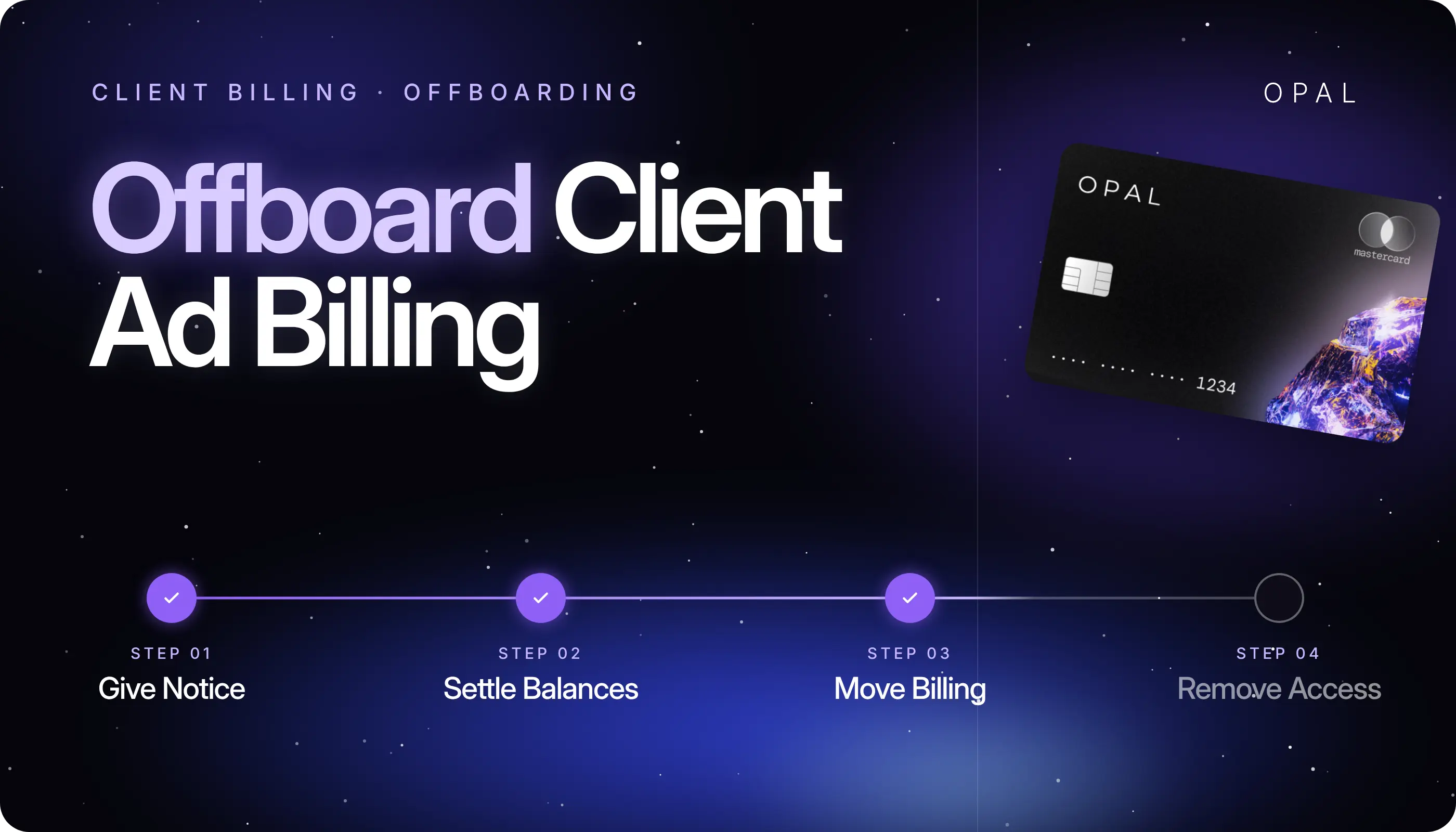
To transfer ad account billing to client ownership, the payment method, billing setup, and payment responsibility on every ad account an agency runs for that client have to move onto the client's own card, invoice, or payments profile.
The reliable method is for the client to add and confirm their payment method on each platform first, for the agency card to come off second, and for the final charges and agency access to be settled last.
The handover touches every platform an agency, media buyer, or performance team buys on: Meta (Facebook and Instagram) business portfolios, Google Ads manager accounts, LinkedIn Campaign Manager, TikTok Business Center, and the Amazon Ads console.
Each platform ties billing to account ownership and user roles in its own way. When an agency relationship ends, the order of those changes decides whether delivery carries on or an account stops serving for lack of a valid payment method.
In this article, you'll learn the handover sequence that keeps ads serving and how account ownership changes the steps on Google Ads, Meta, LinkedIn, TikTok, and Amazon Ads. You'll also see how to reconcile the last charges on your agency card and what to put in writing for the client.
Key Takeaways
Add the client's payment method before removing the agency card, because Google Ads may require a new payment method before an old one comes off and TikTok's automatic payment keeps a primary method on file at all times.
Unlinking a Google Ads account from the paying manager account on monthly invoicing stops the account from serving, so change who pays before you unlink.
TikTok Business Center transfers require you to stop ongoing campaigns and settle outstanding invoices first, and transferred campaigns stay paused until someone resumes them in the receiving Business Center.
On LinkedIn, when a client revokes an agency's access to its shared invoicing method, any ad accounts the agency owns go on hold.
Agree in writing who pays for spend that accrued before the handover date but hasn't been charged yet, because each platform bills it on its own schedule.
How Do You Transfer Ad Account Billing to Client Ownership and Keep Ads Serving?
You keep campaigns running by adding the client's payment method and confirming it works before the agency card comes off, then removing your access after the last agency-paid charge has posted. The same sequence applies to every client ad account billing handover, and the platform-specific steps follow further down.
Add the Client's Payment Method Before You Remove Yours
Ad platforms charge the payment method on file when a bill comes due, so the risky moment is any gap with no valid method on the account.
Google's help page on updating payment methods notes that you may need to add a new payment method before you can remove one, and TikTok requires a primary payment method on file for accounts on automatic payment.
Treat that as the rule whenever you transfer ad account payment method responsibility, because it's how you prevent campaigns from stopping during offboarding.
Run the Handover in 6 Steps
Agree on a handover date with the client, then work through these steps for each ad account:
Confirm who owns the ad account and which client users hold admin rights.
Have the client add their payment method and set it as primary, or complete the platform's billing transfer.
Check the billing page the next business day to see the client's method listed as primary.
Remove the agency card, including anywhere it remains as a backup.
Reconcile the final agency-paid charges against the platform's billing history.
Remove agency users and partner links.
Work account by account rather than client by client. A client with 4 ad accounts across 3 platforms is 4 separate handovers, and each one can stall on its own approval or role problem.
Who Owns the Ad Account, and Why Does That Change the Handover?
Ownership decides how much work the handover takes. A client-owned account needs a payment swap and an access cleanup, while an agency-owned account has to move, and each platform controls whether and how that happens.
Client-Owned Accounts Need Payment and Access Changes
This is the structure our guide to pre-launch billing setup recommends, and it makes offboarding the lightest version of the job.
The client already controls the account, so the work is swapping the payment method, settling the last charges, and taking your users off. Campaign history, pixels, and audiences stay where they are.
Agency-Owned Accounts Need a Transfer Decision
When your agency's business portfolio, Business Center, or manager account owns the ad account, raise ownership with the client early.
Meta's developer documentation on business-to-business asset sharing states that the owning business grants access to an asset, and an agency can't grant access to assets it holds as an agency.
TikTok lets a Business Center admin transfer ad accounts to another Business Center, and Google Ads lets an unlinked account join a new manager account.
Where no transfer is available for your account type, plan for the client to open an ad account of its own. Build the time for that rebuild into the handover date.
How Do You Hand Over Google Ads Billing From a Manager Account?
A clean Google Ads billing handover changes who pays for the account before you unlink it from your manager account. Doing it in the reverse order can stop the account from serving.
Change Who Pays First
If the account pays through its own payments profile, the client's Admin or Billing user goes to Billing, then Settings, then Payer details, and selects Change who pays.
Google's page on changing the payments profile notes that any positive balance is refunded, promotional credit doesn't carry over, and advertiser verification has to be completed again.
Accounts billed through your manager account follow different rules. Google says an account on monthly invoicing stops serving once you unlink the paying manager, and an account on a manager-linked postpay or prepay profile loses its billing setup when unlinked.
If you set up consolidated Google Ads billing, move the account onto the client's own payments profile first.
Unlink the Manager Account Last
Once the client's billing is active, an admin on either account can unlink it. From your manager account, go to Accounts, then Sub-account settings, then Edit, then Unlink, and from the client side, go to Admin, then Access and security, then Managers, then Remove access.
Google's guide to unlinking client accounts confirms the client keeps its campaign history, and it flags that shared remarketing lists and cross-account conversion tracking stop working. The client account also needs at least one user of its own before a manager can unlink it.
What Changes When You Remove the Agency Card From Meta, LinkedIn, TikTok, and Amazon Ads?
The add-first, remove-second rule holds on every platform, but the controls differ. This table shows who controls billing, what can interrupt delivery, and how agency access ends:
Platform |
Who controls billing |
What can interrupt delivery |
How agency access ends |
|---|---|---|---|
Google Ads |
Admin or Billing users, or the paying manager for consolidated billing |
Unlinking a paying manager or manager-linked profile before billing changes |
Unlink the manager account and remove agency users |
Meta (Facebook and Instagram) |
The business that owns the ad account |
An account left without a valid payment method |
The owning business removes the agency's access |
The billing admin on the ad account |
Revoking a shared invoicing method from agency-owned accounts |
The client revokes the agency's access |
|
TikTok |
Business Center Admin, or Standard with the Finance Manager role |
Transfers pause active campaigns until resumed |
Transfer the account or remove agency members |
Amazon Ads |
The Billing section of the Ads Console |
A primary method that can't be charged |
The client removes agency users |
Remove the Agency Card From Meta Ads After the Client's Is Primary
On Meta, the business that owns the ad account controls who can reach it. Have the client's admin add their payment method in the ad account's billing settings and make it primary, then remove your agency card.
The client then removes your agency's access, which Meta's developer documentation describes as removing an agency from the business.
Meta's documentation also notes that some of these requests need a review from another business admin as a security measure. Ask the client to have a second admin available on the handover date.
Hand LinkedIn Billing Back Through the Billing Admin
LinkedIn's Monthly Invoicing Agency FAQ has clients share ad accounts with an agency at the Billing admin permission level.
To end the relationship, the client revokes the agency's access, and if the client had shared its invoicing method, revoking it puts any agency-owned ad accounts on hold.
Where the named billing admin has left, LinkedIn's online billing FAQ routes the change through a sales rep or a support ticket, so start that request early. LinkedIn's billing overview also states that an account moved from card payments to online invoicing can't switch back to card.
Settle TikTok Before You Transfer or Close an Account
In TikTok Ads Manager, payment methods sit under Tools, then Billing, where the three-dot menu offers Make primary, Update, or Remove.
Business Center limits payment changes to Admins and to Standard members who also hold Finance Manager. Our breakdown of TikTok billing modes explains which billing type each account uses, which decides when removal is allowed.
To move an agency-owned account, a Business Center admin selects Transfer advertiser accounts, and TikTok's ad account transfer guide requires ongoing campaigns to be stopped and outstanding invoices settled first. Transferred campaigns pause until resumed in the client's Business Center, and linked assets such as pixels and audiences move only if the client's Business Center already has permission.
Check Amazon Ads Billing Settings Directly
Amazon Ads payment settings live in the Billing section of the Ads Console, where the options include deduction from a seller or vendor account balance, a credit card, and, for some advertisers, Pay by Invoice.
Amazon has changed the default payment method for some advertisers it contacted directly, keeping their existing card as a backup. Check which method is primary on each account before you remove yours, because a backup card can still be charged.
How Do You Reconcile the Final Charges on the Agency Card?
Match every charge on the agency card's last statement to the platform's billing history for the same dates, then agree who owns anything that posts after the handover. Do it per ad account so one unmatched charge doesn't hold up the whole client.
Match Late-Posting Charges to Platform Billing History
Platforms bill on their own schedules, so charges for spend before the handover date can post days later. Pull each platform's billing history for the full month, mark the handover date, and match each card charge to a platform transaction. Our month-end close checklist covers the matching routine, and for offboarding you add one column showing which side pays.
Work Through an Example
Say your agency card paid for a client's Google Ads, Meta, and TikTok accounts, and the handover date is the 15th. The card statement shows $18,000, $12,500, and $4,200 in charges through the 14th, a total of $34,700. The platforms' billing history shows $36,100 of spend through the 14th, so $1,400 of pre-handover spend hadn't been charged yet.
That $1,400 is the figure to name in your handover letter. State who pays it, whether it lands on the client's new payment method or still reaches your card.
Retire the Agency Card for That Client
Once every account shows the client's method as primary and the final charges are matched, take the agency card off any platform where it still appears as a backup. If the card was dedicated to that client, closing it ends the chance of a stray charge. For clients who stay with you, moving off a shared card needs a different order of work, which our staged card cutover plan sets out.
What Should You Tell the Client During Agency Client Offboarding?
Tell the client in writing which accounts change, on what date, who on their side has to act, and what the last agency invoice will include. A handover letter turns a set of platform changes into a record both sides sign off.
Put Dates, Owners, and Amounts in the Handover Letter
The letter doubles as your offboard advertising client checklist, so give each ad account its own line. Ask the client to confirm each line by reply, so there's a record if a charge is disputed later. Use this structure as the backbone:
Letter section |
What to include |
|---|---|
Accounts in scope |
Platform, account ID, owner, and current payment method |
Client actions |
Who adds the payment method or starts the billing transfer, and by which date |
Agency actions |
The card removal date and the access removal date |
Final charges |
Pre-handover spend still to post, its amount, and who pays it |
Access after handover |
Whether any agency user stays, at what access level, and until when |
Confirm the First Client-Paid Charge
Watch each account until the first charge goes to the client's payment method, then tell the client it cleared. If a charge fails in those first days, you still have access to spot it, which is why access removal comes last. Remove your remaining users once that charge clears or on the access end date in the letter, whichever comes first.
Give Each New Client a Dedicated Opal Card
Offboarding is simpler when each client's spend already sits on its own card. Opal gives agencies that structure from the first campaign, so the end of a relationship touches one card instead of a shared one.
See What Opal Gives Your Agency
We provide the Opal card, a pay-in-full charge card built for advertising spend, with unlimited virtual cards you can assign by client, ad account, platform, or campaign.
Each card carries its own spending limit, and you earn up to 1.5% cashback on eligible ad spend. There's a $0 annual fee, no personal guarantee, no hard credit check, and no bank switch required.
Know the Boundaries Before You Apply
You configure the cards, the limits, and who on your team can use them, and the full statement balance is due each month.
Opal covers spend on the advertising and media platforms we support, including Google Ads, Meta, TikTok, Snapchat, LinkedIn, Amazon Ads, The Trade Desk, and Apple Ads, so most agencies run their non-advertising costs on a separate business card.
Ad Pay is a different Opal product for paying Meta and Google invoices, charging a processing fee of 3% when you pay with Opal credit and 3.5% with any other card, so ask us about current availability.
Opal is for U.S. businesses. Applications take 2 to 3 minutes to complete, and we typically issue virtual cards within 24 to 48 hours afterward. Our Opal for agencies page shows how client cards are organized, and when it fits, apply from our site or book a demo.
Frequently Asked Questions (FAQs)
Can I Remove My Agency Card From a Client's Ad Account While Campaigns Are Running?
Yes, once another valid payment method is on the account and set as primary. Google Ads may require a new payment method before you can remove one, and TikTok keeps a primary method on file for automatic payment. Removing your card with nothing in its place risks the account stopping delivery when the next charge comes due.
What Happens to Google Ads Campaigns When You Unlink the Manager Account?
The client account keeps its campaign history, and your manager account loses access to it. Billing is the risk, since Google says an account on monthly invoicing stops serving if you unlink the paying manager, and an account on a manager-linked postpay or prepay profile loses its billing setup. Change who pays before unlinking.
Who Pays for Ad Spend That Accrued Before the Handover?
The party your contract or handover letter names pays it. Platforms charge on their own schedules, so spend from before the handover date can post afterward to the agency card or the client's new payment method. Reconcile billing history against the card statement, put the uncharged amount in writing, and agree how it will be settled.
Can an Agency Transfer a TikTok Ad Account to the Client's Business Center?
Yes. A Business Center admin can transfer advertiser accounts, up to 30 per request, and the client's Business Center approves the transfer. TikTok requires ongoing campaigns to be stopped and outstanding invoices settled first. Campaigns pause during the move and have to be resumed manually, and remaining funds don't transfer between companies.
How Does a Client Remove an Agency's Access on LinkedIn?
According to LinkedIn's Monthly Invoicing Agency FAQ, the client revokes the agency's access to the ad accounts it shared. If the client had shared its invoicing payment method with the agency, revoking that access puts any agency-owned ad accounts on hold, so settle billing on those accounts before the client makes the change.
Should an Agency Keep Any Access After Offboarding?
Keep access when the client requests it in writing, for example to support a short transition. Read-only access on Google Ads lets a user view billing information without editing campaigns, which suits a handover period. Set an end date for that access in the handover letter, and remove every other agency user on schedule.
Consolidate Google Ads Billing Across Client Accounts: Pick the Payment Model That Fits Your Agency

How to Set Up Client Ad Spend Billing Before Your First Campaign
Meta Ads Billing Threshold Explained: How It Works and How Agencies Avoid Declines