

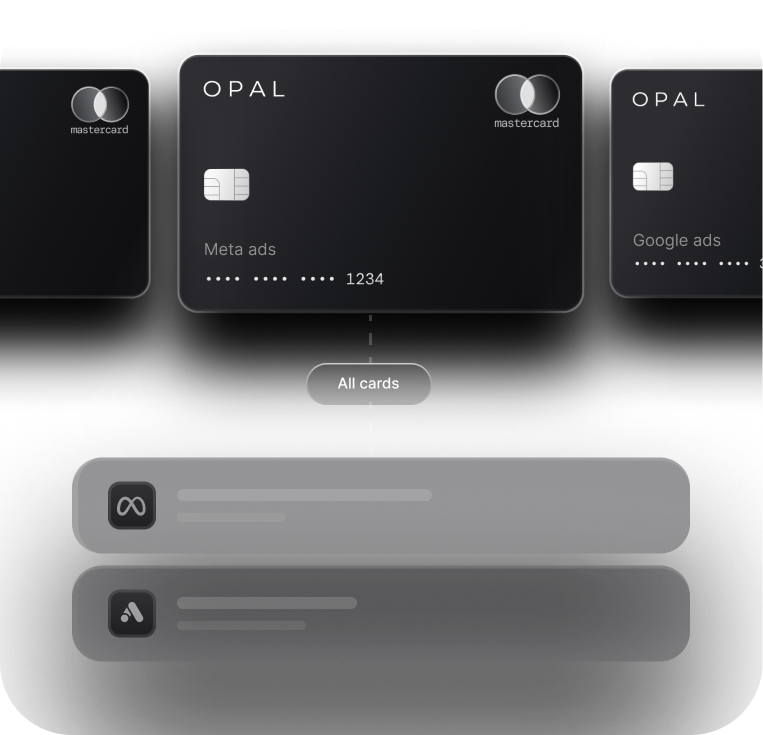

How Agencies Manage Ad Spend Across Google, Meta, TikTok, LinkedIn, and Amazon


How agencies manage ad spend across Google, Meta, TikTok, LinkedIn, and Amazon comes down to 3 controls applied the same way on every platform: limit who can change payment details, give each client ad account a hard spending ceiling, and compare platform-reported spend with card charges every week.
Multi-platform ad spend management holds up when those controls sit in one record your finance team owns, because each platform keeps budgets, payment methods, and user roles in its own console.
Those consoles are Google Ads with its manager accounts and payments profiles, Meta Business Suite with its business portfolios, TikTok Business Center, LinkedIn Campaign Manager, and the Amazon Ads advertiser account that spans sponsored ads and Amazon DSP (demand-side platform).
Each defines its own roles and billing permissions, so an agency running 20 U.S. clients on all 5 platforms can hold up to 100 ad accounts, each with its own user list and payment method.
Nothing on the platform side ties those accounts together, so agency owners and finance leads need a control layer built on 2 principles the National Institute of Standards and Technology (NIST) defines: least privilege and separation of duty.
Key Takeaways
Each platform splits campaign rights from payment rights differently: Google Ads has a dedicated Billing access level, LinkedIn lets only the billing admin change billing details, and the TikTok Operator role can both build ads and manage finance.
Give every person the smallest role that does the job, the principle the National Institute of Standards and Technology (NIST) calls least privilege, and use Meta temporary access, which expires after 3 to 75 days, for contractors.
Native spending caps differ in scope and reset rules, so a separate virtual card for every client on each platform, limited to the approved budget, gives you one ceiling that behaves the same on all 5 platforms.
A weekly review comparing approved budget, reported platform spend, and card charges for every ad account catches overspend and misrouted charges before month-end close.
Removing a person or a client means working through 5 consoles plus the card program, so offboarding needs a written checklist and a named owner.
What Controls Shape How Agencies Manage Ad Spend Across Google, Meta, TikTok, LinkedIn, and Amazon?
Four controls shape the work: access, spending ceilings, payment methods, and a recurring spend review, all tracked in one control map. The platforms supply the settings, and the map tells your team which setting to use, who may change it, and how often someone checks it.
Build One Map of Clients, Accounts, and Owners
Start with a sheet that has one row per ad account rather than one row per client. Record the client, platform, account ID, payment method, approved monthly budget, and every person with access and their role.
Keep the map where your finance team keeps client records, and update it whenever an account opens, a card changes, or a person joins or leaves. A map in one buyer's personal drive goes stale once that buyer moves on.
Assign Each Control to a Named Owner
Media buyers usually own budgets inside each platform, while a finance lead owns payment methods, card limits, and the review itself. Writing these assignments down puts separation of duty into practice, since the person who launches a campaign is no longer the person who can raise the money behind it. NIST Special Publication 800-192 illustrates the idea with payroll, where the person who authorizes a paycheck should not also prepare it.
Who Can Change Payment Details on Each Ad Platform?
Every platform separates campaign rights from payment rights, but each draws the line differently. The table maps it from each platform's own help documentation.
|
Platform |
Where accounts are grouped |
Roles offered |
Who can change payment details |
|---|---|---|---|
Google Ads |
Manager account and payments profile |
Admin, Standard, Read-only, Billing, Email-only |
Admin and Billing can add or edit payment methods on the payments profile; Standard can edit billing information but cannot add a payment method there |
Meta |
Business portfolio in Meta Business Suite |
Full control or partial access, plus optional finance access |
People given finance access to manage transactions, invoices, and payment methods, an advanced option layered on their main access level |
TikTok |
Business Center |
Admin, Operator, Analyst on each ad account |
Admin and Operator can manage finance; only Admin can manage ad account settings |
Business Manager and Campaign Manager |
Billing admin, Account manager, Campaign manager, Creative manager, Viewer |
Billing admin only, and every ad account must have one |
|
Amazon Ads |
Manager account and advertiser account |
Admin, editor, viewer, or custom application-level permissions |
Set through the role or custom permissions you assign; invoices can bill to the manager account or to the advertiser |
Read the Role Table Before You Send an Invite
The same job title maps to different rights on each platform. A media buyer at the Google Ads Standard level can edit campaigns and billing information yet cannot add a new card to the payments profile, while the same buyer added to TikTok as an Operator can manage finance for that ad account. On LinkedIn, whoever creates an ad account becomes its billing admin automatically.
Before inviting anyone, find the row covering payment methods or finance on that platform's role page, and choose the lowest role that still fits the work. Google's access level grid lists every right for all 5 Google Ads levels in one table.
Patch the Gaps the Platforms Leave Open
On TikTok, reserve Operator for people you would trust with payment changes and give everyone else Analyst access to reports. On LinkedIn, move the billing admin role to a finance owner as soon as an account exists, and if an account still lands on hold, our guide to LinkedIn billing holds covers recovery. On Google Ads, payments admins get an email whenever someone changes payments profile details, so route those alerts to a shared finance inbox.
How Should Access Be Granted and Removed Across Five Platforms?
Grant access from a written request, at the smallest role that covers the task, and remove it the same day the work ends. Doing this across 5 consoles takes a checklist, because no platform knows what you changed on the other 4.
Grant the Smallest Role for the Shortest Time
NIST Special Publication 800-53 defines least privilege as granting each entity only the authorizations it needs to perform its function. Meta Business Suite applies it by adding people with basic access by default and offering temporary access of 3 to 75 days, after which Meta removes the person automatically, which suits freelancers and short pilots.
Meta's portfolio permission levels also include finance access as an extra option for viewing or managing transactions, invoices, and payment methods. You can grant it to a finance lead who needs billing visibility without handing that person campaign control.
Offboard From a Five-Console Checklist
When a media buyer leaves, remove them in Google Ads, Meta Business Suite, TikTok Business Center, LinkedIn Campaign Manager, and the Amazon Ads console, then confirm each removal by reopening the user list. Close or reassign any virtual cards issued to that person, and see our guide to card permissions for buyers for buyer-level card rules.
When a client leaves, sequence matters. Pause campaigns, let final charges post, then remove the payment method and your access, because a card pulled before the last charge settles leaves nothing on file to pay it.
How Do You Cap Spend When Every Platform Paces Differently?
Use the native cap where a platform offers one, and back it with a card limit that works the same way on all 5 platforms. Native caps differ in scope and reset behavior, so the card is the one ceiling you can set to a single rule everywhere.
Use Native Account Caps Where They Exist
According to Meta's help page on ad account spending limits, the limit is a lifetime cap on spend across every campaign in the account, counted from the moment you set it. When spend reaches the cap, ads pause, yet Ads Manager still lists them as active, so check payment settings instead of campaign status. Some accounts can reset the cap automatically on the 1st of each month, and accounts that pay from available funds cannot set one at all.
Record in the control map which accounts carry a native cap, its amount, and whether it resets. A forgotten cap can stop campaigns that still look healthy in the platform interface.
Make the Card Limit Your Cross-Platform Ceiling
Give each client its own virtual card on each platform and set the monthly limit to the approved budget plus a margin for that platform's largest single charge. The card then declines anything beyond what the client approved, whatever the platform's pacing does. Our guide to client and platform limits explains when a hard limit beats an alert.
Thresholds, top-ups, and invoices each change the margin a card needs. Our breakdown of platform billing mechanics covers that sizing, and each account's first-month charges show where to set it.
What Does a Weekly Multi-Platform Spend Review Look Like?
A weekly review compares 3 numbers for every ad account: the approved budget, the spend the platform reports, and the charges on the card. Any gap between them has a cause you can still trace while the week is fresh.
Compare Three Numbers for Every Ad Account
Pull the week's spend from each platform, then pull card charges grouped by card. Since every card belongs to one client on one platform, matching runs row by row instead of through a shared statement.
Flag 3 conditions: spend running ahead of the budget's pace, charges with no matching account in the map, and accounts where reported spend grows while no charges post, which can mean billing has moved to another payment method or an invoice. Keep one owner and one fixed day, and see our walkthrough of automated QuickBooks reconciliation for how clean card-level data flows into the books.
Put Every Recurring Control on a Fixed Schedule
The table sets a starting rhythm for the controls in this guide. Change the owners to match your team, but keep each control on a fixed schedule so nothing depends on someone remembering.
|
Cadence |
Control |
Owner |
Record kept |
|---|---|---|---|
Daily |
Check paused campaigns and declined charges |
Media buyer |
Note in the control map |
Weekly |
Compare approved budget, platform spend, and card charges |
Finance lead |
Review log with flags |
Monthly |
Review user lists on all 5 platforms and confirm native caps |
Finance lead and agency owner |
Signed access review |
New client |
Open ad accounts, issue cards, assign roles, add map rows |
Account lead |
Map rows and card IDs |
Exit of a person or client |
Run the offboarding checklist |
Finance lead |
Completed checklist |
Should Agencies Use Consolidated Ad Billing Across Platforms?
Consolidated ad billing for agencies cuts the number of invoices on the platforms that offer it, but it moves payment off the card and onto a separate reconciliation track. Decide platform by platform, and keep one ledger whichever route each platform takes.
Know What Each Platform Will Consolidate
Amazon's guide to its enhanced advertiser account describes 2 billing options for agencies: bill to partner at the manager account level, or bill to advertiser at the individual advertiser level. Either way, invoices combine sponsored ads and Amazon DSP spend. Google Ads ties monthly invoicing to manager account ownership, with the request authorized by an admin of the client account or of the manager account.
Keep One Ledger When Payment Routes Split
Multi-platform ad billing often ends up mixed, with some platforms invoiced and others charged to cards. Add a payment-route column to the control map and reconcile invoiced accounts against the invoice, so a missing card charge on those accounts reads as expected rather than as a flag. Check any client contract that promises card-level detail before moving that client to an invoice.
Run Every Platform's Spend Through One Control Layer With Opal
We built Opal so the card side of your control map lives in one place beside the platform consoles. Here is what we provide and what your team keeps.
What We Provide
We provide as many free virtual cards as you need, so every client can hold a separate card for each platform, each with a separate spending limit, expiration date, and merchant restrictions. Approvals, employee permissions, client-level visibility, and transaction exports sit in one dashboard, with a QuickBooks or Workday sync. Eligible ad spend earns cashback of up to 1.5%, uncapped, at a rate set when your application is approved.
Credit reaches up to $10 million, sized on the advertising volume you manage. Approval skips the personal guarantee and the hard credit pull, the card has no annual fee, and the online form needs 2 to 3 minutes, after which virtual cards usually follow within 1 to 2 days.
What Your Team Configures and What to Know
Your team still assigns roles inside each ad platform, sets native caps, and runs the weekly review, because Opal does not change platform permissions. Our card must be paid in full, with the whole statement balance drawn from your bank account automatically every month. Cards work only on the advertising and media platforms we support, and we currently serve businesses based in the U.S.
Ad Pay, our separate waitlist product for settling Meta and Google invoices with Opal credit, adds a processing fee to each payment. Start with Opal for agencies to see how cards, limits, and permissions map onto your client list.
Frequently Asked Questions About Multi-Platform Ad Spend
How Can an Agency Manage Client Ad Spend Across Platforms Safely?
Agencies keep control by tracking every ad account in one map, assigning each control to a named owner, and giving each client its own card on every platform, limited to the approved budget. A weekly review then compares budget, reported platform spend, and card charges for every account.
Which Google Ads Access Level Should a Media Buyer Have?
Most media buyers need the Standard access level, which lets them edit campaigns and billing information without adding new payment methods to the payments profile. Reserve Admin and Billing access, the 2 levels that can add or edit payment methods there, for whoever owns the card program.
Can a TikTok Operator Change Payment Settings?
Yes. In TikTok Business Center, the Operator role can create and edit ads and manage finance for an assigned ad account, although only Admin can manage ad account settings. Give Operator only to people trusted with payment changes, and assign Analyst to anyone who only needs reports.
What Does Meta Do When an Account Hits Its Spending Limit?
Ads pause and the account stops spending, though Ads Manager still lists the ads as active, and Meta sends a notification. To resume, change, remove, or reset the limit in payment settings. Accounts that pay with available funds cannot set an account spending limit, so a card limit has to do that job instead.
How Often Should Agencies Review User Access on Ad Platforms?
Review user lists on every platform at least monthly, and remove access on the same day a person leaves or a client contract ends. Confirm each removal by reopening the user list, then update your control map. Meta's temporary access, which expires after 3 to 75 days, keeps contractor access from lingering.
Is Consolidated Ad Billing Better Than Paying Each Platform by Card?
It depends on the platform and the client. Consolidated invoices, such as Amazon's bill to partner option, reduce the invoice count but move payment off the card and onto a separate reconciliation track. Card payment keeps one charge stream per account, so a mixed setup works when you record each account's route.