

Multi-Entity Ad Spend Management: How Finance Leaders Control Spend Across Business Units


Multi-entity ad spend management is the practice of giving each subsidiary, brand, region, or department its own payment method, budget owner, and spending limit for advertising, while finance keeps one consolidated view of the total.
The reliable way to run it is to map every ad account to a single business unit, issue a dedicated card for each mapping, and reconcile by unit before rolling the numbers up to the parent company.
This guide is for chief financial officers (CFOs), controllers, and finance leaders at parent companies that advertise through several legal entities, house brands, regional teams, or departments.
Those units buy media on Google Ads, Meta (Facebook and Instagram), TikTok Ads, LinkedIn Ads, Snapchat Ads, and Amazon Ads, and each platform ties billing to individual ad accounts rather than to your org chart. When 3 brands share a corporate card, the general ledger (GL) receives one lump sum that someone splits by hand, and one brand's busy quarter can use up credit another brand was counting on.
In this article, you'll learn how to structure cards, permissions, budgets, and approvals around your business units. You'll also see where Google Ads consolidated billing helps and how to build one consolidated report from unit-level data.
Key Takeaways
Multi-entity ad spend management works when every ad account maps to exactly 1 business unit and 1 payment method, so each charge has an owner before it posts.
A dedicated virtual card per business unit, or per unit and platform, separates spend at the source instead of splitting a shared statement after the fact.
Role-based permissions should split who issues cards, who changes limits, and who can only view spend, so no single person controls a unit's budget from end to end.
Google Ads consolidated billing can put up to 50,000 accounts on one monthly invoice, but it requires a manager account, monthly invoicing, and a single currency per invoice.
Consolidated ad spend reporting is most dependable when it rolls up from unit-level card transactions that share one naming code with your accounting system.
What Is Multi-Entity Ad Spend Management?
Multi-entity ad spend management is a set of controls that decides which business unit owns each advertising charge, who can approve it, and which books it lands in. It covers card allocation, permissions, limits, approvals, and reporting, and the first decision is which organizational cut your cards should follow.
Legal Entities and Management Units Need Different Splits
A legal entity, such as a subsidiary incorporated in another state, keeps its own ledger and files its own taxes, so its ad spend has to land in its books. A brand, region, or department is usually a management cut inside one entity, tracked with classes or cost centers. Let the legal entity decide which books a card posts to, and the brand or region decide how many cards it holds.
Where This Differs From Agency Client Billing
An agency pays for media on behalf of outside clients and rebills them, so its controls protect client money. A multi-entity company pays for its own advertising, so the control question is internal: which unit spent it, and was it inside that unit's approved budget.
That shift shows up at month end. When a parent pays a subsidiary's ad bills, the payment usually creates an intercompany balance that has to be recorded, settled, and eliminated in consolidation.
How Should You Separate Ad Spend Across Business Units?
Separate ad spend by giving each business unit its own cards, tied to the specific ad accounts that unit runs. Spend separated at the card level arrives in your books already labeled, so start with an inventory and then choose how detailed your card structure should be.
Map Every Ad Account to a Single Owner First
Work through these steps before you issue a card:
List every ad account by platform, with its ID and who holds billing access.
Assign each account to one owning business unit and record which legal entity carries its costs.
Split any account used by more than one unit, or name a single owner and an allocation rule.
Note the payment method each account uses today, so you can retire shared cards later.
Keep this map beside your chart of accounts codes, since every later decision refers back to it. Most companies find a few orphaned or shared accounts on the first pass.
Choose the Right Level of Card Detail
More cards sharpen reporting, but each one needs an owner and a limit. Here is how the common structures compare:
Card structure |
Works well when |
Trade-off |
|---|---|---|
1 card per legal entity |
Each entity runs a single brand on 1 or 2 platforms |
Brand and platform splits still happen in spreadsheets |
1 card per brand or region |
Brands share an entity but report results separately |
Platform-level spend is mixed on each statement |
1 card per unit and platform |
Units advertise on 3 or more platforms with separate budgets |
More cards to name, limit, and review each month |
1 card per campaign |
Launches or seasonal pushes need hard caps |
Card count grows quickly without a naming code |
Say your company runs 3 brands, and each advertises on Google Ads, Meta, and TikTok Ads. A card per unit and platform gives you 9 cards, with every statement line already labeled.
Who Should Own Each Business Unit's Ad Budget?
Each business unit's marketing lead should own the budget, while finance owns the card limit and the permissions around it. Splitting those roles means the person spending money is never the person who can raise the ceiling on it.
Separate the Budget Owner From the Limit Owner
The budget owner decides how a unit's approved spend is used across campaigns and platforms. The limit owner, usually a controller, sets the card limit to match that budget and changes it only when the budget changes. Write both names next to each card in your account map, so a departing lead's cards are easy to reassign.
Set Business Unit Spend Controls by Role
Assign permissions by task, never by seniority. This mapping is a practical starting point:
Role |
Issue or close cards |
Change card limits |
View transactions |
Approve exceptions |
|---|---|---|---|---|
Finance admin (controller) |
Yes |
Yes |
All units |
Yes |
Unit budget owner |
Request only |
Request only |
Own unit |
Within own unit |
Media buyer |
No |
No |
Own cards |
No |
Auditor or analyst |
No |
No |
All units |
No |
Line your ad platform roles up with this too. Google's help page on manager account access levels lists Administrative, Standard, Read only, Email only, and Billing, and notes that Read only and Email only users can't make changes. Our guide to user-level billing records shows how to keep a named audit trail across both layers.
How Do You Set Spending Limits and Approval Flows by Unit?
Set each card's limit from the unit's approved monthly budget plus a small buffer for billing timing, then require approval only for exceptions. Routine charges inside the limit should clear without anyone stepping in.
Size Each Card Limit From the Approved Budget
Ad platforms charge on their own schedules, so a limit set exactly at budget can decline a legitimate charge near period end. For example, if a brand's approved Google Ads budget is $60,000 a month and you add a 15% buffer, the card limit becomes $69,000, while the budget owner is still measured against $60,000.
Our walkthrough on setting monthly limits covers how hard caps and alerts fit together. Review every limit during month-end close.
Route Exceptions, Not Every Charge
A tiered approval rule keeps launches moving without finance signing off on every charge:
A limit increase of up to 10% for the current month needs the unit budget owner's approval.
A larger increase, or a new card for an existing unit, needs the finance admin.
A card for a new legal entity, or one posting to another entity's books, needs the controller.
Put these tiers in your written spend policy so every unit plays by the same rules. Card limits also sit underneath platform budgets, a layering our guide to corporate card controls explains.
How Does Google Ads Consolidated Billing Fit a Multi-Entity Structure?
Google Ads consolidated billing combines many Google Ads accounts onto one monthly invoice that shows spend per account. It helps parent companies with large Google budgets, but it covers Google alone and has eligibility rules many units won't meet.
Check Eligibility Before Planning Around It
Google's page on consolidated billing says every account on a consolidated invoice must link to one common paying manager account, use monthly invoicing, and share a single currency. One invoice can hold up to 50,000 Google Ads accounts, and the feature isn't available to media agencies.
Monthly invoicing has its own bar. Google's monthly invoicing page lists requirements including at least 1 year as a registered business, 6 months in good standing, and at least $5,000 in spend per month in any 3 of the last 12 months.
Know What Consolidated Invoicing Leaves Open
Currency is the first gap for regional teams. Google issues one consolidated invoice per currency, so a unit billing in euros gets its own invoice however you link accounts.
Google's overview of manager accounts describes a manager account as an umbrella over linked Google Ads accounts and says one is required for monthly invoicing. Meta, TikTok Ads, LinkedIn Ads, and the other platforms still bill each ad account on its own terms, so card-level separation stays the common layer.
How Do You Build Consolidated Ad Spend Reporting Across Entities?
Build consolidated ad spend reporting from card transactions already labeled by business unit, reconcile each unit on its own, and then roll the totals up. Platform dashboards make a weak start, since each defines and dates spend differently.
Use One Naming Code Across Every System
Name each card with the same code you use for entities and units in your accounting system, such as entity, brand, and platform in a fixed order. Use that code in the ad account name too, where the platform allows it, and a transaction export sorts by unit in a single pass.
Reconcile by Unit, Then Roll Up
Run the close in this order so errors surface inside the unit that caused them:
Export each unit's card transactions for the period.
Match every charge to the platform's billing record for that ad account.
Post matched spend to the owning entity's GL with the unit's class or department.
Record any intercompany balance where the parent paid for a subsidiary's ads.
Consolidate the entities and eliminate the intercompany entries.
Units that fail step 2 month after month usually have a card structure or naming problem. Fix that before adding more review.
Fields Every Consolidated Report Needs
A consolidated report should let a CFO answer budget questions without opening a platform. These fields cover most of what leadership asks:
Report field |
Where it comes from |
Question it answers |
|---|---|---|
Entity and business unit |
Card naming code |
Who owns this spend? |
Platform and ad account ID |
Card name and platform invoice |
Where was it spent? |
Approved budget and card limit |
Budget plan and card settings |
Was it inside plan? |
Actual spend for the period |
Card transactions |
What did it cost? |
Intercompany amount |
Accounting system |
What does the parent need to settle? |
Run Every Business Unit's Ad Spend on the Opal Card
If your business units advertise across several platforms, we can carry the card layer of this structure. Here is what we provide and where the fit has limits.
See What Every Account Includes
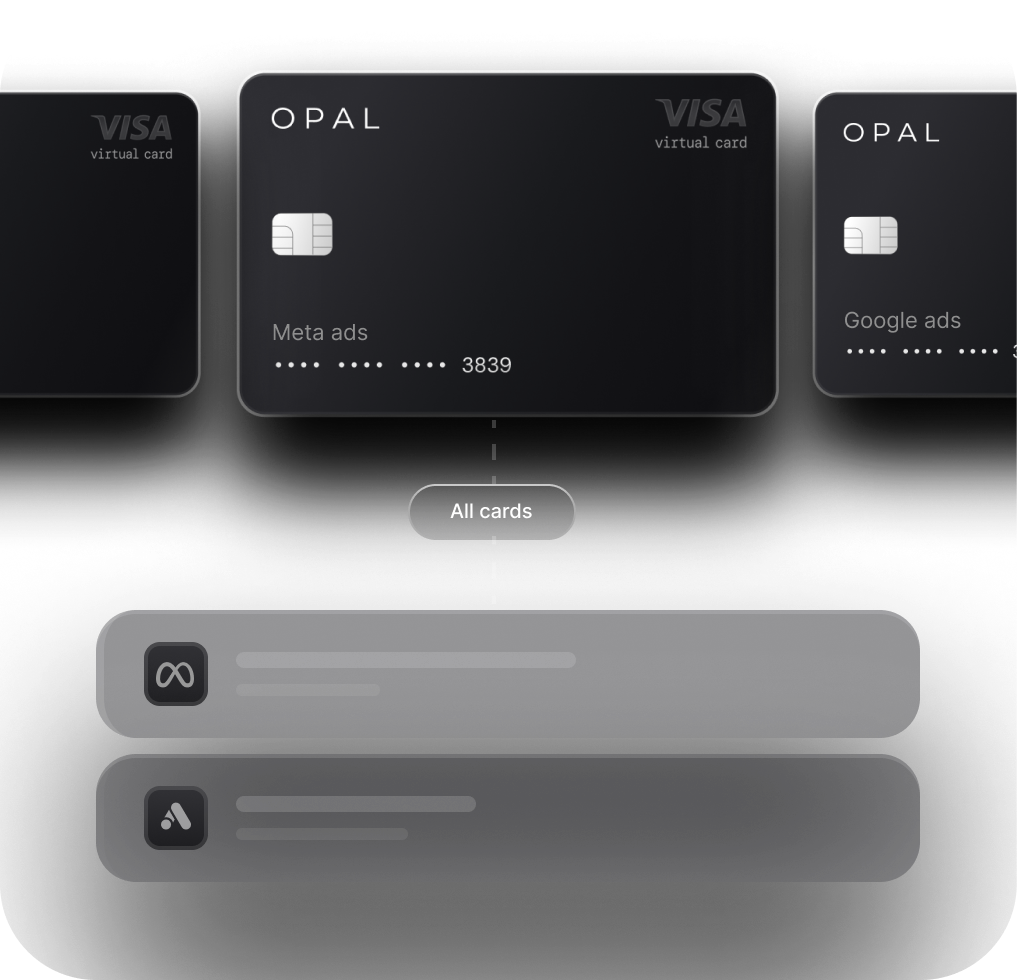
We provide a pay-in-full business charge card built for advertising spend, with unlimited virtual cards at no cost. Each card has its own spending limit, expiration date, and merchant restrictions, and you can add approvals and employee permissions on top.
Transactions export for your close and sync to QuickBooks. Eligible ad spend earns up to 1.5% uncapped cashback, and we confirm your rate at approval. There's no annual fee, no personal guarantee, no hard credit check, and no bank switch required, and credit is set through underwriting that considers your advertising spend and cash flow.
Check the Fit Before You Apply
You configure the cards, so decide which entity's books each card posts to before your first QuickBooks sync. The card is pay-in-full: the full statement balance is debited automatically on each monthly due date, and if that payment fails, the card may be locked until the balance is repaid.
We serve U.S.-based businesses only, so a subsidiary registered abroad needs a different arrangement. The card works on supported advertising and media platforms, so a unit whose spend is mostly travel or software is better served by a general corporate card. Ad Pay, our separate product for Meta and Google invoices, has its own availability and a 3% processing fee on Opal credit or 3.5% on another card.
The application takes 2 to 3 minutes, and virtual cards are typically issued within 24 to 48 hours. See how we work with in-house teams on Opal for brands, then apply from our site or book a demo.
Frequently Asked Questions (FAQs)
Should Each Subsidiary Have Its Own Ad Spend Card?
Yes, in most cases. A subsidiary that is its own legal entity keeps its own ledger, so its advertising belongs on cards assigned to that subsidiary alone. Dedicated cards post each charge to the correct books and keep subsidiary advertising spend off the parent's statement.
Can One Corporate Card Cover Several Brands?
It can, but finance pays for it at month end. A shared card mixes every brand's charges into one statement, so someone splits each line by brand before posting. Multi-brand advertising budget management is simpler when each brand has its own card, limit, and owner.
How Should You Allocate a Shared Brand Campaign Across Business Units?
Pay for a parent-brand campaign on a card owned by the parent company, then allocate the cost with an agreed key, such as each unit's share of revenue, through a journal entry at close. A separate card keeps shared campaigns from distorting any single unit's budget.
Is Google Ads Consolidated Billing Available to Every Advertiser?
No. Consolidated billing requires a Google Ads manager account and monthly invoicing, and every account on an invoice must share one currency. Monthly invoicing itself has eligibility rules, including at least $5,000 in monthly spend in any 3 of the last 12 months, and Google states the feature isn't available to media agencies.
What Should a Consolidated Ad Spend Report Include?
A consolidated ad spend report should show entity, business unit, platform, ad account ID, approved budget, card limit, actual spend, and any intercompany amount for the period. Build it from card transactions that carry a unit code, and reconcile each unit before combining, so variances trace to a specific owner.
How Often Should Finance Review Regional Marketing Budget Controls?
Review card limits against budget during every month-end close, and review user access across cards and ad platforms each quarter. Regional marketing budget controls drift fastest after reorganizations and staff changes, so add an extra review whenever a unit gains or loses an owner.
How to Structure Ad Spend for Multiple Clients Without Card Chaos
Ad Spend Management: The Complete Guide for Agencies and Brands (2026)

5 Best Virtual Business Cards for Ad Spend in 2026