

Unlimited Virtual Cards for Agencies: Compare Providers, Fees, and Client Spending Controls

Quick Answer: Unlimited virtual cards for agencies let you issue a separate card number for every client, ad account, and platform with no fixed cap on how many you create. Card count and spending power are separate questions, so compare providers on what backs the spending, any per-card or plan fees, and the controls each card carries.
The request tends to land the week a new client signs. There's a Meta (Facebook and Instagram) account to fund, 2 Google Ads accounts, and a TikTok test the media buyer wants live before kickoff, and the card already on file is carrying 4 other clients.
Most providers now advertise unlimited virtual cards, but the word describes card numbers. It leaves out the credit or cash behind them, the plan tiers tied to card counts, and the card types each ad platform accepts, which decide whether your setup holds at 20 clients.
In this article, you'll learn what unlimited issuance covers, how 5 providers compare on card supply, cost, and controls, and how to size a card count from your client roster. You'll also see a sample allocation and a checklist of fees and restrictions to confirm before you sign.
Key Takeaways
- Unlimited issuance refers to how many card numbers you can create, while total spending stays capped by the credit line or account balance behind every card.
- Giving each client ad account its own card keeps one client's decline, dispute, or offboarding from touching another client's campaigns.
- Providers that advertise unlimited cards differ most on what backs the spending, whether that is a credit line, a charge card repaid daily, or a debit balance.
- Count cards from ad accounts, backup cards, and fixed-budget flights rather than from clients, since one client on 3 platforms can need 4 card numbers.
- Before moving client accounts, check per-card fees, plan-tier card allowances, rewards eligibility on ad platform charges, and the card types each platform refuses.
What Does Unlimited Virtual Card Issuance Cover?
It covers card numbers. A provider offering unlimited issuance lets you create as many virtual cards as you need, but the money those cards can spend still comes from one account with one ceiling.
Card Count Versus Spending Capacity
Every virtual card draws on the credit line or balance of the account that issued it, so card limits can add up to more than the account holds. Say your card limits total $400,000 and the account's credit line is $250,000 (example figures). Once $250,000 of charges post in a cycle, further charges on any card are declined, even on cards under their own limits.
Our unlimited cards glossary entry covers the definition. When buying, ask what sets that ceiling, since underwriting sets it on a credit product and the cash in your funding account sets it on a debit or settlement-based one.
Rules That Still Apply to Every Card
Unlimited issuance rarely means unrestricted issuance. Providers decide who can create cards, whether certain controls sit on a paid tier, and which merchants a card can pay, so read the plan comparison and footnotes rather than the headline.
Why Do Advertising Agencies Need Multiple Virtual Cards?
Each ad account charges its payment method on its own schedule, so one card behind many accounts turns a single problem into a roster-wide one. Separate card numbers draw a boundary around each client and each platform.
Clean Records for Rebilling and Audits
Agency contracts usually spell out who pays the platform and how media is rebilled. With cards per client, every rebill starts from a filtered card export instead of a spreadsheet someone tagged by hand. Our guide to separating client budgets covers the move off a shared card.
Platforms That Bill on Different Schedules
Google Ads, Meta, and TikTok typically charge a stored card when an account reaches its billing threshold or monthly bill date, so two accounts on one card hit it on different days with different amounts. A card per platform account lets each limit match that account's pattern.
Continuity When One Card Is Declined
When the issuer declines a charge, the platform usually pauses delivery until a working payment method is on file. Google lets each postpay account hold one backup card and charges it automatically when the primary fails, as its help page on backup payment methods explains. With separate cards per account, a decline on one client's card stays with that client.
How Should Agencies Compare Virtual Card Providers?
Compare them on what happens when a platform charges, not on card count alone. We publish this comparison and include Opal, so we've set out the criteria behind our order.
4 Criteria Behind Our Order
We ordered the providers on card supply and per-card cost, what backs the spending and how fast it's repaid, the controls named for individual cards, and eligibility for a US business. Rewards and foreign transaction fees vary by plan and account terms, so they sit in the checklist below.
Providers Side by Side
Competitor details come from each provider's own pricing, product, or help pages, and terms change, so confirm them when you apply:
| Provider | Virtual card supply | Card or plan cost | What backs the spending | Repayment or settlement | Per-card controls the provider names | Eligibility stated |
|---|---|---|---|---|---|---|
| Opal | Unlimited | No per-card charge; $0 annual fee | Credit sized on ad spend, subject to underwriting | Pay in full; statement balance debited each monthly due date | Spend limit, merchant restriction, expiration date, team permissions | US-based businesses; supported ad and media platforms |
| Slash | Unlimited on Free and Pro plans | Free plan $0 a month; Pro $25 a month per entity; no per-card fee listed | Visa charge card | Balance due in full daily | Spend limits, per-transaction limits, merchant restrictions, card groups | Not stated on pricing page |
| Airwallex | Unlimited | No extra cost on any plan | Visa debit card drawing on your account balance; no credit line | Paid from balance | Daily and per-transaction limits, merchant category restrictions | US-registered businesses with an approved account |
| Expensify | Unlimited, issued by domain admins | No per-card fee stated; workspace plans priced per member | Combined limit based on your settlement account balance | Daily by default; monthly if eligible | Fixed, monthly, smart, or single-use limits; start and end dates | US business bank account required |
| Wallester | 300, 3,000, or 18,000 by plan | €0, €199, or €999 a month; extra cards billed monthly | Visa Business debit card topped up by bank transfer | Paid from balance | Individual, daily, and monthly limits; single-use or multi-use | FAQ lists European Economic Area and UK entities |
Which Providers Offer Unlimited Virtual Cards for Agencies?
Of the 5 providers below, 4 advertise unlimited virtual cards and 1 sells card allowances by plan tier. If Brex, Ramp, or Mercury is on your list, our virtual business card comparison covers them.
1. Opal: For Agencies Paying Ad Platforms on a Credit Line
We provide unlimited virtual cards with no per-card charge and a $0 annual fee. Credit is sized on your advertising spend rather than your bank balance, subject to underwriting, so a large threshold charge doesn't depend on that week's operating cash.
The limitation is scope. The card works on supported advertising and media platforms, so software and travel belong on another card, and it's a pay-in-full charge card.
2. Slash: For Teams That Can Repay Card Spend Daily
Slash lists unlimited virtual cards on both its Free plan ($0 a month) and its Pro plan ($25 a month per entity), with no per-card fee shown on its pricing page. Its product page names spend limits, per-transaction limits, merchant restrictions, card groups, and permission levels for creating or editing cards.
The Platinum Card is a Visa charge card whose balance, per Slash's disclosures, is due in full daily, so your cash covers each day's platform charges before clients pay. Confirm which controls sit on Free versus Pro before you commit.
3. Airwallex: For Teams Paying From a Business Account Balance
Airwallex lets admins create unlimited virtual cards at no extra cost on any plan, and says any US-registered business with an approved account can get them. Each card supports daily and per-transaction limits and merchant category restrictions.
The cards are Visa debit cards that draw on your Airwallex balance without a credit line. Ad spend is capped by the cash in the account when a platform charges, which gets tight when a large threshold charge lands before a client pays.
4. Expensify: For Teams Running Cards Through Expense Reports
Expensify lets domain admins issue unlimited virtual cards, each with a fixed, monthly, or smart limit, an optional start and end date, or single-use status. It doesn't state a per-card fee, and its workspace plans are priced per member each month.
Its help pages describe one combined limit for all cards, calculated from your settlement account balance and pending transactions, with daily settlement by default. The program needs a US business bank account, so its ceiling moves with the cash in that account.
5. Wallester: For Businesses in Europe Budgeting Cards by Tier
Wallester sells virtual cards in allowances. It lists 300 cards on the Free plan, 3,000 on Premium at €199 a month, and 18,000 on Platinum at €999 a month, with each extra card billed monthly at €0.35, €0.20, or €0.10 respectively.
The cards are Visa Business debit cards with individual, daily, and monthly limits. Its FAQ describes eligibility for entities registered in the European Economic Area and the UK, so a US agency should confirm eligibility directly first.
How Many Virtual Cards Does Your Agency Need?
Count ad accounts, not clients. One client on 3 platforms with a Google Ads backup card already needs 4 card numbers.
A Simple Model From Your Client Roster
Start with 1 card per client ad account on each platform. Add a backup card for each Google Ads account you want covered, a card for each fixed-budget flight, and a small test card per buyer. Then check the total of those card limits against your credit line or balance.
Worked Example: An 8-Client Agency
For example, take an agency with 8 clients, each running 1 ad account per platform, and 3 media buyers:
| Card group | How it's counted | Cards |
|---|---|---|
| 5 clients on Meta and Google Ads | 5 clients × 2 accounts | 10 |
| 3 clients on Meta, Google Ads, and TikTok | 3 clients × 3 accounts | 9 |
| Google Ads backup cards | 1 per Google Ads account | 8 |
| Fixed-budget flight cards | 2 launches running | 2 |
| Buyer test cards | 1 per buyer | 3 |
| Total active cards | 32 |
Each new client on this mix adds 3 or 4 cards, which turns card count into a cost question on providers that cap allowances or bill per card. On providers that don't, it stays a setup task.
How Do You Separate Client Advertising Budgets Using Virtual Cards?
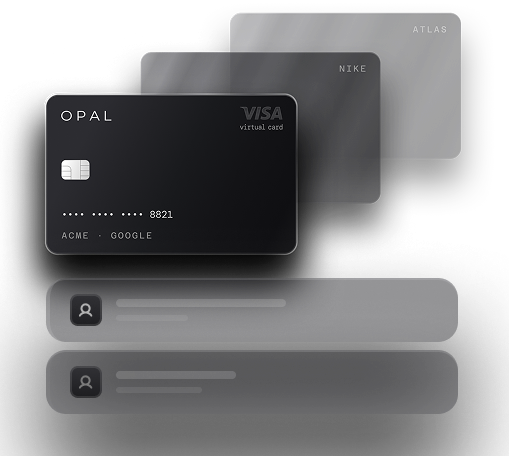
Give each client its own branch of cards, with every card tied to 1 ad account and a limit matched to its approved budget. The structure below shows 3 clients and an agency test card.
Sample Allocation Across 3 Clients
This is an example layout rather than a required template:
Agency card account (one credit line or balance)
├── Client A: Meta, Google Ads
│   ├── A-META-01        monthly limit
│   ├── A-GOOG-01        monthly limit
│   └── A-GOOG-01-BACKUP low limit, Google backup slot
├── Client B: Meta, Google Ads, TikTok
│   ├── B-META-01        monthly limit
│   ├── B-GOOG-01        monthly limit
│   ├── B-GOOG-01-BACKUP low limit, Google backup slot
│   └── B-TIKTOK-01      monthly limit
├── Client C: Meta, plus a product launch
│   ├── C-META-01        monthly limit
│   └── C-META-LAUNCH    total limit, end date on the last flight day
└── Agency
    └── TEST-BUYER-01    small limit, new platform tests
Any charge here traces to one client and one ad account from the card name. Our virtual card setup guide covers naming, limit sizing, and attaching cards inside each platform.
Who Can Create and Change Cards
Settle this before the first card goes live. Buyers generally need to spend and freeze, while new cards, limit increases, and merchant restrictions sit with finance or an account director. Our post on media buyer card permissions sets out a role-by-role matrix.
What Hidden Costs and Restrictions Should You Check Before Choosing a Provider?
The costs that catch agencies out sit in plan comparisons, rewards terms, and ad platform rules rather than on the headline pricing page. Check each against the provider's own documents before moving a client account.
Fees That Grow With Card Count
Some providers bill per card above a plan allowance, while others price the plan per user or per entity. Project next year's card count from your roster and price it at the tier that carries the controls you want.
Questions for Every Provider
Work through this checklist with each provider's documents open:
| What to check | Where to find it | A workable answer |
|---|---|---|
| Per-card fees and card allowances | Pricing page and plan comparison | No per-card fee, or an allowance that covers your projected count with room for new clients |
| Controls by plan | Plan comparison and feature footnotes | Per-card limits, merchant restrictions, and expirations on the plan you'll buy |
| Rewards eligibility | Rewards terms and excluded merchant categories | Ad platform charges listed as eligible, with the conditions for each rate stated |
| Foreign transaction fees | Fee schedule | A stated fee you can apply to any ad account billed in another currency |
| Repayment or settlement timing | Cardholder agreement | A schedule that leaves time for client payments to arrive |
| Limit reviews | Credit terms or account settings | A written process for limit reviews and the factors the provider weighs |
Platform Rules That Override Your Card Choice
Ad platforms set their own payment-method rules, so a card that clears elsewhere can still be refused. TikTok's automatic payment guide says prepaid cards can't be used and that adding a card triggers a verification charge of at least $10, refunded within 15 days. Test any new card type on one low-spend account before you move a whole client.
Which Virtual Card Provider Fits a Growing Agency?
The fit shifts as spend grows. A small agency can manage on card count and basic limits, while a high-volume media buyer needs spending capacity, repayment timing, and permissions that hold up at volume.
Decision Matrix: Small Agency vs High-Volume Media Buyer
Compare the factors that weigh most at each stage:
| Factor | Small agency | High-volume media buyer |
|---|---|---|
| Card supply | Tens of cards, so tier allowances matter less than per-card fees | Cards multiply with every account, backup, and flight, so uncapped supply with no per-card charge matters |
| What backs the spending | A balance-funded card can work if clients pay before platforms charge | Credit sized on ad spend keeps threshold charges from draining operating cash |
| Repayment timing | Daily settlement is manageable at low volume | A monthly statement lines up better with client billing cycles |
| Controls | Per-card limits and the ability to freeze | Per-card limits, merchant restrictions, expirations, and approval rules |
| Permissions | Owner and one finance contact | Role-based permissions so buyers spend without changing limits |
Put Every Client Ad Account on Its Own Opal Card
We built the Opal Card for agencies paying client media across ad platforms. Here is what an account includes and where its boundaries are.
What Comes With Every Opal Account
We provide the card and the platform behind it, including unlimited virtual cards at no per-card cost, each with its own spending limit, expiration date, and merchant restriction, plus approvals, employee permissions, card-level spend visibility, and a QuickBooks sync.
Eligible ad spend earns up to 1.5% cashback, uncapped, and we confirm your rate at approval. There's no personal guarantee and no hard credit check.
Where the Opal Card Fits and Where It Stops
You configure each client's cards, limits, and permissions. The full statement balance is debited automatically each due date, and a failed payment can lock the card until it clears.
The card is open to US-based businesses for spend on supported advertising and media platforms, and Ad Pay is a separate product for Meta and Google invoices, currently on a waitlist, with a 3% processing fee on Opal credit or 3.5% on another card.
Applying takes 2 to 3 minutes, and virtual cards usually arrive within 24 to 48 hours. Map your roster against our Opal for agencies page, then apply from our site or book a demo and bring your card count with you.
Frequently Asked Questions (FAQs)
Do Unlimited Virtual Cards Cost Anything to Issue?
That depends on the provider's fee model. Some charge nothing per card, some include cards in a monthly plan priced per user or entity, and some sell allowances by tier and bill extra cards monthly. We don't charge per card on the Opal Card, and it carries a $0 annual fee.
If a Provider Offers Unlimited Cards, Is My Spending Unlimited Too?
No. Unlimited describes how many card numbers you can create, and every card draws on the same credit line or account balance. Once that ceiling is reached, further charges are declined, even on cards with room under their own limits. On our card, credit is sized on your advertising spend and subject to underwriting.
Can Media Buyers Create Their Own Virtual Cards?
Your permission settings decide that. On our card, you set employee permissions and approvals for every card, so you decide who issues cards and who can raise a limit. One workable split lets buyers spend and freeze cards while finance issues new ones, which keeps each buyer's spending authority visible.
Should One Virtual Card Cover Several Client Ad Accounts?
We'd advise against it. When one card sits behind several client accounts, a single decline, limit change, or dispute affects all of them, and reconciliation means splitting one statement by hand. A card per ad account keeps each client's charges apart and lets you freeze one card without touching the rest.
Do Card Limits Replace the Spending Limits Inside Ad Platforms?
They work alongside them. A platform control, such as an account spending limit in Meta or a campaign budget in Google Ads, governs how much the platform delivers. A card limit governs what the issuer approves when the platform charges, so a card limit set a little above the platform cap catches overspend without blocking routine charges.
Can an Agency Get Virtual Cards for Client Accounts Without a Personal Guarantee?
Yes, with some providers. Our card requires no personal guarantee and no hard credit check. Other providers set their own terms, so read the guarantee clause in each cardholder agreement and ask whether any owner signs as guarantor before you move client accounts onto the card.
5 Best Virtual Business Cards for Ad Spend in 2026

Virtual Cards for Ad Spend: How Agencies and Media Buyers Should Set Them Up

How to Separate Client Ad Budgets at Your Agency (Before It Costs You a Client)